From the team
Resources
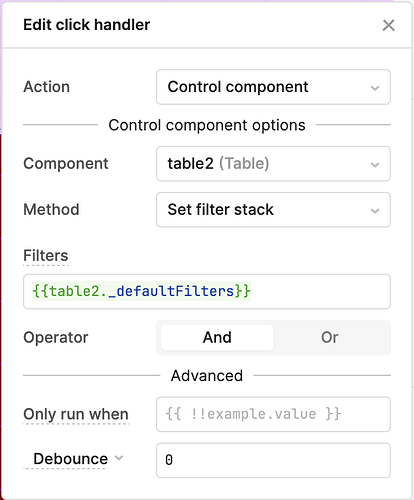
How to Reset Filters to Default in Retool's Table Component
Retool's table component lets you set default filters, but resetting back to them programmatically isn't obvious. Here's every method available — from the new native API to hidden properties and cross-component gotchas.
Read article →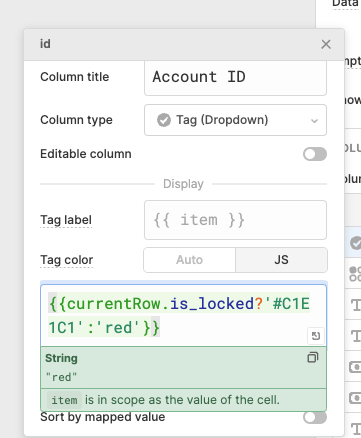
Retool Table Tag Color Not Working: Fixes That Actually Work
If your Retool table tag colors are stuck gray no matter what you put in the Tag color field, you're not alone — this is a known bug. Here's exactly why it happens and how to work around it right now.
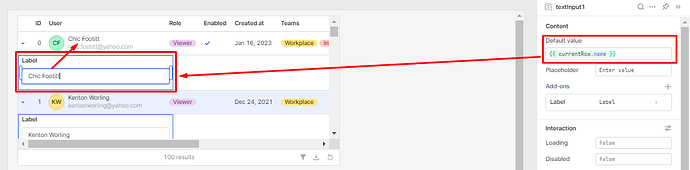
How to Run a Query on an Expanded Row in Retool
Trying to run a query on an expanded row in Retool and pass currentRow to a nested table? This is one of the most common pain points when building drill-down UIs in Retool. Here's exactly how to handle it — including the workarounds that actually work.
Retool Database GDPR Compliance: EU Region Options Explained
Retool Database is a convenient built-in storage layer — but if your company is EU-based, GDPR compliance is a hard blocker. Here's what you need to know about Retool Database's current regional limitations and what EU teams can do right now.
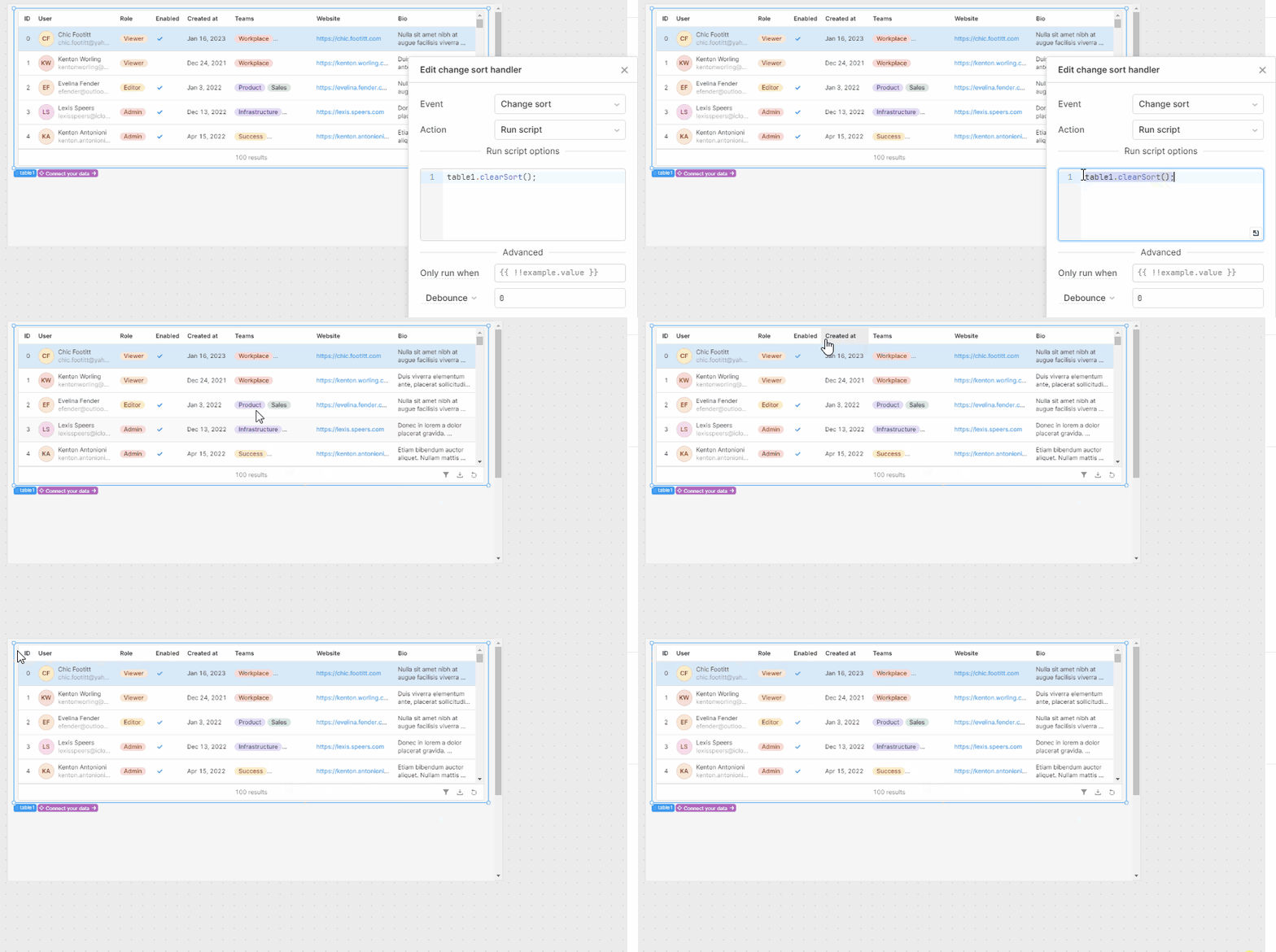
Retool New Table Component: How to Disable Sort
Retool's new table component is missing the disable sort option that existed in the legacy table — and it's tripping up a lot of builders. Here's what's going on, why it matters, and what you can do right now while the feature catches up.
How to Query JSON with SQL in Retool and Filter Nested Fields
Filtering nested JSON fields in Retool trips up a lot of first-time builders. This guide shows you exactly how to use Retool's Query JSON with SQL feature to filter nested properties, and how to display your results cleanly without a table component.
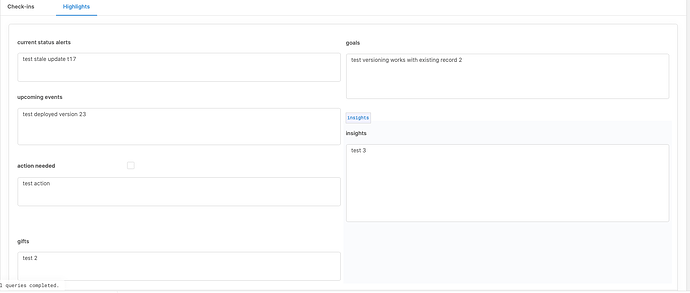
Retool Text Input Not Filling Container: Fix & CSS Workaround
After a Retool update that introduced input validation, many users noticed their text input components stopped filling their allocated container space. Here's the CSS workaround that fixes it — and where to apply it so it sticks across your whole app.
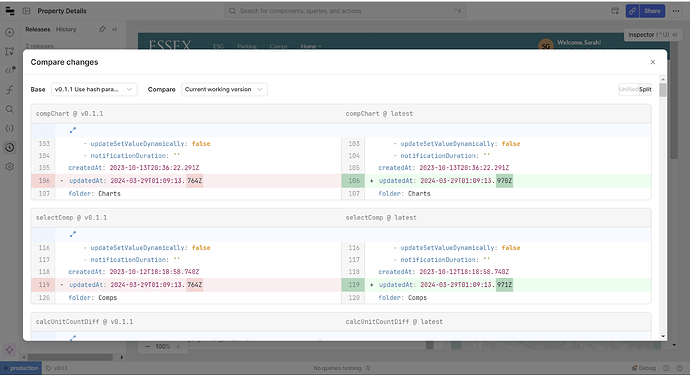
Retool "Diffs Too Large to Display" Bug: What's Happening and How to Fix It
If Retool is showing "Diffs are too large to display" even when you haven't touched your app, you're not imagining things — it's a known bug. Here's exactly what's causing it and how to get your compare workflow back on track.

How to Pass Context to a Retool chatAgent Component
Passing context from your Retool app to the chatAgent component is trickier than it should be — but it is possible. Here's what actually works today, why the component is so limited, and what Retool is planning to fix.
Retool Custom Component Dynamic Height: Fix Auto-Resize
Retool custom components default to a fixed height, which breaks layouts when the browser resizes or content grows. Here's exactly why it happens and how to get dynamic, auto height working in your custom component today.
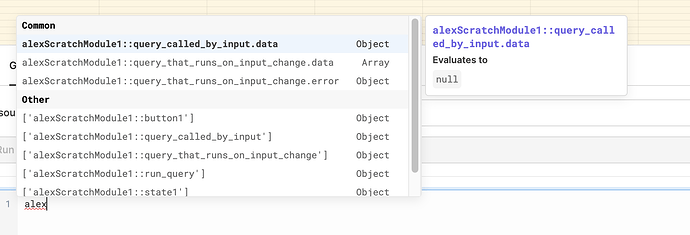
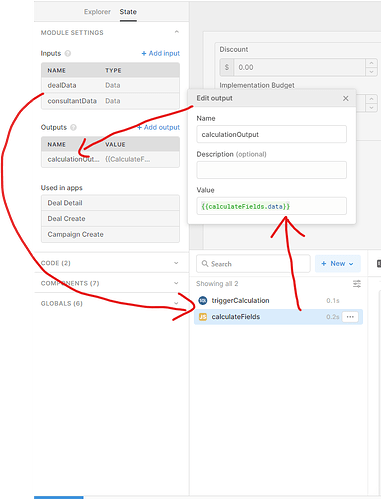
How to Trigger a Query Inside a Retool Module from the Parent App
Trying to trigger a query inside a Retool module from the parent app and hitting dead ends? You're not alone — this trips up even experienced Retool builders. Here's the exact technique that works, plus how to handle state resets cleanly.
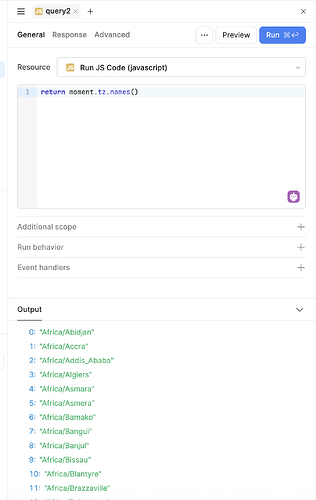
Fix: moment.tz.names() Returns Empty Array in Retool
If you opened Retool today and found that moment.tz.names() returns an empty array and moment.tz.guess() returns undefined, you're not alone. Retool's bundled version of moment-timezone lost its data, but there are fast fixes you can apply right now without changing your app logic.
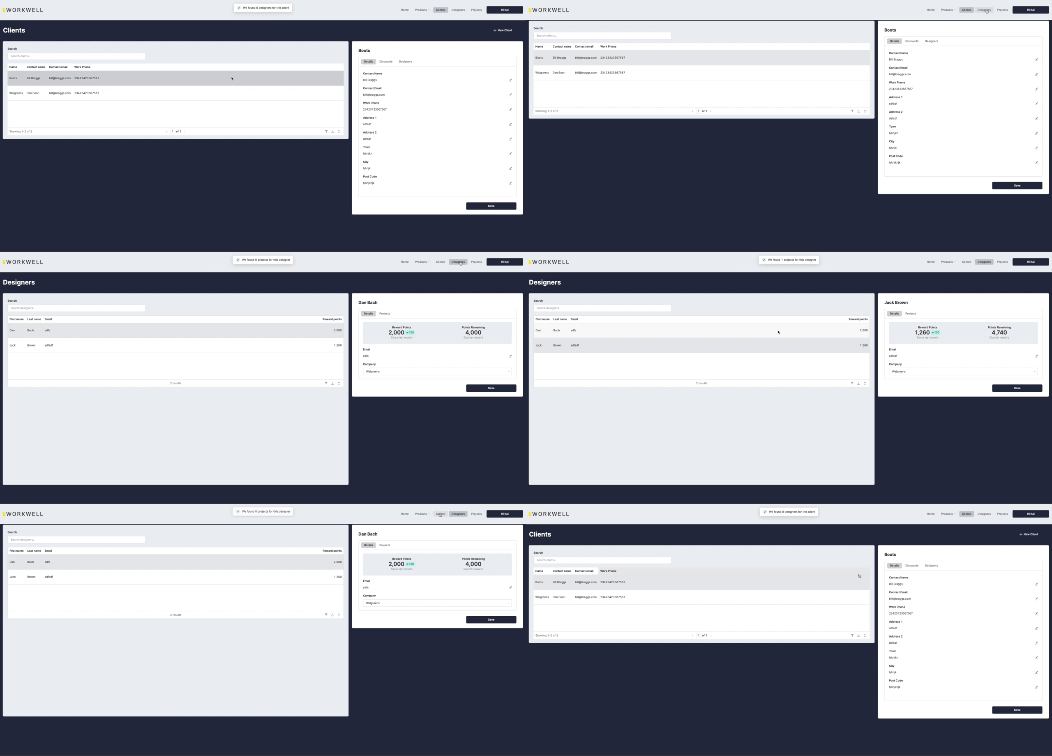
Retool Multi-Page App Navigation Performance: Fix Lag & Flickering
Navigating between apps in a Retool multi-page setup can feel clunky — slow transitions, full page reloads, and flickering headers make for a frustrating user experience. Here's what's causing it and what you can do right now to fix it.
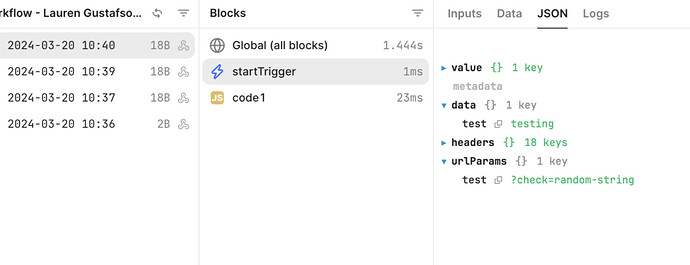
Retool Workflow Webhook URL Parameters: What You Need to Know
If you've tried to read a URL query parameter like <code>?check=random-string</code> inside a Retool Workflow webhook trigger, you've probably hit a wall. URL parameter parsing isn't supported in Retool Workflows yet — but here's exactly what that means, why it matters, and what you can do right now.
Retool utils.openPage Not Passing Query Params: Fix It Now
If your Retool multi-page app suddenly stopped passing query params between pages, you're not alone — and it's not your code. A change to utils.openPage broke query param routing for many teams, but there's a quick fix. Here's exactly what changed and how to update your event handlers in minutes.
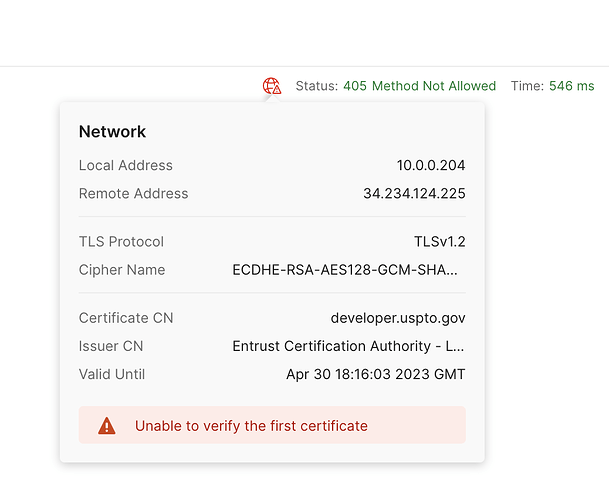
Retool "Unable to Verify the First Certificate" SSL Fix
If your Retool app is throwing "unable to verify the first certificate" on external API calls, you're not alone — and the fix depends on whether you're on Retool Cloud or self-hosted. Here's what's actually going on and how to resolve it fast.

Retool Workflow Shows Success Before Finishing: How to Fix It
If your Retool workflow shows a success message after just 1–2 seconds but the actual run takes 40–50 seconds, you're not alone. This premature success bug has tripped up teams mid-demo and blocked POC launches. Here's what's causing it and how to fix it.
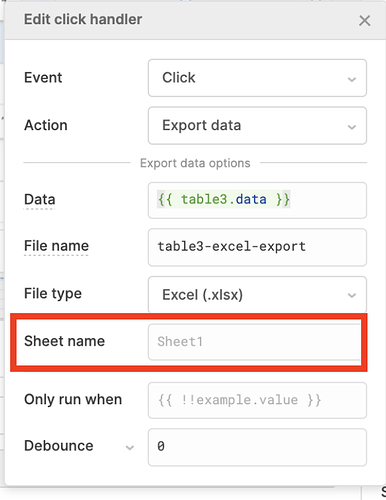
How to Export a Retool Table as Excel (xlsx)
Retool's default CSV export breaks on Windows Excel — but there's a better way. Learn how to export your Retool table as a proper .xlsx file using built-in utilities, event handlers, and even multi-sheet workbooks for complex data pipelines.
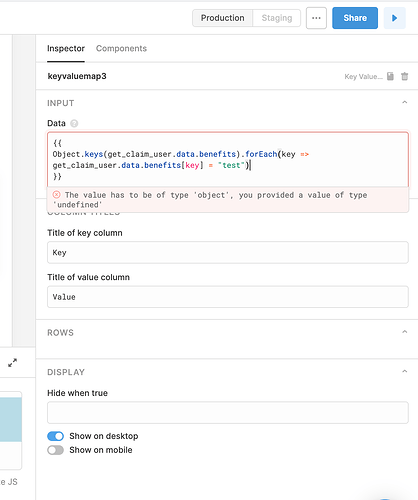
Retool Key Value Map Component: How to Format Nested JSON Values
Struggling to get readable nested JSON inside a Retool Key Value Map component? Formatting applied with JSON.stringify in a transformer gets stripped out — here's how to actually fix it. We'll walk through two working approaches so your data stays legible at a glance.
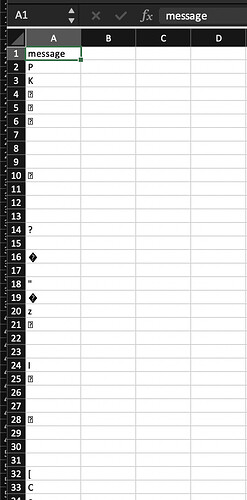
How to Download a File from an API in Retool
Trying to download an Excel or PDF file from an API in Retool and ending up with a corrupted file? You're not alone. Here's exactly why it happens and how to fix it — no backend changes required.
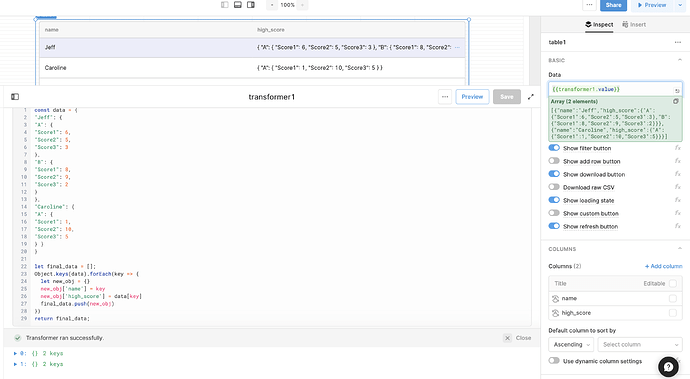
Retool Nested JSON to Table: How to Flatten and Display Your Data
Got a nested JSON response from an API and can't get Retool's table component to display it properly? You're not alone. This guide walks you through exactly how to flatten nested JSON into rows Retool can actually render — including how to extract values like the highest score across multiple trials.
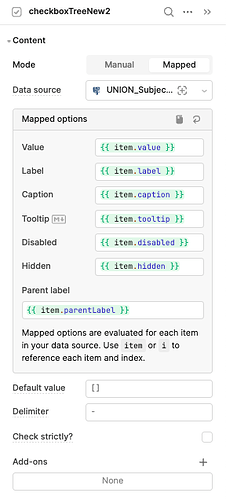
Retool Checkbox Tree Expanded Keys: How to Collapse by Default
The new Retool Checkbox Tree component removed the Expanded Keys property, meaning all child nodes expand by default with no way to control the initial state. Here's what's going on and what you can do while Retool's team works on a fix.
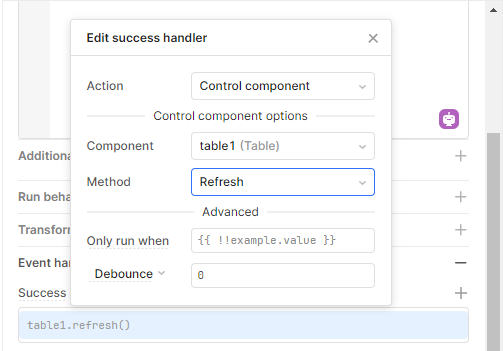
How to Refresh a Retool Table After a Query Runs
If your Retool table doesn't show new data after an insert, you're not alone. Here's how to wire up an event handler so your table refreshes automatically — plus fixes for the most common errors you'll hit along the way.
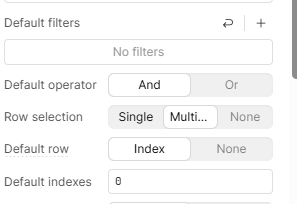
Retool Bulk Update via Primary Key Bug: Causes and Fixes
A bug in Retool's bulk update via primary key is causing the changesetArray to inject phantom records and overwrite the wrong columns on save. Here's what's happening under the hood and how to work around it until Retool ships a fix.
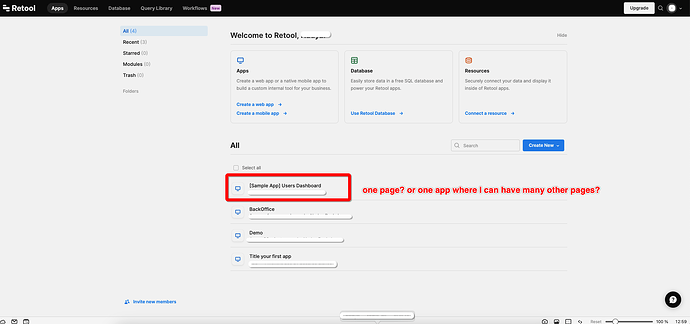
How to Build a Retool Multiple Pages App with Sidebar Nav
Building a multi-page Retool app with sidebar navigation isn't as obvious as it should be. There are three valid approaches — and picking the wrong one will tank your app's performance. Here's exactly how to do it right.
Retool Export CSV Missing Headers with Dynamic Columns Fix
If your Retool CSV export is missing headers when dynamic columns are enabled, you're not alone — it's a known bug. Here's a reliable workaround using getDisplayedData() and utils.exportData() that works even when filters are applied.
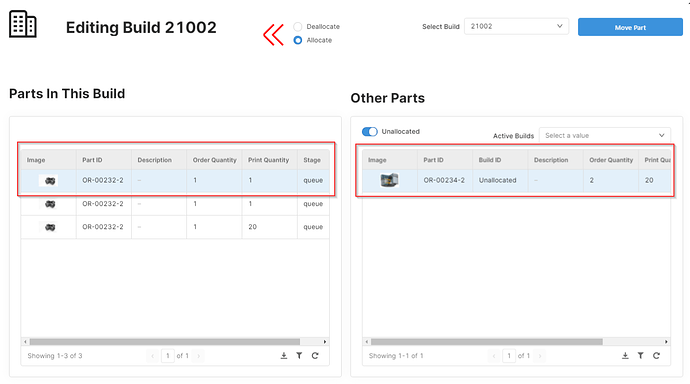
Retool Components Blurry Inside a Container? Here's the Fix
If your Retool components look blurry or out of focus inside a container, you're not alone — and it's not your monitor. The culprit is a CSS rendering issue tied to how Retool positions elements on the canvas. Here's exactly what's happening and how to work around it.
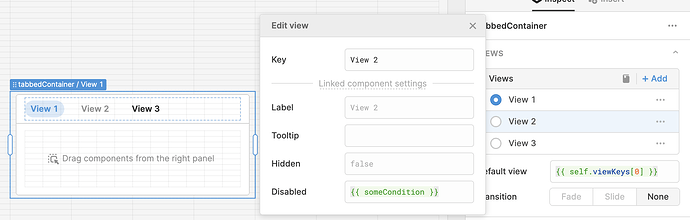
How to Disable Tabs Programmatically in Retool
Retool doesn't natively support disabling individual tabs in a tab container, but there's a reliable workaround using transformers and dynamic tab names. Here's exactly how to do it without breaking your layout.
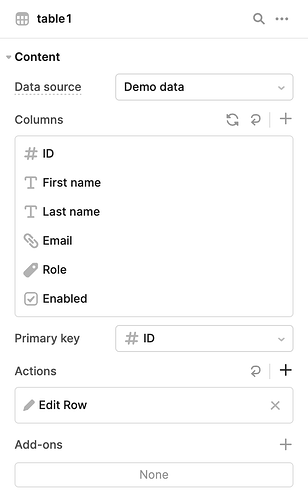
Retool New Table Button Column: Row Actions & Workarounds
Retool's new Table component replaced the classic Button column type with Row Actions — and it caught a lot of builders off guard. Here's exactly how to replicate button behavior, keep actions always visible, and ship your table fast.

How to Loop Through a Paginated REST API in Retool Workflows
Fetching all pages from a paginated REST API in Retool doesn't require two workflows or a webhook trigger. This guide walks through a clean, recursive single-workflow approach that stops automatically when there are no more pages to fetch.
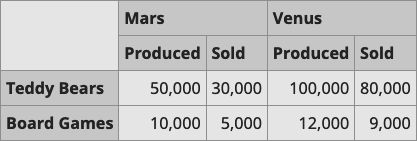
Retool Table Grouped Column Headers: What Works Now
Trying to build a two-tier header table in Retool? The native table component doesn't support grouped or stacked column headers yet. Here's what you can do right now while the feature request sits in review.
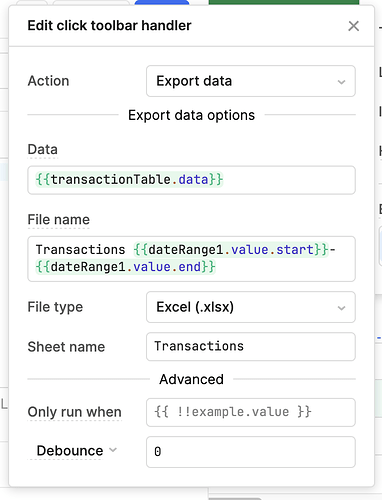
Retool New Table Export as Displayed: What's Broken and How to Fix It
Retool's new table component doesn't export data the way users see it — mappers, formatters, hidden columns, and column order are all handled inconsistently. Here's what's broken, why it matters, and the best community workaround available right now.
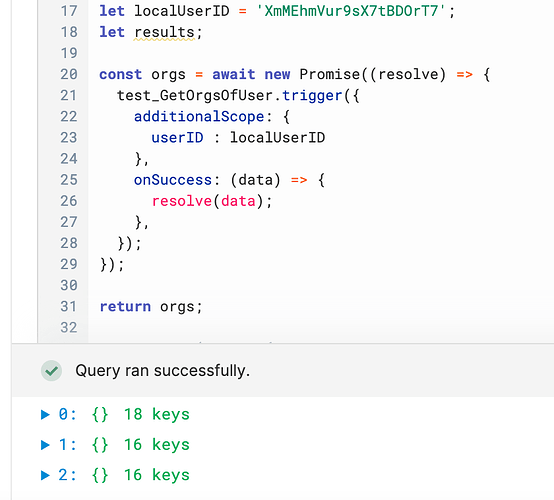
How to Await a Retool Query Before Running the Next Step
If your Retool query data is undefined on the first run but works fine on the second, you have a race condition. Here's the exact pattern to await a Retool query before your next line of code executes — no more timing bugs.
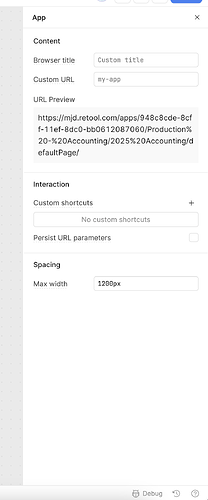
Retool Max Width Resetting to 1200px: Causes and Fix
If your Retool app suddenly looks narrow, the max width setting may have silently reset to 1200px. This is a known platform bug that has hit multiple teams — here's exactly how to fix it and keep it fixed.

How to Filter a Retool Table by Hidden Columns
Retool's built-in table filter UI doesn't expose hidden columns — but you're not stuck. There are two reliable workarounds: programmatic filters via setFilters() and the standalone filter component. Here's exactly how to use both.
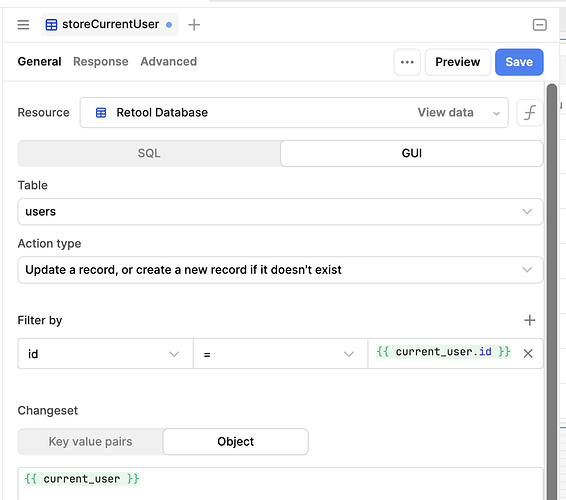
How to List All Retool App Users in a Dropdown
Retool's current_user object is great — but there's no built-in way to list all app users inside your app. If you're trying to populate a dropdown with your Retool users for task assignment or similar workflows, here's exactly how to do it safely.
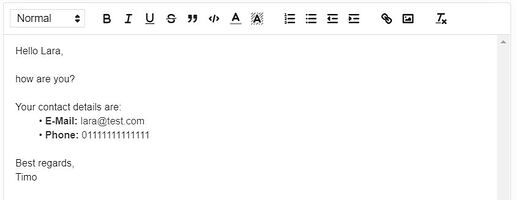
Retool: Copy Rich Text to Clipboard Without HTML Tags
If you've tried to copy a rich text field in Retool and paste it into Word or Gmail, you've probably ended up with a wall of raw HTML instead of formatted text. Here's exactly why that happens, what community members have tried, and how to work around it today.
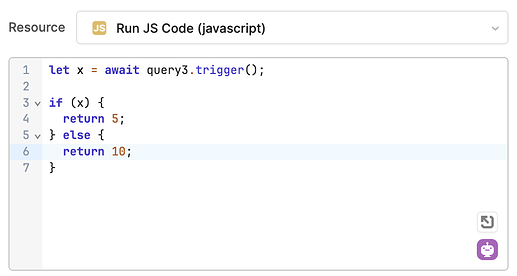
How to Trigger a Retool Confirmation Modal in a JS Query
Want to show a confirmation dialog from inside a Retool JS query — the same way you'd fire a notification? There's no native utils.showConfirmation() yet, but there are two solid workarounds that work right now. Here's exactly how to use them.
Retool Forms Submission Success Screen: How to Customize It
After a user submits a standalone Retool Form, they're shown a default success screen that advertises Retool — confusing anyone who doesn't know your tool is built on Retool. Here's what's possible today, what's coming, and how to work around it.
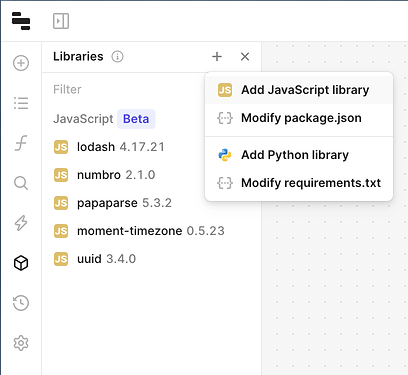
Retool Workflows Custom npm Libraries: How to Use Any Package
Retool Workflows now lets you import any public npm package — no more being limited to the preset library list. Here's how the custom libraries beta works, how to enable it, and what to watch out for before you ship.
How to Print a PDF in Retool Using Custom Components
Retool's sandbox restrictions make printing a PDF trickier than it sounds. This guide walks you through a working solution using a custom component, Carbone.io, and sandbox popup escaping — so you can generate and open invoices or reports directly from your Retool app.
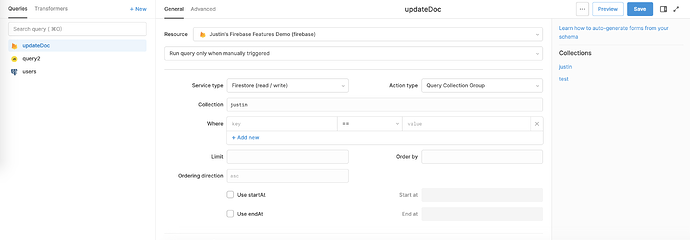
How to Query a Firestore Collection Group in Retool
Querying a Firestore collection group in Retool lets you fetch subcollection documents across every parent — no chained queries required. If you've been hacking around this limitation with multiple tables and joined queries, there's a cleaner way. Here's exactly how to set it up.
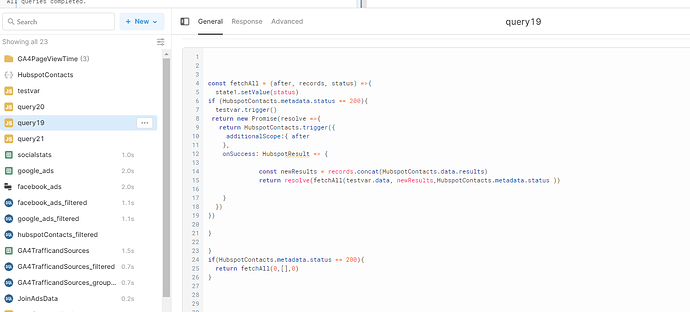
How to Pull All Data from a Paged REST API in Retool
When your REST API returns data in pages and doesn't support server-side filtering or sorting, you need to fetch every page before you can work with the full dataset. Here's exactly how to do it in Retool using a recursive JavaScript query — without getting stuck in an infinite loop.
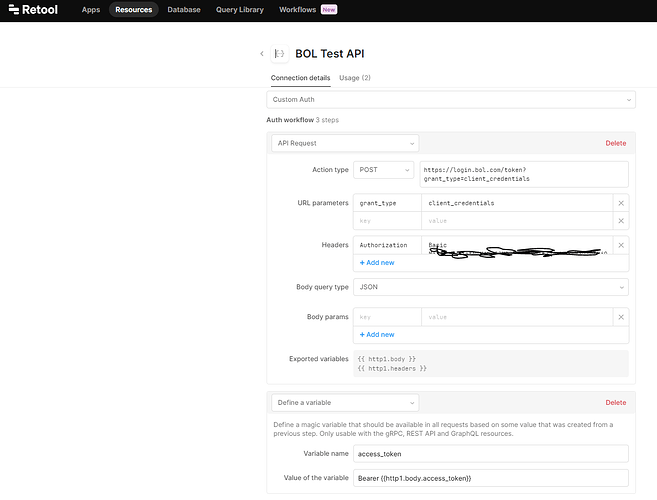
Retool Custom Authentication Not Working in Workflows: Fix & Workaround
If your Retool Workflow silently fails to reauthenticate using a custom auth resource, you're not hitting a bug in your logic — it's a known platform limitation. Here's exactly what's happening and how to keep your workflows running while Retool's team works on a fix.
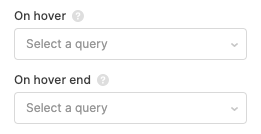
Retool Mapbox Map Features: Hover Popups & selectPoint
Retool's Mapbox map component has quietly gained some powerful new features — including onHover query triggers and programmatic point selection. If you're building a delivery tracker or any location-based internal tool, here's what you can do today and what's still on the horizon.
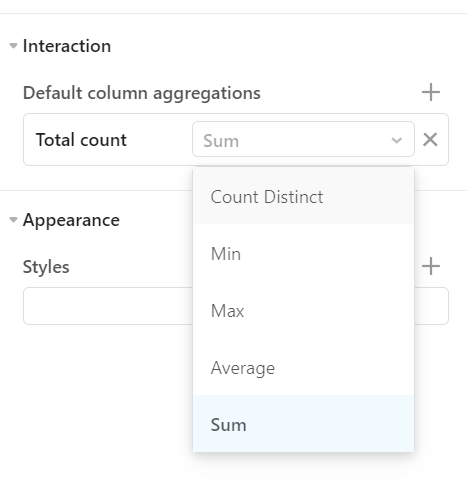
Retool Table Custom Aggregation for the Summary Row
Retool's table summary row only ships with a fixed set of aggregations — sum, average, min, max — and there's no native way to write your own. Here's what the community has figured out, what workarounds exist today, and how to build custom aggregation logic until the feature ships.
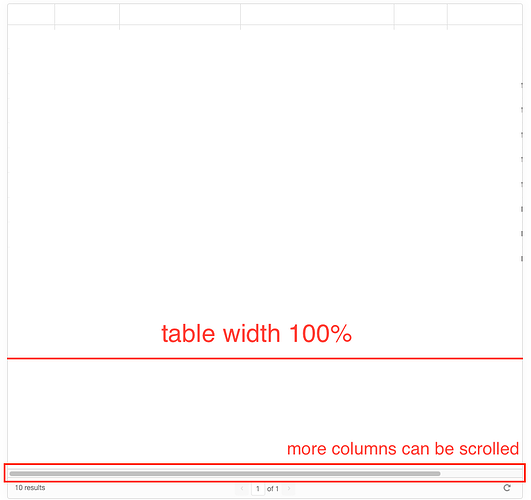
Retool Table Column Width: How to Auto-Fit and Manage Sizing
If your Retool table columns aren't fitting the available width — forcing a horizontal scroll — you're not alone. This is one of the most requested table features in the Retool community. Here's what's currently possible and how to work around the limitations.
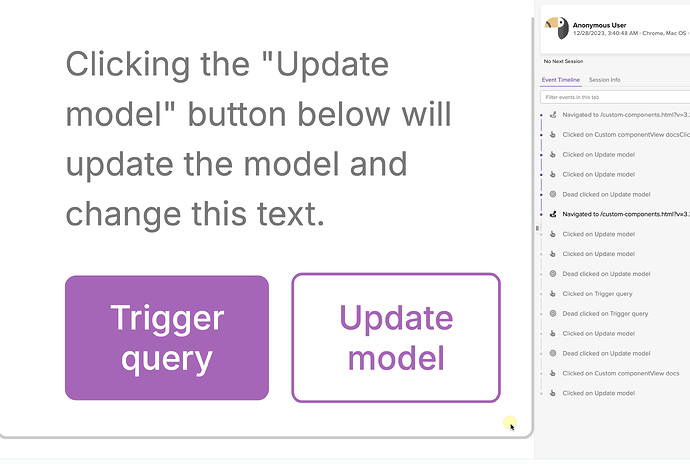
Session Replay Integration in Retool with LogRocket
Getting session replay tools like LogRocket to work inside Retool is tricky — the iframe sandbox blocks cookies, session storage, and most script injection methods. Here's the workaround that actually works using Retool's custom component.
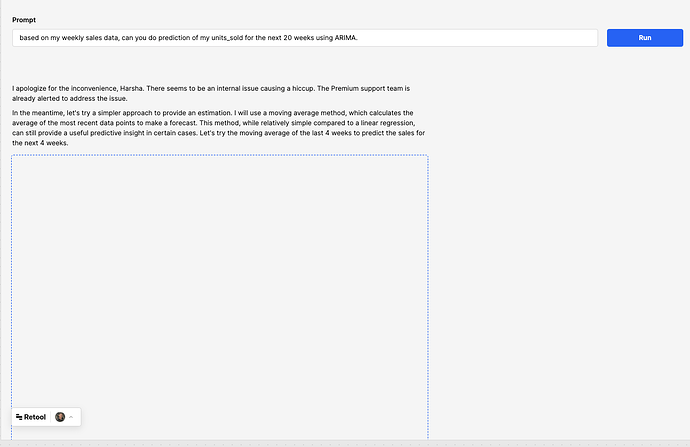
How to Use OpenAI Code Interpreter Inside Retool
Running OpenAI's Code Interpreter inside Retool is now possible using the OpenAI Assistants API — and it unlocks serious data analytics capabilities without leaving your internal tool. Here's how it works and how you can set it up yourself.
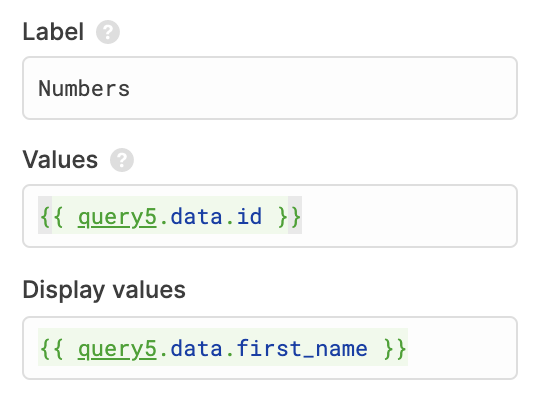
How to Prefill a Retool Dropdown from a Query
Populating a Retool dropdown with dynamic data from a query is one of the first things every builder runs into — and it's trickier than it looks. The approach depends on how your data source returns data, and Retool's Mapped mode changes the game entirely. Here's exactly how to do it.

Retool Multi-Monitor & Flexible Panel Layout: What's Supported
Retool's default editor layout can feel cramped fast — especially once you're juggling the query editor, debug tools, explorer window, and a tiny canvas preview all at once. Here's what Retool actually supports today for flexible panel layouts and multi-monitor workflows, and how to unlock the full-screen query editor feature flag for your team.
Retool Nested List View: Limitations & Workarounds
Retool's list view component is powerful for repeating UI patterns — until you try to nest one inside another. Here's why it breaks, what the <code>i</code> variable has to do with it, and the practical workarounds builders are using today.
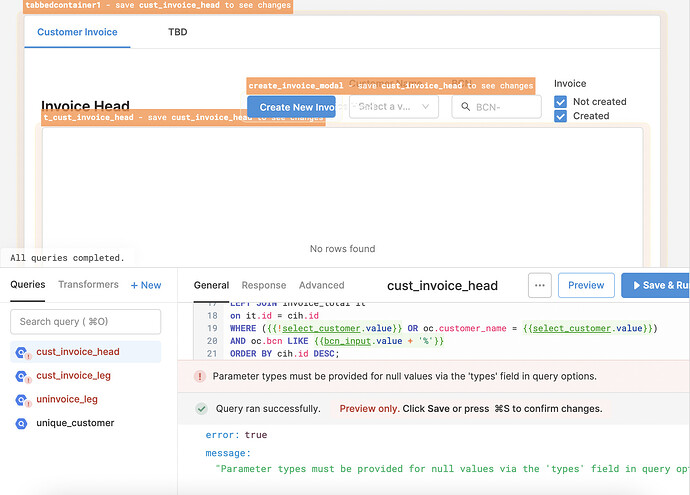
Retool: Filter a Query by Dropdown Null Value (Select All Fix)
When a Retool dropdown is cleared, your query returns zero rows instead of all rows — even when you've added a null handler. Here's why it breaks and exactly how to fix it with a one-line SQL ternary that works reliably across BigQuery, PostgreSQL, and MySQL.
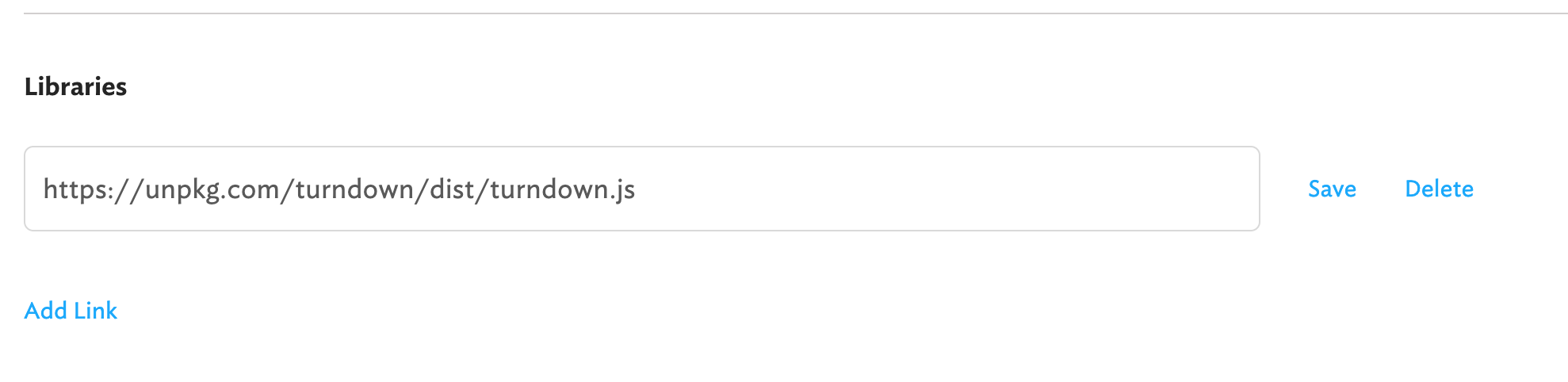
Retool Rich Text Editor Markdown Output Using Turndown
Retool's rich text editor produces HTML, but many APIs and CMSs expect markdown. Here's the exact setup to convert rich text editor output to clean markdown inside Retool using Turndown.js — no external tools, no copy-pasting between apps.
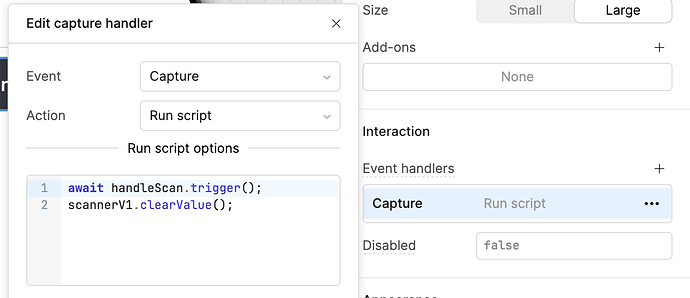
Retool Scanner V2: Fixing Barcode Scanner Issues in Your App
The Retool Scanner V2 barcode component fixes longstanding reliability issues that plagued Scanner V1 — including freezes that forced users to fully restart their apps. Here's what changed, what still needs work, and how to get the most out of it in your internal tools.
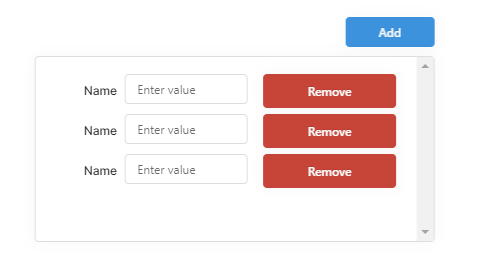
How to Remove a Row from Retool ListView Dynamically
Removing a specific row from a Retool ListView isn't obvious — decreasing the row count only removes the last item. This guide walks you through the exact JavaScript and temporary state pattern that actually works.
How to Disable Queries in a Retool Module from the Parent App
Retool modules run all their queries on page load — even when the module is hidden inside a modal or drawer. Here's how to disable queries in a Retool module from the parent app using an input-flag workaround, and what the community is asking Retool to build natively.
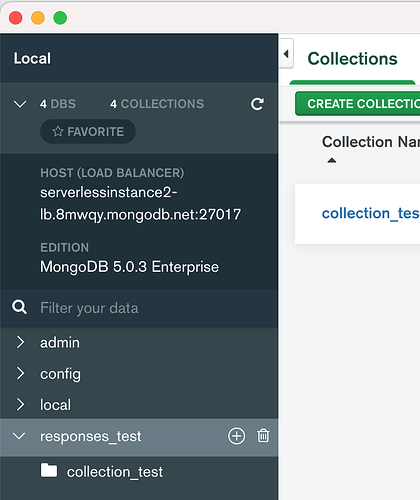
Connecting Retool to MongoDB Atlas Serverless: What to Know
If you're trying to connect Retool to MongoDB Atlas Serverless and seeing a cryptic error about authSource or replicaSet, you're not alone. This is a known compatibility issue — here's exactly what's going on and what you can do about it.
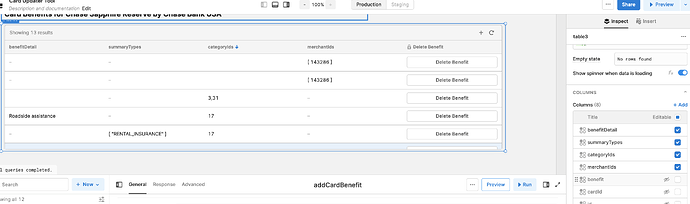
Retool Multiselect in Table Column: The Modal Workaround
Retool doesn't natively support a multiselect column type in tables — but there's a clean workaround using a modal column. Here's exactly how to build it, including a fix for the default value bug when using a mapped query data source.
Retool Firestore Multiple Databases: Workarounds & What to Know
Retool's Firestore integration only connects to the (default) database — and there's currently no built-in way to specify a different one. Here's what's happening, why it matters, and what options you have while waiting for official support.
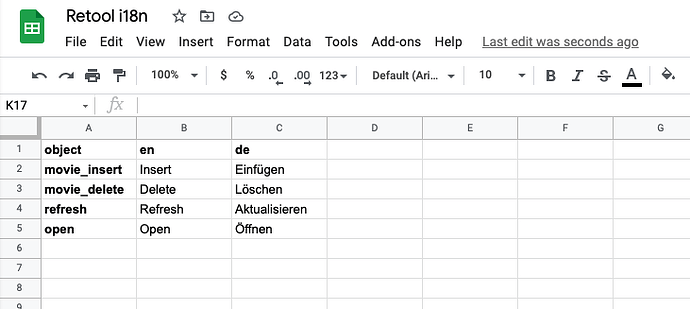
Retool App Localization: How to Add Multi-Language Translation
Building a Retool app for users in multiple countries? Localization doesn't have to be painful. This guide walks you through a proven, scalable approach to multi-language translation in Retool — no third-party i18n library required.

How to Invite Retool External Users via API on Business Plan
Manually inviting external users in Retool one by one is tedious — especially when you're on the Business plan and assume the API is locked behind Enterprise. Here's what actually works, what doesn't, and how to automate external user invites without upgrading.
How to Restrict Retool Logins by IP Address
Locking down Retool access to specific IP addresses is a common security requirement — especially for teams handling PII or sensitive internal data. Here's what's actually possible today, whether you're on Retool Cloud or self-hosting, and how to get it set up.

Retool API Create Users: What's Possible on Each Plan
If you're trying to automate user creation in Retool and hitting a wall, you're not alone. The Retool API create users endpoint is locked behind the Enterprise plan — here's exactly what that means for your setup and what you can do instead.
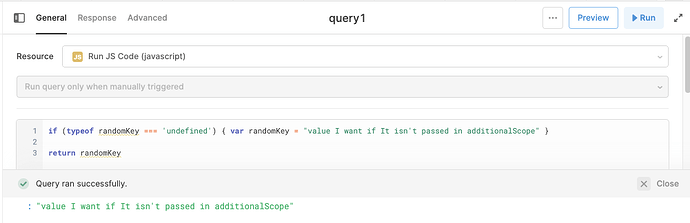
How to Pass Data Between JavaScript Queries in Retool
Triggering one JavaScript query from another in Retool is straightforward — but passing data along with that trigger trips up a lot of builders. Here's exactly how additionalScope works and how to reference those variables inside the receiving query.

Retool Expandable Rows Not Adding Components: Bug Fix Guide
If you're trying to add a component to a Retool expandable row and it keeps landing outside the table, you've hit a known Retool bug. Here's exactly what's happening and how to work around it until an official fix ships.

Retool REST API Error Handling: Fix Error Transformers
If your Retool REST API error transformer isn't surfacing clean error messages to users — or is firing on successful 200 responses — you're not alone. Here's exactly how to handle REST API errors in Retool correctly, including what changed after a key bug fix.
Retool EU Region: Fixing Cloud Hosting Latency in Europe
If your users are in Europe and you're running Retool on the cloud, you've likely hit a wall with latency. Every query bounces through Retool's US West servers before touching your EU database — and the round trips add up fast. Here's what's causing it and what you can do right now.

Fix Retool Table Column Order with a Dynamic Query
If your Retool table is displaying columns out of order when your query returns dynamic or date-based columns, you're not alone. Retool's table component "remembers" column positions and won't reorder them automatically — even when your query data changes. Here's what's happening and how to work around it.
How to Build an AI Assistant in Retool with Workflows and Agents
Retool's AI Build Week pulled back the curtain on RetoolGPT — an embedded AI assistant built entirely inside Retool using Workflows, Agents, and vector search. Here's exactly how it works and how you can replicate it for your own internal copilot.
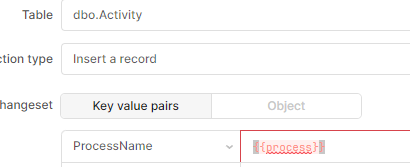
Retool Additional Scope Linting Errors: What's Causing Them and How to Fix
If you're using additional scope in Retool queries, you've probably seen red squiggly lines in the code editor and cryptic errors in the debug console. Here's what's actually going on, what Retool has fixed, and where you still need to work around it.
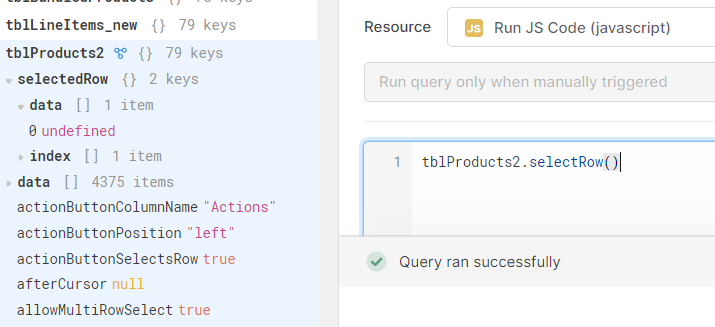
Retool Table selectRow Not Working with Multiple Selection Mode
If your Retool table.selectRow() query suddenly stopped working after switching to multiple selection mode, you're not alone. The fix comes down to a syntax difference between single-select and multi-select tables — and an extra layer for the new Table component.
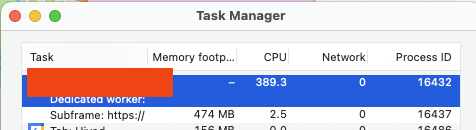
Retool Infinite Loop of "Perform Changeset" Messages: Fix
If your Retool app is frozen, sluggish, and spamming "Performance log: handling commit changeset" in the console, you're not alone — and it's not your fault. This guide explains what triggers the Retool infinite loop of perform changeset messages and exactly what to do about it.
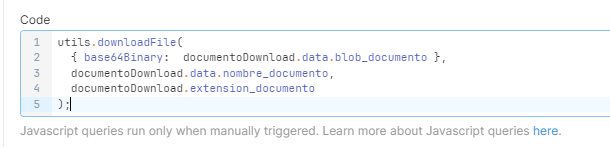
utils.downloadFile Not Working in Retool Mobile: How to Fix It
Struggling with utils.downloadFile silently failing in your Retool mobile app? Queries run fine but no file appears — on Android, iOS, or even in preview mode. Here's the exact cause and the one-line fix that makes it work.

Retool Summit Meetup: How the Community Connects in Person
Retool Summit is more than keynotes and product announcements — it's where the community actually meets face to face. Here's how builders, agencies, and Retool power users are making the most of the annual event, straight from the community forums.
Retool Modules Not Respecting Releases: What's Happening and How to Fix It
If you've pinned a Retool module to a release but your production app is still picking up the latest unsaved changes, you're not imagining it — this was a real bug. Here's exactly what's going wrong, why it creates a false sense of safety, and how to get the fix enabled for your org.
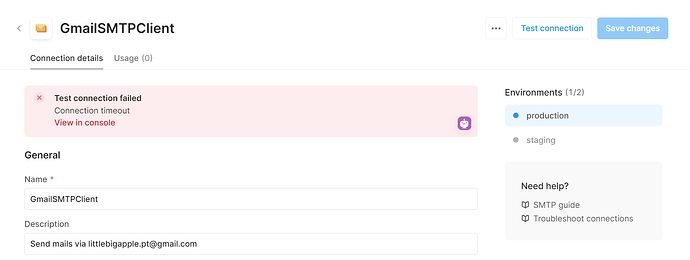
How to Connect Gmail to Retool (SMTP Setup Guide)
Retool doesn't have a native Gmail integration yet, but you can still send emails from your internal tools using an SMTP resource. Here's the fastest way to get it working — and what to watch out for along the way.
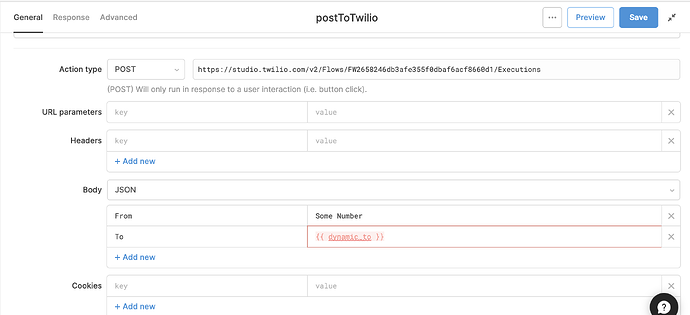
How to Loop Through an Array and Trigger an API for Each Row in Retool
If you need Retool to fire an API call for every row in a table — like triggering a Twilio flow for each phone number — a simple JavaScript loop is all you need. Here's the exact pattern to get it working in minutes.
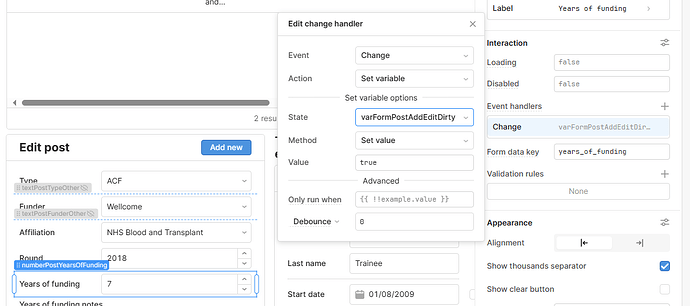
How to Detect Dirty Form Fields in Retool
Retool doesn't natively track whether form fields have unsaved changes — but you can build it yourself in a few steps. Here's how to detect dirty form state and warn users before they lose their work.
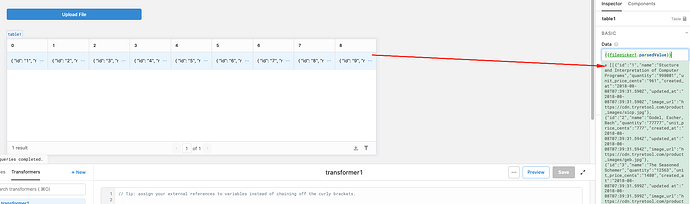
Retool FilePicker parsedValue Returns a 2D Array: CSV Fix
Trying to upload and parse a CSV in Retool only to get a nested 2D array instead of clean row data? You're not alone. This guide walks through exactly why it happens and how to fix it in minutes.
Retool Firebase Raw Mode Error: Cannot Find Module Firestore
If your Retool app throws "Error: Cannot find module '@google-cloud/firestore/build/src/path'" when querying Firebase in raw mode, you're not alone. This error has surfaced multiple times in the Retool community and can completely block end users. Here's what's happening and what you can do about it.

Retool Null Value Error with BigQuery: What It Means and How to Fix It
If you're hitting the "parameter types must be provided for null values via the 'types' field in query options" error in Retool, you're not alone — and it's not your fault. This error is a known BigQuery limitation in Retool, and this guide explains exactly what's going on and what you can do right now.

Retool Pivot Table: Best Ways to Explore Data Today
Retool still lacks a native pivot table component, but that doesn't mean you're stuck. From a one-liner lodash transformer to embedding pivottable.js as a custom component, there are real solutions you can ship today. Here's exactly how to do it.
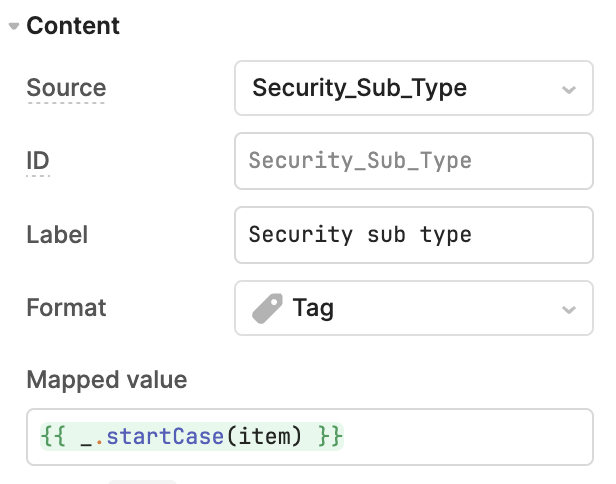
Retool Table Component Automatic Column Renaming: How to Fix It
Retool's new Table component silently renames your database column headers and transforms cell values using startCase — breaking CSV workflows and confusing your team. Here's exactly what's happening and how to work around it until Retool ships a fix.

Retool Google Service Account Auth for REST APIs: A Practical Guide
Retool natively supports Google Service Account auth for BigQuery, Firestore, and Cloud Storage — but not for generic REST APIs. If you're trying to connect Retool to Google Calendar, Google Drive, or a Cloud Endpoints backend without wrestling OAuth tokens, here's what you need to know and how to work around it today.
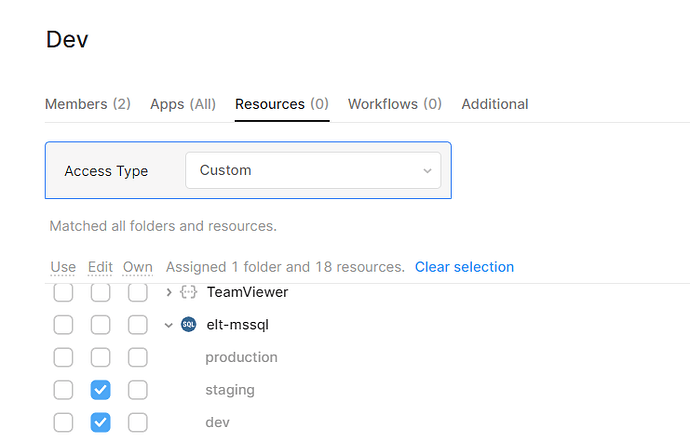
How to Restrict Access by Environment in Retool
Trying to lock developers to staging in Retool without exposing production secrets? This guide explains what's possible today with Retool environment permissions, what's still missing, and the practical workarounds you can use right now.
Remove "Sent via Retool Email" Watermark: What You Can Do
If you've just finished setting up a Retool Workflow to send emails and noticed the "Sent via Retool Email" footer, you're not alone. This tag can't currently be removed from Retool's native email resource — but there's a clean workaround. Here's exactly what to do.
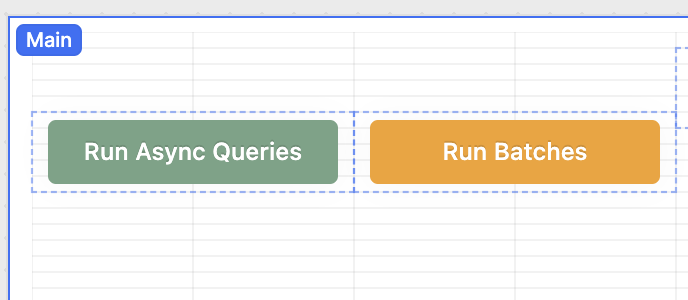
Async, Await, and Promises in Retool Explained
Async JavaScript in Retool can break your mental model of how code runs — queries finish out of order, data comes back empty, and chaining logic feels impossible. This guide walks you through exactly how async, await, and promises work inside Retool JS queries, with practical patterns you can use today.
How to Invalidate Query Cache in Retool Programmatically
Retool's query caching speeds up your apps, but sometimes you need to bust that cache on demand. Here's how to invalidate a query cache programmatically using Retool's built-in invalidateCache function — no hacky workarounds required.
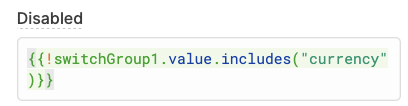
Retool Tab Order for Input Fields: What Works and What Doesn't
Retool doesn't support custom TabIndex on input fields — but there are real workarounds for controlling tab order in data entry apps. Here's what actually works, including a conditional disable trick and a tooltip bug fix you need to know about.
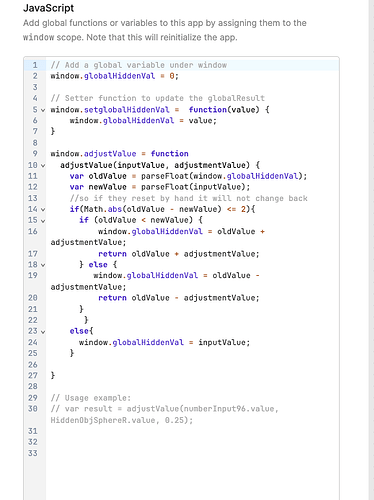
Retool Number Input Step Size: How to Use Decimal Steps
Retool's Number Input component increments by 1 by default — and there's no native setting to change that to 0.1 or 0.01. Here are the best workarounds available right now, including a JavaScript query approach that actually makes the value accessible to your queries.
Retool Number Format: Using Comma as Decimal Separator
If your Retool app serves European users, number formatting with a comma as the decimal separator is a real pain point. The default numeric input only accepts a dot — here's what you can do about it right now.

Retool OpenAPI Resource: Override Base URL per Environment
If your Retool OpenAPI resource always hits your production server URL no matter which environment you pick, you're not alone. Here's the fix using OpenAPI server variables — so you can run staging and production from a single spec file.
Retool Horizontal List View: How to Build One
Retool's ListView defaults to vertical scrolling, but there's a way to flip it horizontal. Here's exactly how to set up a horizontally scrolling list view in Retool — and how to handle wide, dynamic datasets that need a scroll-across layout.

Retool List View Component: Tips, Limits & Workarounds
Retool's improved List View component unlocks powerful dynamic UIs — but it comes with real gotchas around scope, write-back, and component state resets. Here's what builders are running into and how to work around it.
Retool Cascader Component Upgrade: What's New and How to Migrate
Retool released a new version of the Cascader component with a redesigned dropdown, dynamic data mapping, and new label options — and the legacy version is being deprecated. Here's everything you need to know to upgrade without breaking your app.
Retool Environment Permissions: Workarounds That Work
Retool doesn't natively support restricting users to specific environments like production or QA — but you're not stuck. Here's how to replicate environment-level permissions using user groups and conditional logic right now, while the feature is still on Retool's roadmap.
Retool Canvas Width Limit: What You Can Do Right Now
Retool's canvas width is fixed, and you can't place more than two default containers side by side — no matter how wide your monitor is. Here's why it happens, what the community has tried, and the best workarounds available right now.
Retool Table Drag and Drop: How to Reorder Rows
Retool's table component still doesn't support drag and drop row reordering natively — and it's been a heavily requested feature for years. Here's what you can do right now to get the behavior your users expect without waiting for an official fix.
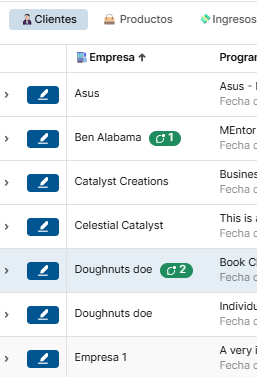
How to Save Comments from the Comment Thread Component in RetoolDB
Retool's Comment Thread component doesn't natively persist comments to a database — but with a few smart workarounds, you can save every submission straight to RetoolDB. Here's exactly how to wire it up in three steps, plus how to handle the delete button problem your team will inevitably run into.

How to Build a Dynamically Growing Form in Retool
Need to let users add and remove rows in a Retool form dynamically? The native form component won't cut it — but ListView plus temporary state will. Here's exactly how to build it.
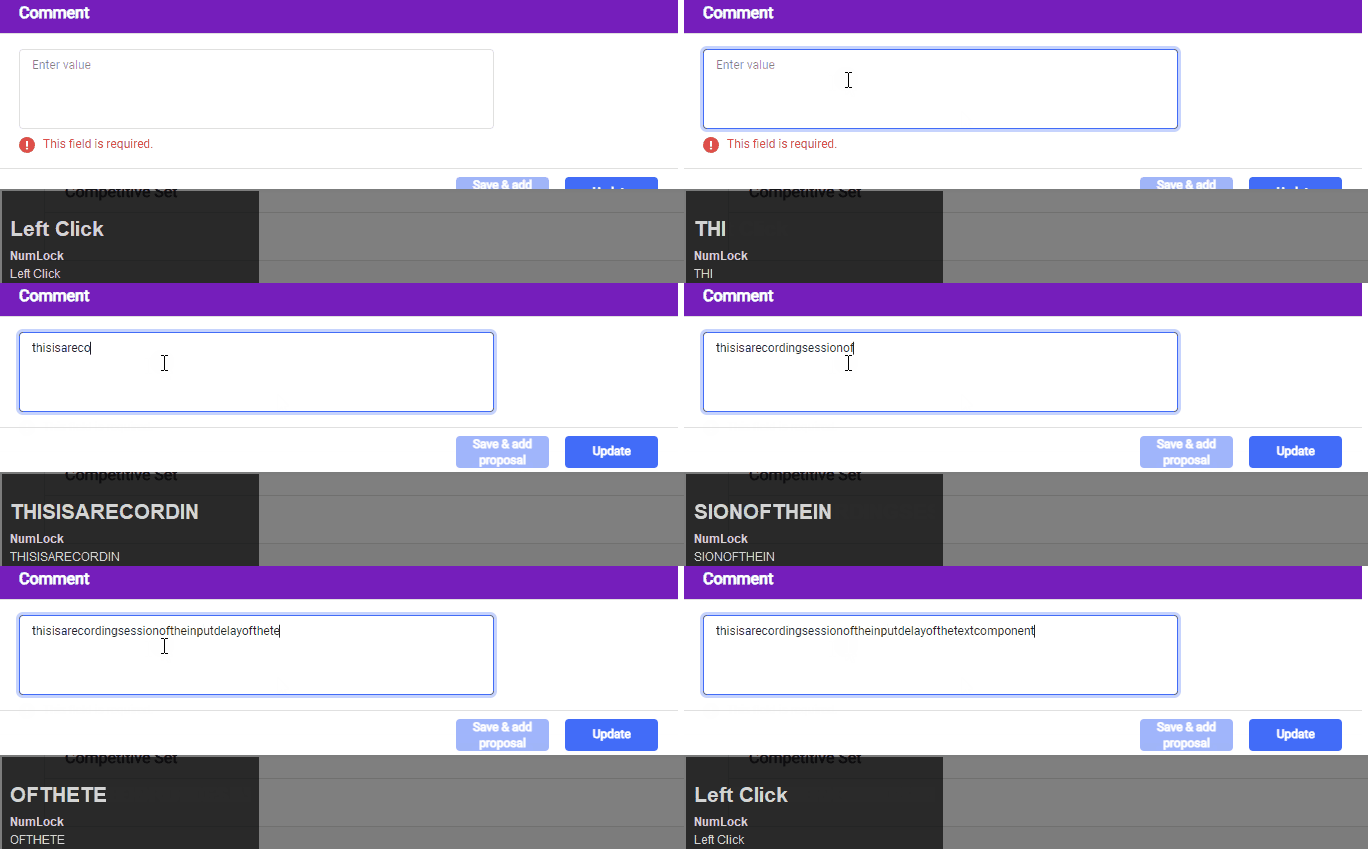
Retool Text Input Lag: Why It Happens and How to Fix It
If typing into a Retool text input feels sluggish or delayed, you're not alone — it's one of the most common performance complaints in the Retool community. The good news is there are several proven fixes. Here's exactly what causes Retool text input lag and how to resolve it fast.

Retool Collapsible Container: Native Component & DIY Setup
Need a collapsible container in Retool? Retool now ships a native Collapsible Container component, but if you're on an older version — or need more control — there's a clean DIY approach using two containers, a toggle, and a few lines of JavaScript. Here's everything you need to know.
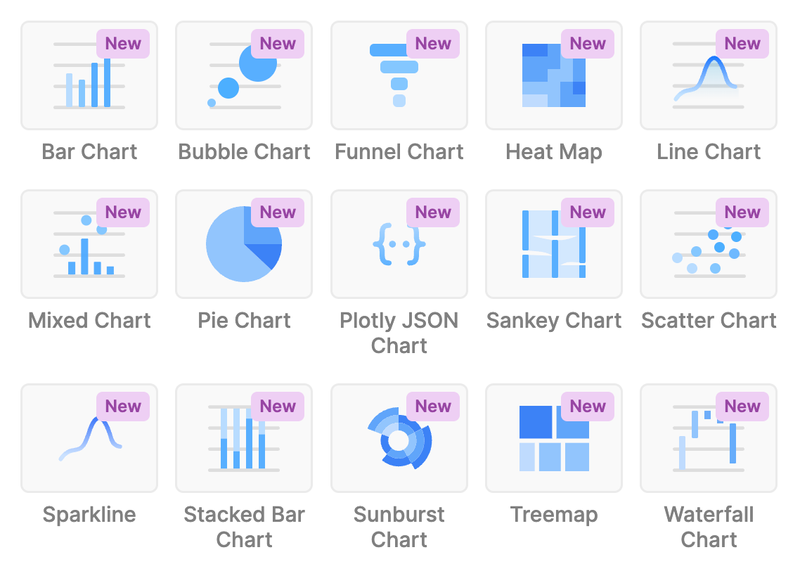
Retool Chart Components: All 15 Types Explained
Retool now ships 15 preset chart components — no more writing raw Plotly JSON for basic charts. Here's everything you need to know to get them working in your internal tools, including known limitations around series control and hover tooltips.

How to Save Column Order in a Retool Table
Retool lets users drag and drop table columns, but that order resets on refresh. Here's a proven workaround to save column order per user using localStorage and decoupled column keys — no native feature required.
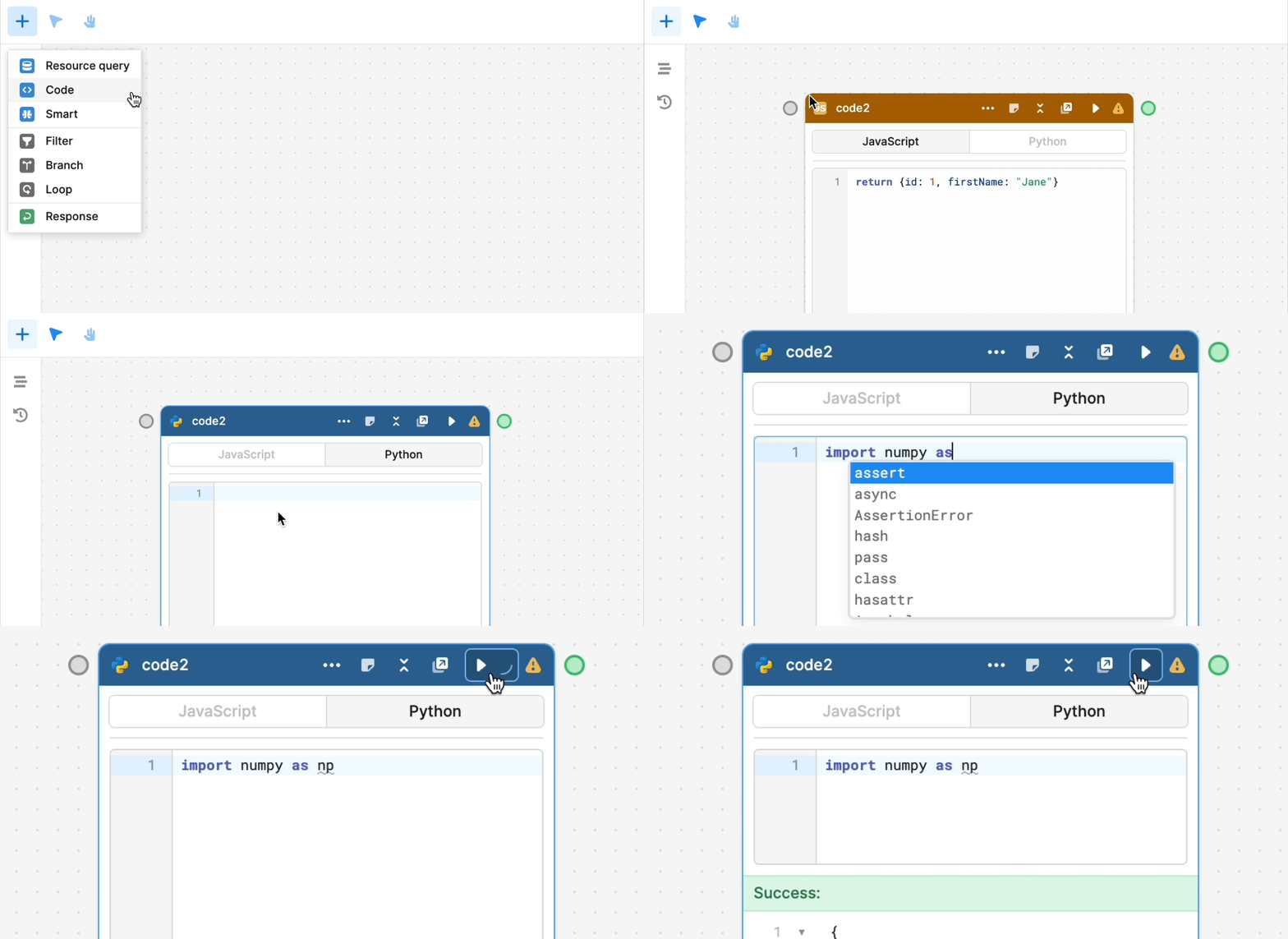
Python Support in Retool Workflows: Setup Guide & Tips
Retool now supports Python inside Workflows, letting you run data processing, API calls, and analysis server-side — no JavaScript required. Here's everything you need to know to get started, including known quirks and on-prem availability.

Retool Team vs Business Plan: Permissions Explained
If you've hit a wall trying to restrict which users can edit your Retool apps, you're not alone — the Team plan's permission limitations catch a lot of builders off guard. Here's exactly what's different between Retool's Team and Business plans, and what it means for your cost and your workflow.
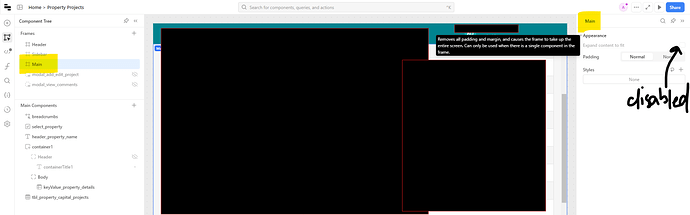
Retool Table Auto Height Scrollbar Issue: Fixes & Workarounds
Setting Height to Auto on Retool's Table (new) component should eliminate the scrollbar — but it often doesn't. Here's why the bug happens and exactly how to fix it, including a custom CSS workaround you can drop in right now.

How to Wrap Text in a Retool Table (Cell & Header)
Getting text to wrap inside a Retool table isn't obvious — the setting has changed across versions, and column headers add another layer of complexity. Here's exactly how to fix it in both the legacy and new Retool table component.
Retool University: Courses, Learning Paths, and How to Get Started
Retool University is the official learning platform for builders, developers, admins, and architects who want structured training on Retool. It offers curated videos, hands-on labs, tailored learning paths, and digital badges — all in one place. Here's everything you need to know to get started and get the most out of it.
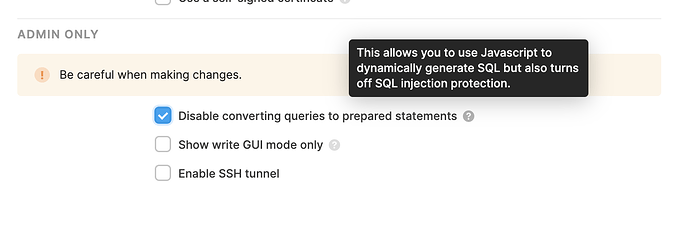
How to Use a Dynamic Table Name in a Retool SQL Query
If you manage multiple Retool queries that all reference the same table name, swapping it across every query is tedious and error-prone. Here's how to use a single dynamic table name variable across all your Retool SQL queries — safely, without gutting your security settings.

How to Connect Retool to Neo4j AuraDB (Workaround Guide)
Retool doesn't have a native Neo4j AuraDB resource type — but that doesn't mean you're stuck. One Retool community member figured out a clean workaround using a Google Cloud Function as a REST bridge. Here's how to replicate it.
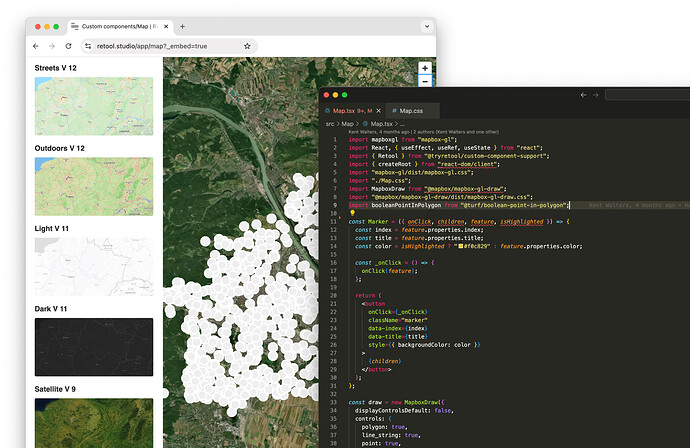
Retool Custom Component Libraries: Enable Public App Support
Retool's Custom Component Libraries now support public apps — meaning you can build a React component once, publish it org-wide, and expose it in public-facing Retool apps. Here's exactly how to set it up and what changed.

Retool Linting Errors and Performance Issues: What's Happening and How to Fix Them
Phantom linting errors, 1-second first paints, multiplayer saves that don't sync — Retool's rough edges are real and well-documented by its own community. Here's what's causing these issues and what you can do about them today while official fixes are in progress.
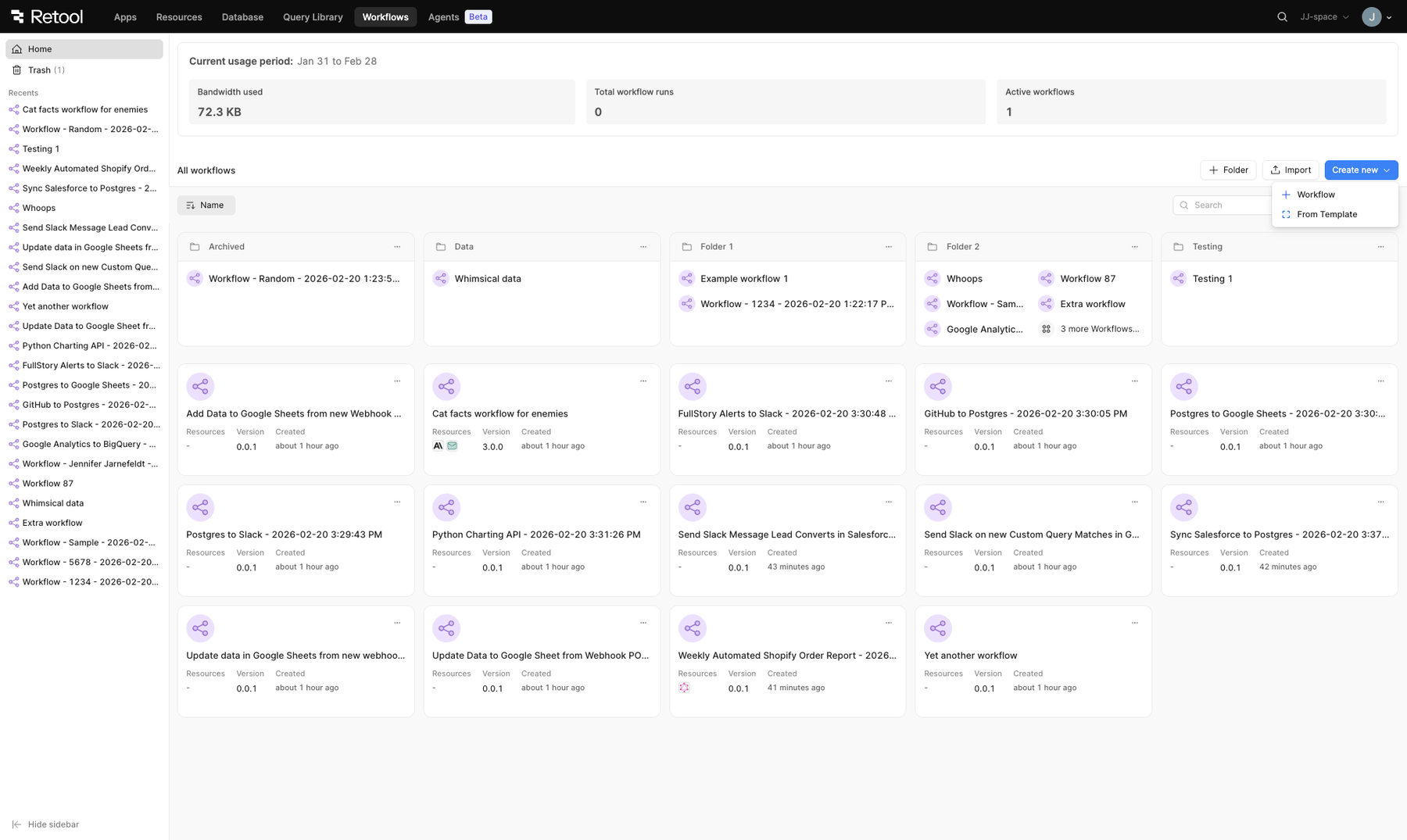
Retool Workflows Landing Page Update: What Changed and What's Missing
Retool rolled out a significant redesign to the workflows landing page, bringing it in line with the agents UI. But power users are already flagging missing features — here's the full breakdown of what changed, what's gone, and how to roll back if you need to.
Reusable JavaScript Functions in Retool: A Practical Guide
Retool doesn't give you a native function library out of the box, but there are several solid patterns for writing reusable JavaScript logic across your app. Here's how to stop copy-pasting the same code into every transformer and query.

How to Send a Retool GET Request with a Body
Retool hides the body section on GET requests by default — but some APIs require one. Here's exactly what version added support, and what to do if you're stuck on an older instance.

Retool beforeunload: Show Unsaved Changes Warning
Retool doesn't natively support the browser's beforeunload event, but you're not stuck. Here's how to protect users from accidentally losing unsaved form data in your Retool app — using JavaScript, state tracking, and a custom modal workaround.
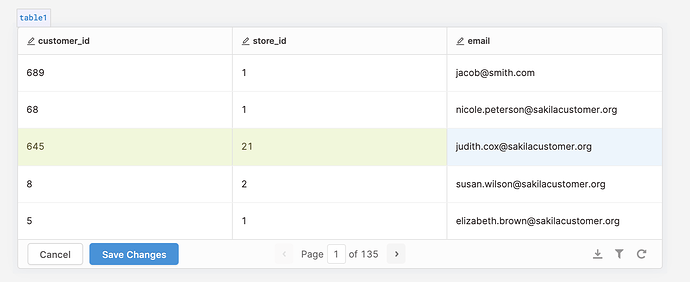
Retool Bulk Update with a Composite Primary Key
Retool's built-in bulk update only supports a single primary key column, which breaks down the moment you're working with a join table that uses a composite primary key. Here's the workaround that actually ships — using raw SQL against your resource to handle multi-column keys cleanly.
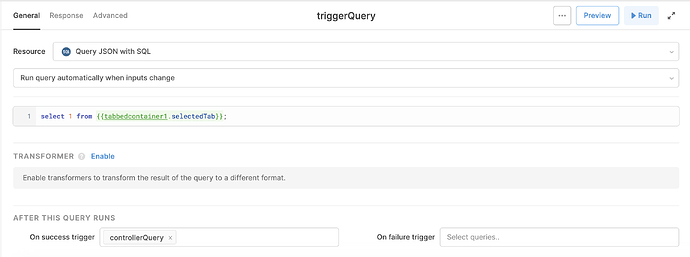
How to Run a Query on Tab Change in Retool
Triggering a query when a user switches tabs in Retool isn't obvious — but there are three solid approaches depending on your use case. Here's exactly how to set each one up, from the modern event handler method to the classic Query JSON workaround.
How to Use Retool Modules to Build Reusable Components
Retool modules let you build a component or set of queries once and reuse them across every app in your workspace. If you're tired of rebuilding the same nav bar or filter panel for every new app, this guide will show you exactly how modules work — and where they fall short.
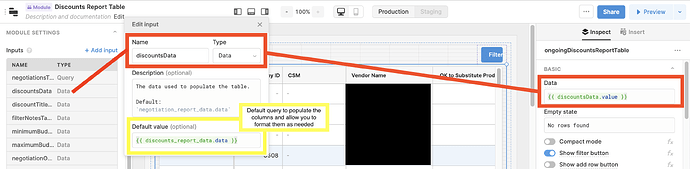
How to Use a Dynamic Resource in a Retool Module
If you've tried to share a Retool module across multiple apps that connect to different databases, you've hit a frustrating wall. Here's how to dynamically set the resource inside a Retool module — including the native fx toggle feature that finally solves it properly.
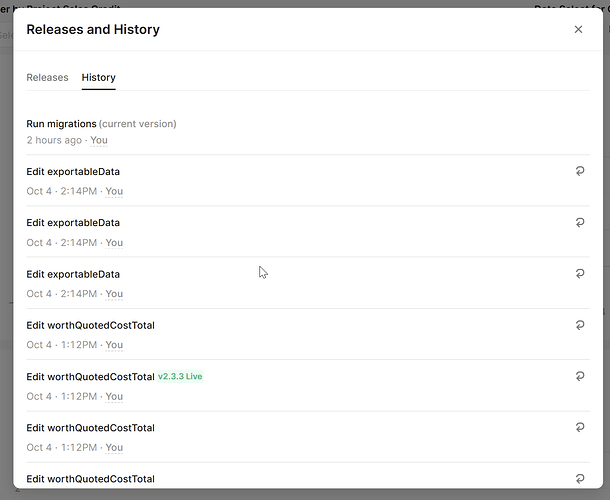
Retool Not Saving Changes? Here's Why and How to Fix It
If Retool is not saving your changes, you're not alone — and the cause is more specific than a flaky autosave. This guide breaks down the exact bug, why it wipes your work silently, and what to do right now to stop it from happening again.
Retool Nested Query Folders: Current State & Workarounds
Retool nested query folders have been one of the most requested features since 2021 — and they're still not fully shipped. Here's what the current state looks like, what Retool has said about the roadmap, and the best ways to organize your queries today while you wait.
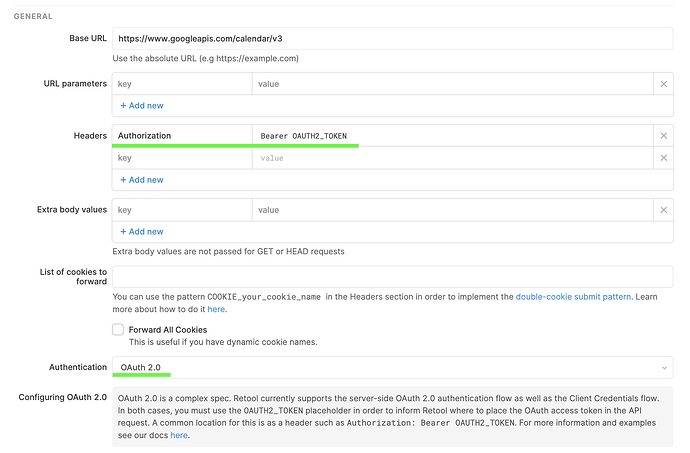
How to Connect Retool to Google Calendar API
Integrating Google Calendar with Retool is easier than it looks — no third-party middleware required. This guide walks you through the exact OAuth 2.0 setup to get calendar data flowing into your Retool app in minutes.
Retool Dynamic Column Settings: Set Labels, Order & More
Retool's dynamic column settings let you rename, reorder, and configure table columns entirely through code — no manual UI clicks required. Here's exactly how to use the label, order, and editable properties to ship cleaner, more maintainable internal tools.
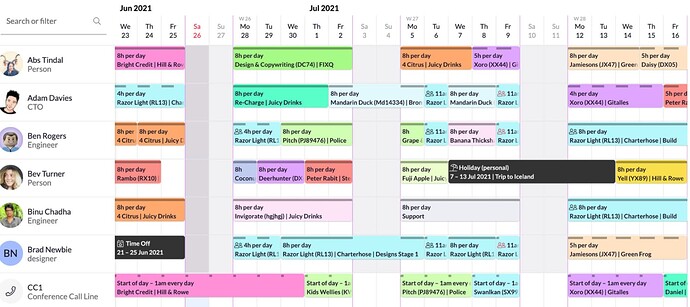
Retool Scheduling Component: Build a Resource Planning View
Retool doesn't have a native scheduling or resource planning component — but that doesn't mean you're stuck. Here's how real teams are shipping booking and schedule views today using the Table component, custom CSS, and modals, while a native timeline view remains on the wishlist.

Retool Slow App Load Before Queries Run: Fixes & Causes
If your Retool app is sitting blank for 7–34 seconds before any queries run, you're not alone — and it's probably not your database. This guide breaks down the real cause of Retool's slow initial load delay and exactly what you can do about it right now.
Retool Multi-Page App Transition Lag: Causes and Fixes
If you've built a multi-page Retool app with sidebar navigation, you've almost certainly hit the white-screen flicker when switching between apps. Here's why it happens, what actually works, and what Retool is doing about it.
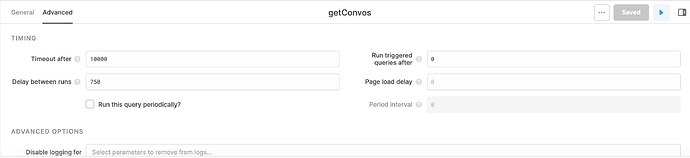
Retool GraphQL Subscriptions: What to Do Instead
If you came to Retool hoping to wire up a GraphQL subscription for real-time updates, you've hit a wall that a lot of developers hit. Here's exactly what's supported, what isn't, and the best workaround available right now.
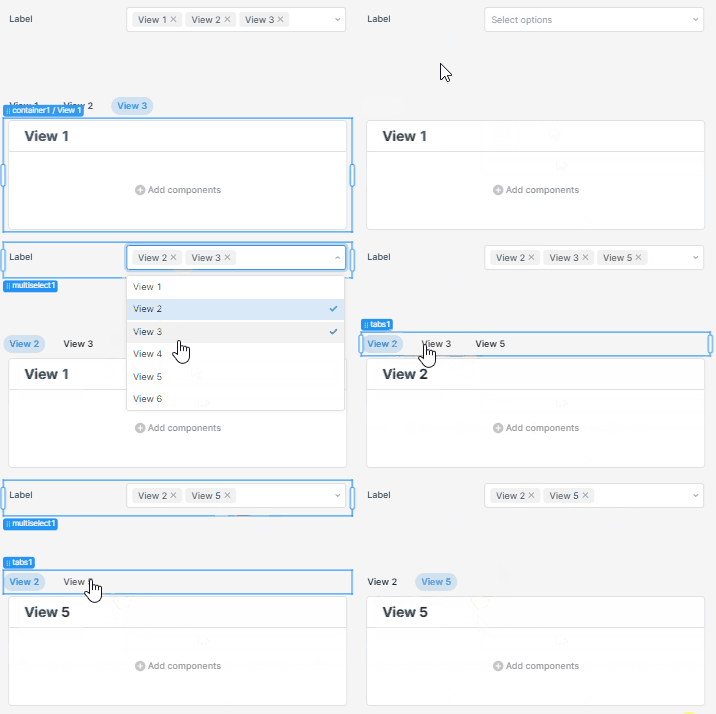
Retool Dynamic Tabs in a Tabbed Container: The Workaround
Retool's Tabbed Container doesn't support a dynamic number of tabs out of the box — but there's a clean workaround using the List View and Tabs components. Here's exactly how to build it so your tabs update automatically based on query results or any other data source.
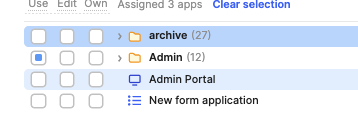
Retool Multipage App Page-Level Permissions: Workarounds That Work
Retool's multipage apps don't yet support page-level permissions — but that doesn't mean you're stuck. Here are the best workarounds to restrict access by user group today, plus what's coming on Retool's roadmap.
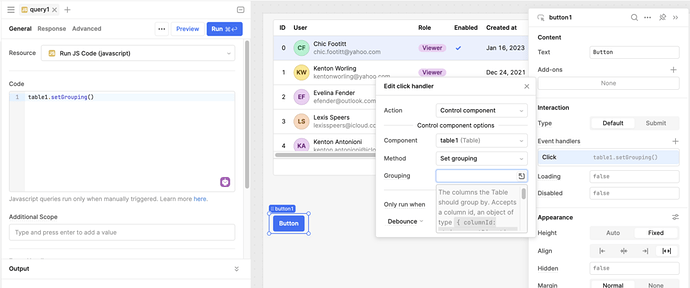
Retool Table Programmatic Row Grouping: What Works Now
Retool's table component doesn't yet support programmatic row grouping — but that doesn't mean you're stuck. Here's how to build a dynamic grouping toggle your users will actually love, using components you already have.

Retool Dynamic Table Height: Auto-Resize Tables to Fit Data
Tired of Retool tables that cut off your data or force unnecessary pagination? Retool now supports dynamic table height natively — no workarounds needed. Here's how to enable it for your org.
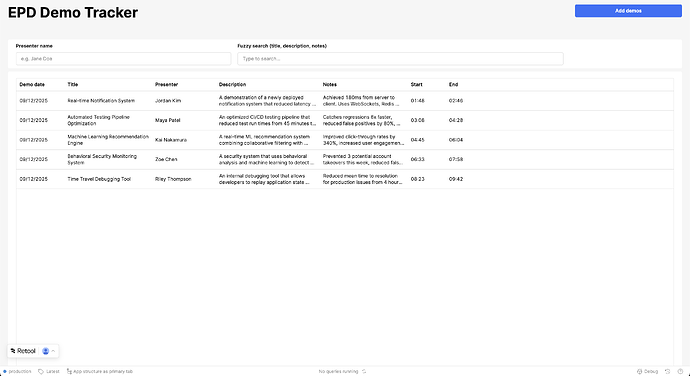
Retool Assist Prompts That Build Apps in Under 30 Minutes
Retool Assist can generate a working internal tool in minutes — if you know how to prompt it. Here are real prompts from Retool builders that produced full apps fast, plus the lessons learned along the way.
Retool Code Editor Deleting Characters? Fix the Intellisense Bug
If Retool's code editor keeps deleting characters, moving your cursor, or overwriting what you just typed, you're not alone — and you're not imagining it. This is a known intellisense bug that's been frustrating Retool developers for years, and here's exactly how to diagnose and work around it.
Retool ListView Drag and Drop Reorder: What to Know
Retool's ListView and Reorderable List components have long been separate — but developers want drag-and-drop reordering built directly into the ListView. Here's where things stand, what's planned, and how to handle it today.
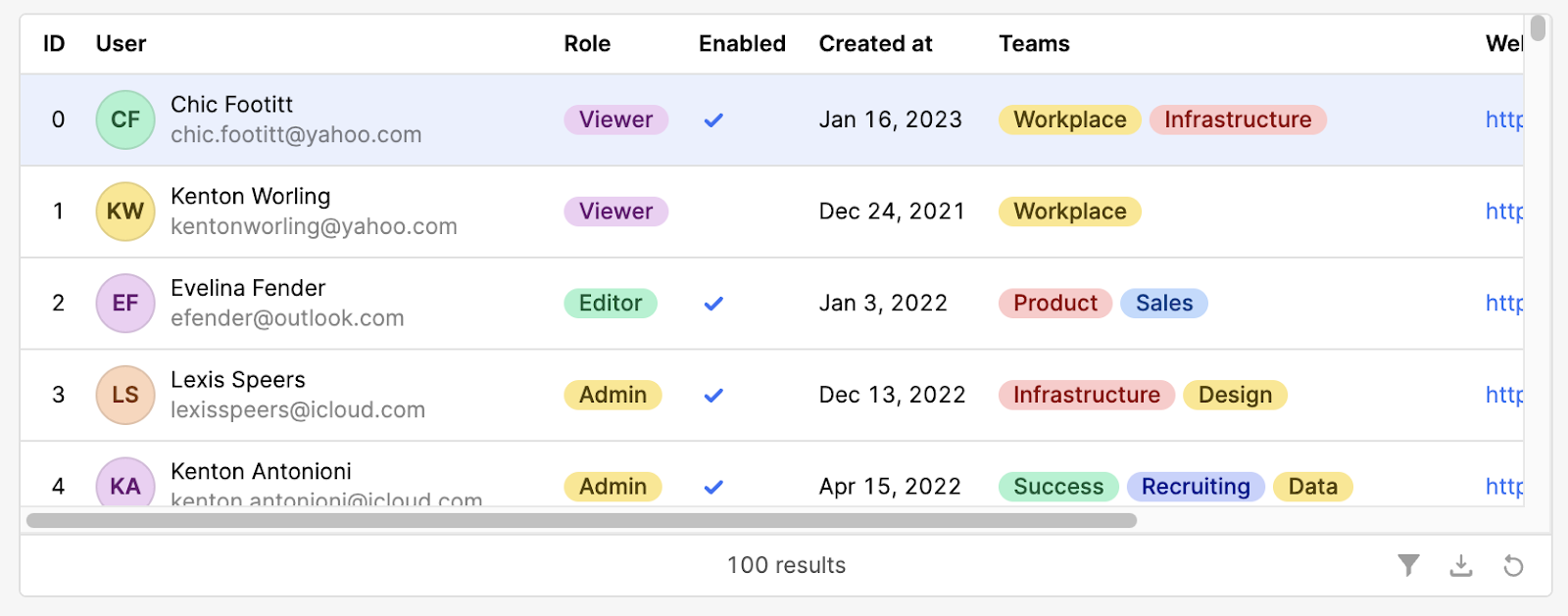
Retool Legacy Table Deprecated: What to Do Next
Retool has officially deprecated the legacy table component, and if you're still using it, you need a plan. Here's exactly what changed, what breaks, and how to migrate to the new Table component — or keep the old one if your use case demands it.
How to Connect Your Codebase to Retool Using Retool RPC
Retool RPC lets you define functions in your own backend and call them directly inside Retool apps and workflows — no custom API needed. Here's what it is, how it works, and how to fix the most common setup issues you'll run into.
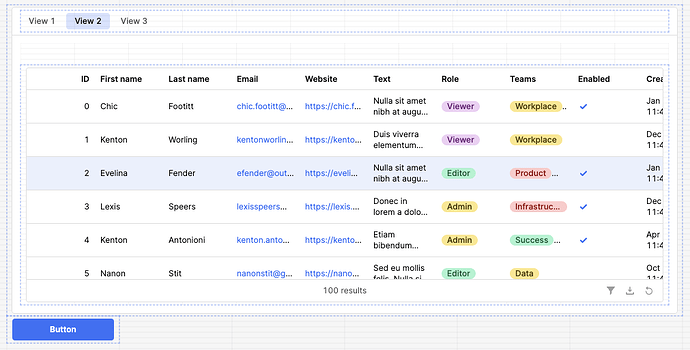
Retool clearSelection Not Working on a Hidden Tab? Here's Why
If you've called tableName.clearSelection() and watched it do absolutely nothing, you've likely hit a confirmed Retool bug. When a table lives inside a Tabbed Container, modal, or drawer and isn't currently visible, clearSelection() silently fails — and the stale selection sticks around until the user manually interacts with the table. Here's what's happening and how to work around it today.
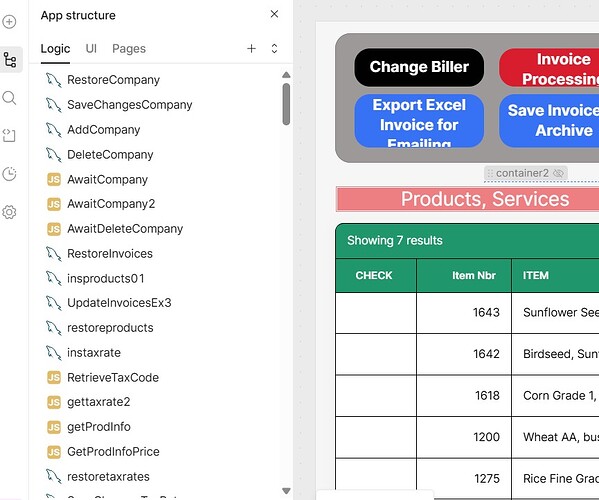
Retool Reorder Pages Not Working: Fix & Workarounds
Retool's drag-and-drop page reordering in the left sidebar no longer works — and it was intentionally disabled. Here's why it happened, what Retool's team says, and the exact code workaround to sort your navigation panel pages until an official fix ships.
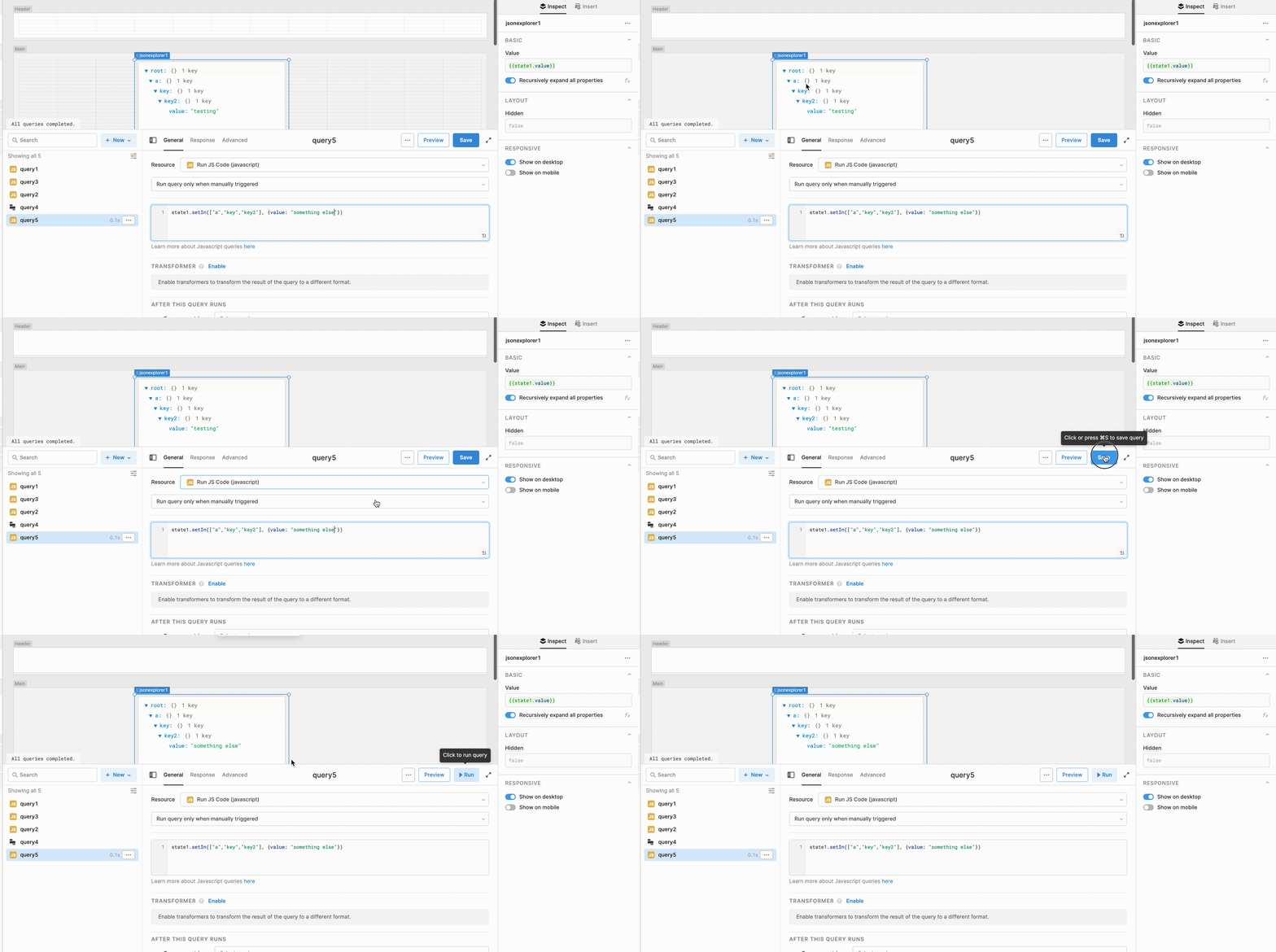
How to Use retool setIn() to Update Temporary State
Retool's setIn() method is one of the most powerful tools for managing temporary state, but the official docs barely scratch the surface. This guide breaks down exactly how to construct the path array for any data structure — flat objects, nested arrays, and everything in between.
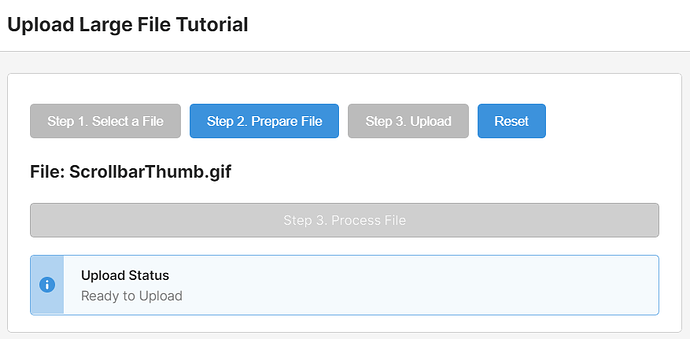
How to Upload Large Files to S3 in Retool
Retool's built-in file upload components hit a 50MB wall — not great when your users need to push large files to S3. This tutorial walks you through a custom component workaround that bypasses the limit entirely, integrates cleanly into your existing Retool UI, and handles signed URL uploads step by step.
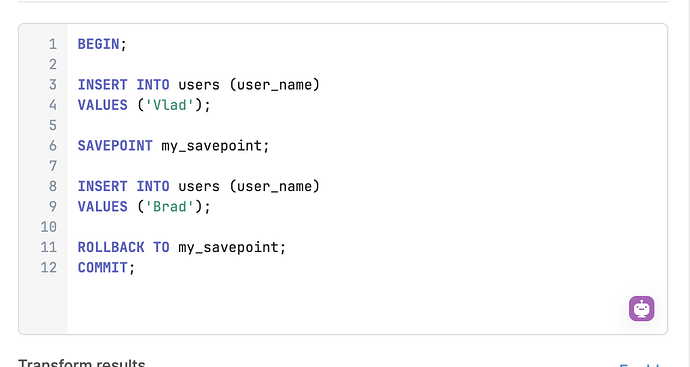
Retool SQL Transactions: What Works and What Doesn't
Retool lets you write raw SQL, so why can't you wrap multiple queries in a transaction? Here's the full picture — what's supported, what's not, and the stored procedure pattern that actually works in production.

Retool Table Column Tags (Pills): Single & Multiple Tag Setup
Retool's table component supports pill-style tag columns — but the setup isn't obvious. Learn how to enable Single Tag and Multiple Tags column types, format your data correctly, and avoid the most common mistakes that send developers down a rabbit hole.
Retool Chat Component for Mobile App: What Works Now
Retool's chat component still isn't available for mobile apps — but that doesn't mean you're stuck. Here's a practical breakdown of what works today, including AI-powered workarounds and real alternatives used by teams in production.
Retool Mobile Components: Features, Limits & Workarounds
Retool Mobile is a powerful way to build internal mobile apps, but it has gaps developers hit fast — no CSS styling, limited HTML rendering, and missing components. Here's what's supported, what's not, and how to work around it.
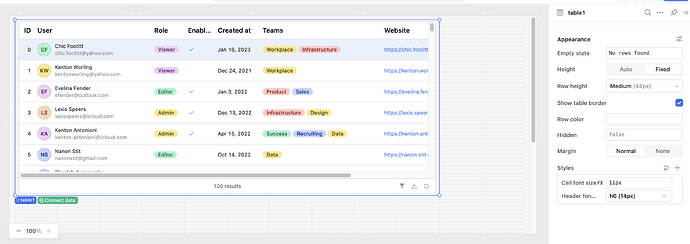
Retool Component Font Size Control: The Complete Guide
Retool now lets you adjust font size per component directly in the Styles panel — no more 12px squinting. Here's how to use it, how to set app-wide defaults, and what to do when your font size changes aren't showing up.

How to Control Retool Table Loading State (Workarounds & Tips)
Retool doesn't expose a native way to manually trigger a table's loading spinner — but that doesn't mean you're stuck. Here are the most practical workarounds to control Retool table loading state in your apps today.

Retool New Table Component Missing Features (And How to Fix Them)
Migrating to Retool's new table component and hitting walls? Row color expressions, auto height, currentRow access, and inline row-add are all behaving differently — or missing entirely. Here's a practical breakdown of every known gap and the best workaround for each one.
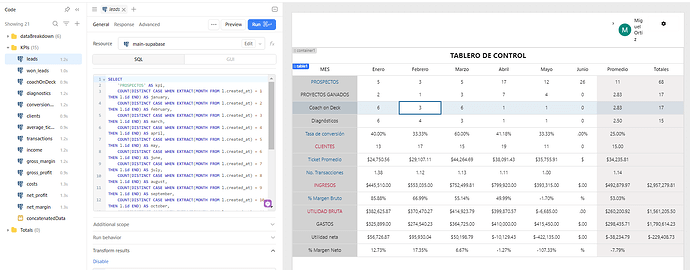
Retool Pivot Table: How to Build One That Actually Works
Retool's native table component doesn't support pivot tables out of the box — but there are proven workarounds. Here's how Retool builders are tackling mixed-type columns, dynamic pivots, and target tracking without losing their minds.
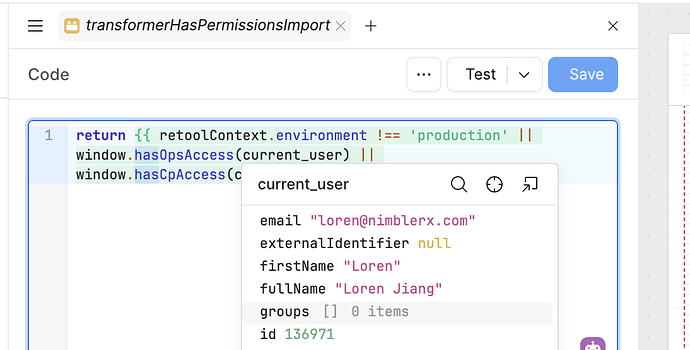
Retool current_user.groups Is Empty: Causes & Fixes
If your Retool apps suddenly stopped working because current_user.groups is returning an empty array, you're not alone. This is a known issue that can take down permission-gated portals instantly. Here's what's happening and how to respond.
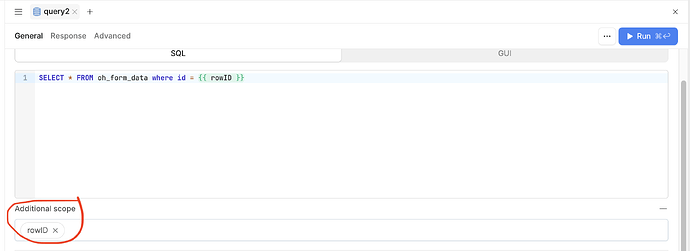
How to Use Retool Query Parameters with Multiple Buttons
Have multiple buttons that need to trigger the same Retool query with different parameters? This is a common pattern that trips up a lot of builders. Here's the cleanest way to handle it using a JavaScript query and Retool's built-in triggeredById property.
How to Stop a Running Query in Retool (And Workarounds That Work)
Retool doesn't have a native way to stop a running query mid-execution — but that doesn't mean you're stuck. Here are the most practical workarounds to cancel long-running queries and keep your UI responsive while the feature request makes its way up the roadmap.
Retool JavaScript Query in Query Library: Workarounds That Work
Retool's Query Library still doesn't support JavaScript queries, making it hard to share JS logic across multiple apps. Here are the best workarounds available right now — so you're not duplicating code across every app you build.
Retool Firebase Realtime Updates: How to Keep Your UI in Sync
Retool doesn't natively support Firebase's realtime listeners like onSnapshot or .on('value') — but your app doesn't have to feel static. Here's how to get as close to true realtime as possible in Retool today, and what to watch out for along the way.
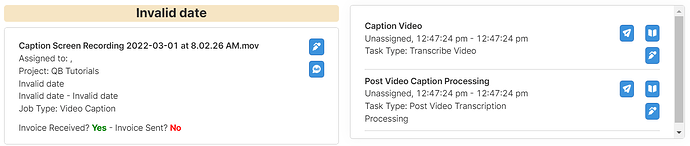
Retool Nested ListView: How to Build One That Works
Retool's nested ListView support has been one of the most requested features in the community — and it's now possible, but the syntax isn't obvious. Here's exactly how to wire it up using the ri and i index variables so you can render parent-child data without the trial and error.
Retool Office Hours: How to Join and Get Help Fast
Stuck on a Retool build and can't find the answer in the docs? Retool Office Hours is a free, weekly Zoom session where you can ask the Retool team anything. Here's exactly how to register, when to show up, and how to make the most of it.
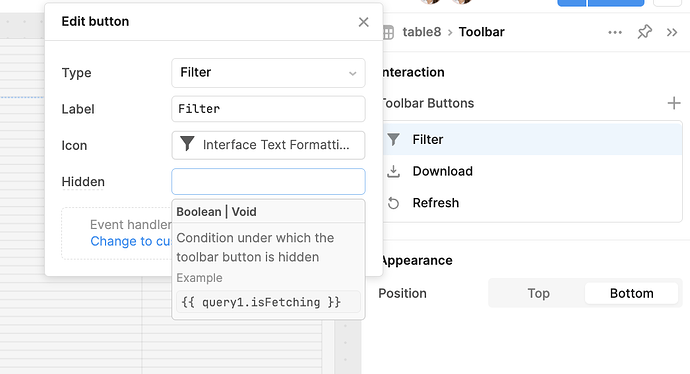
Retool Table Action Button Hidden with currentSourceRow
Trying to hide a Retool table action button based on the current row's data? The hidden property doesn't support currentSourceRow the same way disabled does — but there are real workarounds. Here's what you need to know.

How to Increase Engagement in the Retool Community Forum
Unanswered forum questions die within 48 hours — unless you have a system to revive them. Here's how Retool's August Amplify Challenge used tags, timed recognition events, and community momentum to cut average first-response time by 39% in a single month.
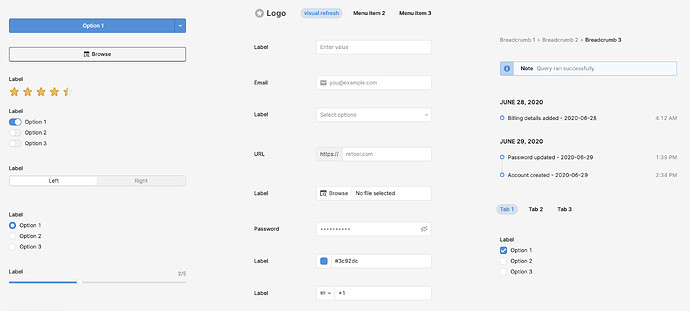
Retool Component Library Visual Refresh: What's Changing
Retool quietly launched a beta visual refresh of its entire component library — and the changes are more impactful than they sound. Here's exactly what's different, what stays the same, and how to get it enabled for your org today.

Retool Event Handlers Execution Order: Run Them Sequentially
By default, Retool fires all event handlers at once — in parallel. If your app depends on one query finishing before the next one starts, that's a problem. Here's how to take control and run event handlers sequentially using JavaScript.
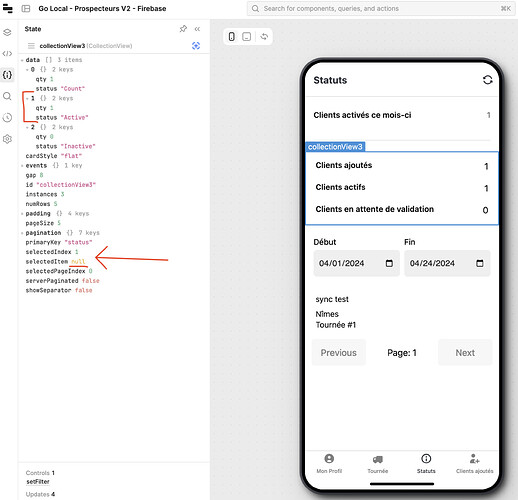
Retool Mobile Editor Performance Improvements Explained
Retool rolled out a major performance overhaul to its mobile editor — faster load times, fewer state bugs, and a more stable build experience. Here's what changed, what bugs you might still hit, and how to handle them.
Retool Storage: Upload & Manage Files Without S3
Storing files in Retool used to mean wrestling with S3 buckets or stuffing base64 strings into your database. Retool Storage changes that entirely. Here's everything you need to know to start using it today.
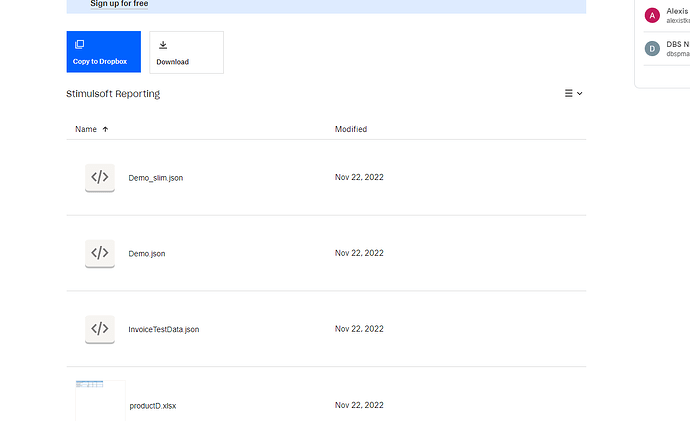
How to Generate a PDF from a Template in Retool
Retool doesn't ship with a native PDF generator, but you can build one using a custom component that combines Handlebars.js and jsPDF. This tutorial walks through exactly how it works — from template syntax to base64 images to custom download buttons.
Retool Canvas Grid Column Width: Limits & Workarounds
Retool's fixed canvas grid can make precise component placement frustrating — especially when you just want a small button next to another control. Here's why the limitation exists, what Retool has shipped so far, and the practical workarounds you can use right now.
How to Add CSS Classes to Retool Components
Retool doesn't natively support adding CSS classes to components — but there's a practical workaround using custom CSS overrides that gets you most of the way there. Learn how to write reusable, maintainable styles across multiple Retool components and apps right now.
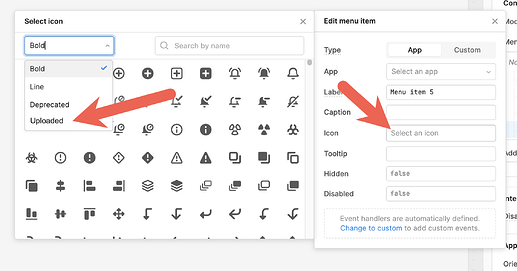
How to Use Custom Icons in Retool (Workaround Guide)
Retool's default icon library is solid but limited — no TikTok, no updated X logo, no bike icon. If you've been frustrated trying to use custom icons in Retool, here's the workaround that actually works today, plus what's coming natively.
How to Duplicate Modals and Drawer Frames in Retool
Trying to duplicate a modal or drawer frame in Retool and hitting a dead end? You're not alone — it's one of the most requested features in the Retool community. Here's what you can do right now while the feature is still being developed.
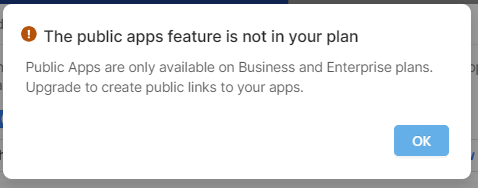
Retool Public Links on the Free Plan: How to Share Apps
Retool now lets Free plan users share apps via public links — no login required for viewers. Here's everything you need to know about enabling public access, what's supported, and the authentication limits you'll hit.
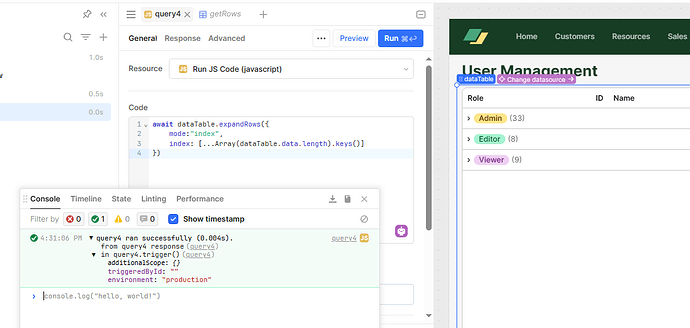
How to Expand and Collapse Rows Programmatically in Retool Tables
Retool's Table component supports expandable rows, but controlling them programmatically isn't straightforward. Here's what the community has figured out — and how to build the behavior you actually need.
How to Stop All Running Queries in Retool Programmatically
Retool doesn't offer a native way to stop all running queries programmatically — but stale query results can silently corrupt your app's state. Here's how to work around the limitation today and what to watch for when the feature lands.
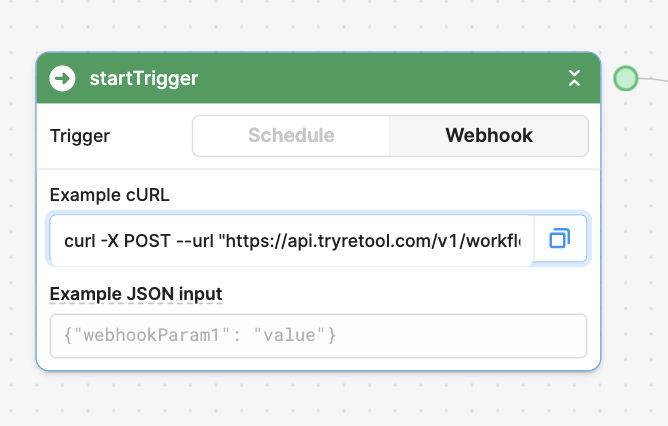
How to Trigger a Retool Workflow from an App
Triggering a Retool Workflow from an app is simpler than it looks — but there are a few gotchas that'll cost you an hour if you miss them. This guide walks you through the exact setup, common mistakes, and how to pass data like current_user into your workflow.
How to Get Started with the Retool Community
Joining the Retool community is one of the fastest ways to level up your internal tool builds. Here's how new builders are getting started, what to expect, and how to get the most out of the forum from day one.

AI Agents in Retool: How to Build Automated AI Workflows
Retool is actively building native AI agent capabilities — and you can already prototype agentic workflows today using Retool Workflows and a custom orchestration pattern. Here's everything you need to know to get started, including the database schema, recursive workflow design, and what Retool's official Agent product will look like when it ships.
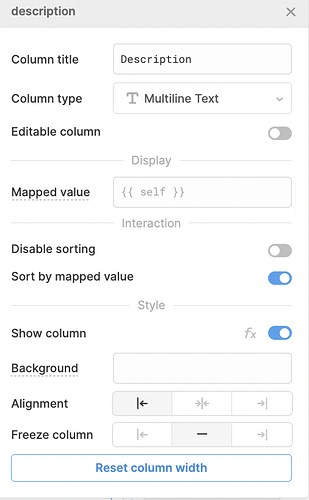
How to Add Tooltips to Retool Table Columns
Retool's new Table component supports column header tooltips — but the path to enabling them isn't obvious. Here's exactly how to set them up, what still isn't possible, and what to do if you're stuck on a legacy table.
Retool New Table Component Auto Column Width Fix
Switched to Retool's new table component and noticed columns no longer auto-resize to fill the screen? You're not alone. Here's what's happening, why it matters, and what you can do about it right now.
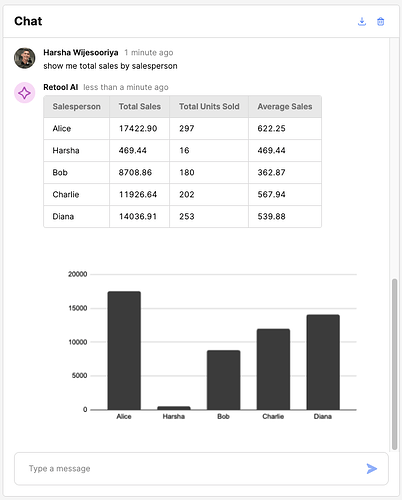
How to Render Charts Inside Retool AI Chat
Did you know you can render live charts directly inside the Retool AI Chat component? It takes a clever workaround using a custom JS query and either the OpenAI Assistants API or QuickCharts.io. Here's exactly how to pull it off.
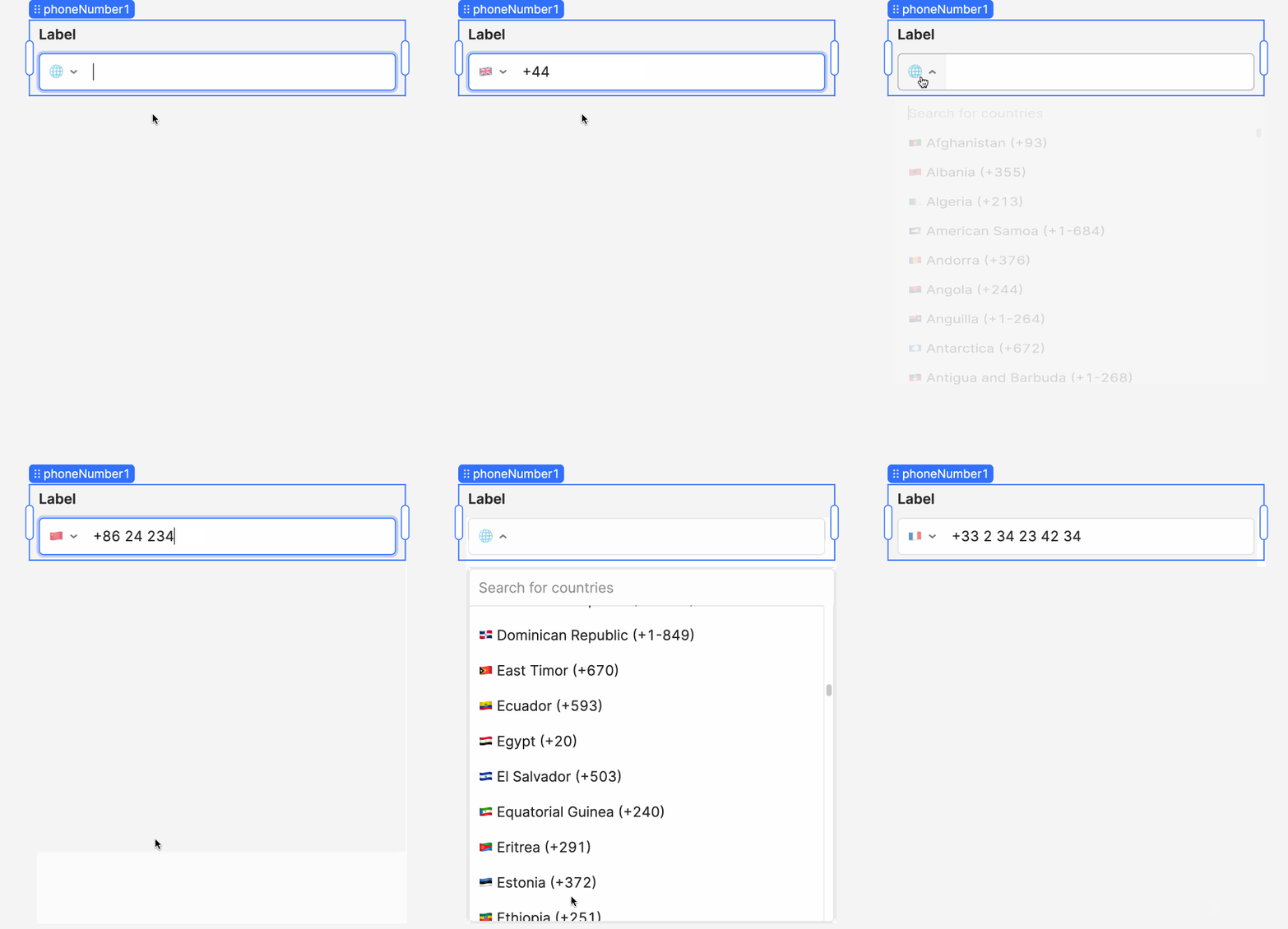
Retool Phone Number Input Component: Setup & Usage Guide
Retool's Phone Number Input component lets you capture and format phone numbers automatically as users type — complete with a country selector and multiple formatting options. Here's everything you need to know to start using it in your internal tools today.

How to Sync Retool Custom Components Across Multiple Instances
Keeping Retool custom components in sync across staging, production, and multiple Spaces is one of those things that feels simple until it isn't. This guide walks through the exact workflow — from choosing a primary instance to automating deploys with CI/CD — so your component library stays consistent everywhere.
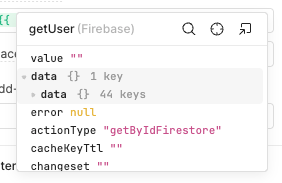
Retool Query Results Wrapped in a "data" Field: What Happened and How to Fix It
A silent platform-side change in Retool can cause all query results to be unexpectedly wrapped in an extra "data" field — instantly breaking every data-bound component in your app. If your Firestore or BigQuery queries stopped working out of nowhere, you're not alone and the fix is straightforward once you know what changed.
Custom Domain on Retool Cloud: Options & Workarounds
Retool Cloud apps live on retool.com by default — but your users don't have to know that. Here's what custom domain support actually looks like on Retool Cloud, why it's limited, and the practical workarounds your team can use right now.
How to Find Which Retool Apps Use a Resource
Changing or deprecating a Retool resource is risky if you don't know which apps depend on it. This guide shows you exactly how to find every app using a resource — whether you're on a modern Retool version or need a SQL workaround for self-hosted installs.
Retool PDF Generation: Your Best Options in 2024
Retool doesn't have a native PDF generator yet, but there are several solid options to get the job done. Whether you want a free JavaScript-based solution or a managed API, this guide breaks down every approach so you can start exporting PDFs from your Retool app today.
SQL Best Practices in Retool: A Cheatsheet for Every Database
Writing SQL in Retool isn't always the same as writing it in your database client — prepared statements, array handling, and conditional filters all behave differently depending on your database. This cheatsheet covers the most common patterns you'll actually need, across every major SQL resource type in Retool.

Retool Workflows Python Custom Libraries: Full Setup Guide
Retool Workflows now lets you install any public PyPI library — no more being limited to the preset list. Here's how to set it up, pin versions, and migrate existing scripts using pip freeze.
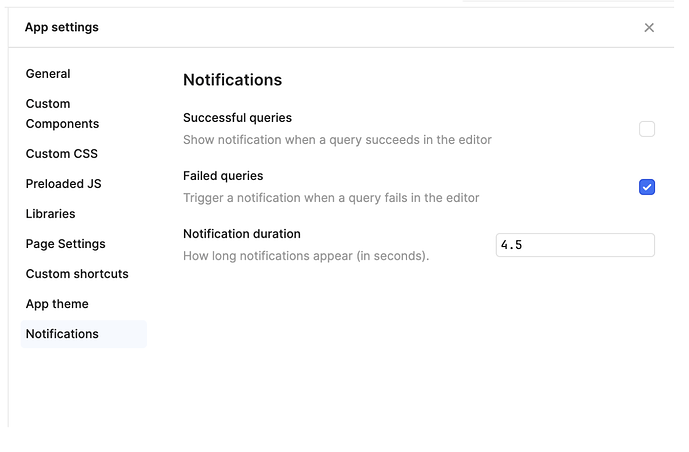
Retool Query Notification Settings: New Toast UI Guide
Retool rolled out a major refresh to query notification settings and toast UI — giving app builders a faster way to manage success and failure alerts across every query. Here's what changed, what it means for your apps, and how to configure it right now.

Retool PDF Exporter HTML Support: What to Do in 2024
Retool's built-in PDF exporter is limited to Markdown — no HTML, no fine-grained font control, no complex layouts. If you've hit this wall, you're not alone. Here's what the community has found and what your best options are right now.
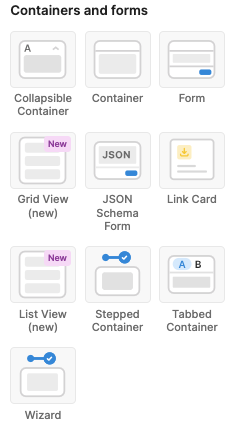
Retool ListViewV2 Beta: Virtualization, item Keyword & More
Retool's ListViewV2 beta brings virtualization and a cleaner developer experience to one of the platform's most-used components. Here's everything you need to know before opting in — including the limitations that could break your existing patterns.
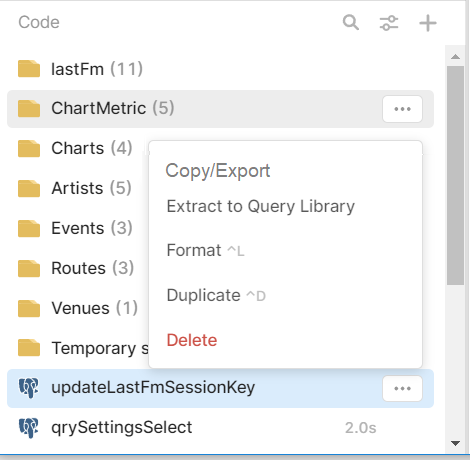
How to Copy Queries Between Retool Apps (And What to Do Now)
Copying queries between Retool apps is more painful than it should be — but there are workarounds that work today. Here's how to move queries across apps without losing your transformer logic, event handlers, or sanity.
Retool Table Column Header Text Wrapping: How to Fix It
Retool's table component doesn't give you a native toggle for column header text wrapping — but there are practical workarounds that keep your tables clean and readable. Here's exactly what to do while the feature request is still open.
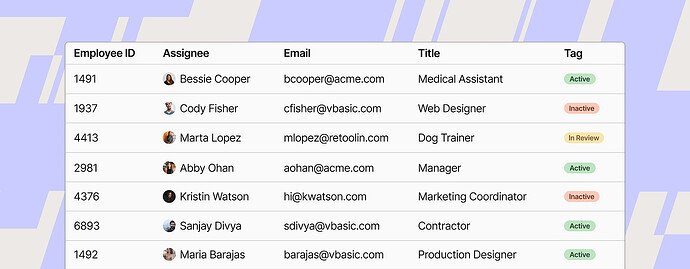
Retool Table Component New Features: What You Need to Know
Retool's new Table component has shipped a wave of powerful upgrades — from row grouping and cell tooltips to conditional status indicators. Here's everything that's changed, how to use each feature, and a critical workaround for a status indicator bug you'll almost certainly hit.

Retool Grid Layout: How to Get More Columns Beyond the 12-Column Limit
Retool's default 12-column grid is a constant frustration when building complex desktop-style UIs. Here's how to work around the column limit today using unstyled containers — and what's coming in future Retool releases.
How to Build a Retool Image Gallery Component
Retool doesn't ship a native image gallery component — but you can build one that works beautifully. This guide covers two practical approaches: a Custom Component image grid with a lightbox modal, and a ListView-based workaround, so you can pick what fits your use case.
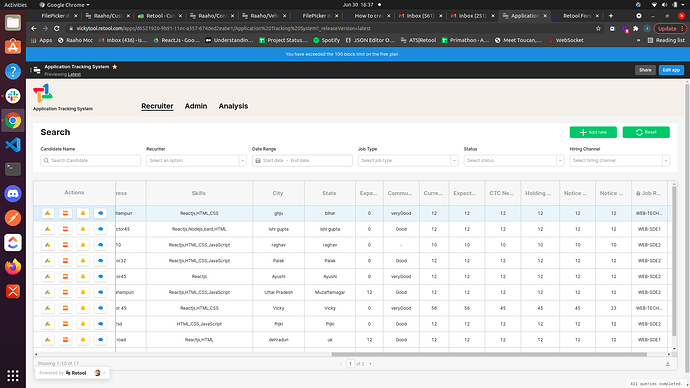
Retool Table Column Width: What Works and What Doesn't
Retool's table component doesn't support fixed column widths — but there are workarounds that can help. If you've spent time dragging columns to the right size only to watch them reset, you're not alone. Here's what's actually happening and what you can do about it.
How to Open a Retool Modal Without a Button
Tired of cluttering your Retool canvas with hidden modal buttons just to trigger popups programmatically? There's a cleaner way. Here's how to open a Retool modal without a button using event handlers and query chaining.

How to Send a Retool App as a PDF Using Workflows
Want to automatically email a snapshot of your Retool dashboard as a PDF? Retool Workflows makes it possible — but there are a few gotchas around component serialization and scheduling you need to know first. Here's exactly how to pull it off.
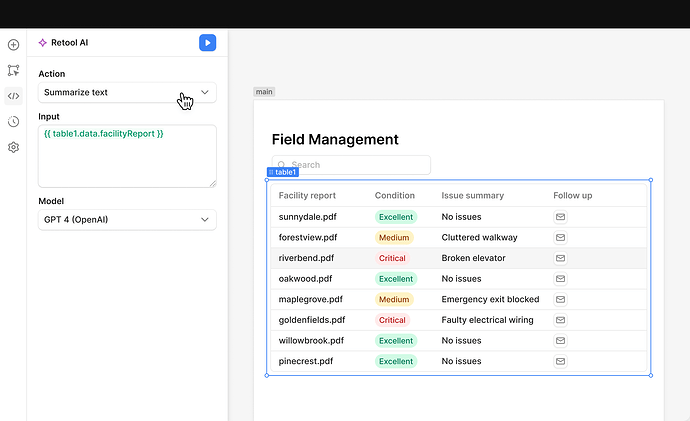
How to Build AI Apps with Retool AI: Chatbots, Workflows & More
Retool AI brings GPT-4, vector search, and pre-built AI actions directly into your internal tools. Here's exactly what launched, what it can do, and how to start building AI-powered apps and chatbots in Retool today.
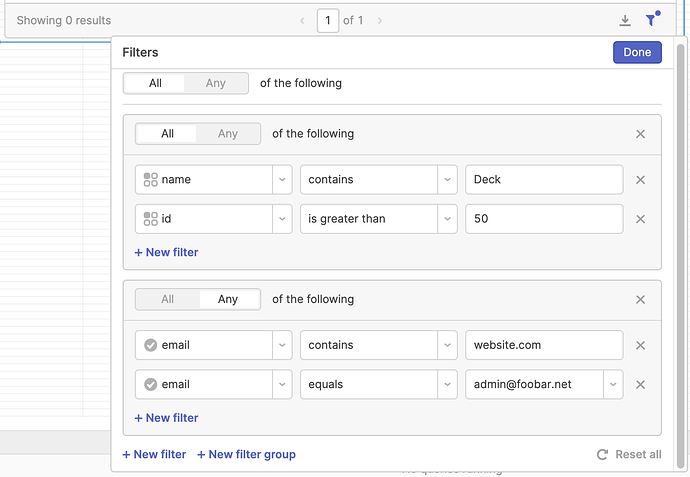
Retool Table setFilters: The Complete How-To Guide
Retool's table.setFilters() lets you filter table data instantly on the client side — no database requery needed. Here's everything you need to know to use it correctly, including multi-filter logic, clearing filters, and multi-select support.
Retool Inactivity Timeout: How to Auto-Logout Users
Retool doesn't have a built-in org-wide inactivity timeout — but there's a workable solution you can ship today. Here's how to automatically log out inactive users in Retool, and what to know if you're in a compliance-sensitive industry like healthcare or government.
Retool Nested Folders: Organizing Apps and Queries at Scale
Retool's folder system works fine when you have a handful of apps — but it breaks down fast as projects scale. Here's what's missing, what's coming, and how to stay organized in the meantime.
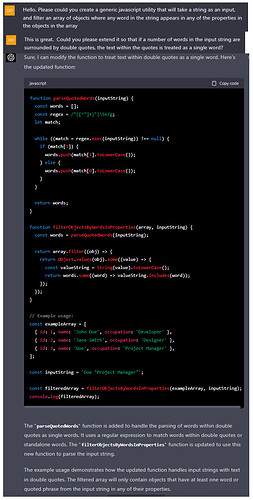
Retool Roadmap Priorities: Performance, Components & AI
Wondering where Retool is headed? A candid community thread — joined by Retool's own CEO — surfaced the platform's most pressing roadmap priorities. Here's what developers are asking for and what's actually coming.
Retool AI Office Hours: Get Your AI Questions Answered Live
Retool is hosting free, open AI Office Hours where you can ask anything — from "what is a token?" to "does my use case need an AI agent?" No pitch, just answers.
Custom RadioGroup Component for Retool with Conditional Display
Retool's native radio group can't handle grouped options, conditional visibility, or rich layouts. Here's an open-source custom RadioGroup component that can.
How to Use Python in Retool: Apps, Workflows & On-Prem
Retool's default scripting language is JavaScript, but Python developers aren't out of options. Here's exactly how to use Python in Retool today — and what's on the roadmap for full support.
Hire a Retool Developer: Jobs, Freelancers & Agencies
From freelance Retool builders to full-service agencies, here's how companies and developers are finding each other — and what to look for when hiring for Retool roles.
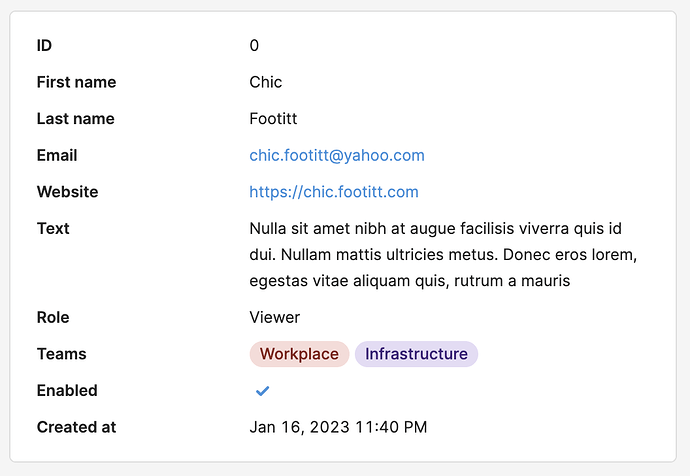
Retool Key Value Component v2: What's New and How to Use It
Retool's new Key Value component v2 brings powerful display options, flexible layouts, and zero-config auto-labeling to your internal tools. Here's everything you need to know about what changed, what's possible, and how to start using it today.
Best Retool Tutorials and Courses to Learn Fast (2024)
The Retool learning ecosystem is smaller than you'd expect for a tool this popular. Here's every resource worth your time, ranked and explained.

How to Embed a Retool App in the Chrome Side Panel
Ever wanted your Retool app to follow you around the browser while you work in Notion, Google Docs, or Gmail? A Chrome extension called the Retool Embedder makes it possible — no paid embedding plan required. Here's how it works and how to set it up.
Hiring a Retool Consultant: What to Know Before You Start
Thinking about hiring a Retool consultant? Here's what real teams have learned — from scoping the engagement to vetting freelancers vs. agencies — before signing anything.
Retool Query Library Transformers: Limits & Workarounds
If you've tried adding a transformer to a Retool Query Library query, you already know it's not supported — and that forces you to copy-paste transformer logic into every app that imports the query. Here's what's going on, what Retool has said about it, and how to work around it today.
How to Hire a Retool Developer (Contract or Full-Time)
Trying to hire a Retool developer but not sure what to look for? This guide covers must-have skills, red flags, real project scopes, and how to structure a contract engagement.
How to Build AI Apps with Multiple LLMs in Retool
Building AI apps in Retool doesn't mean picking one model and hoping for the best. This guide breaks down how to combine LLMs from OpenAI, Anthropic, Google, and more — including how to route requests intelligently with OpenRouter and query your own database using natural language.
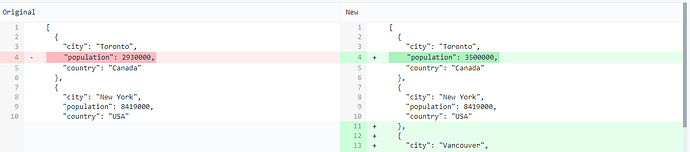
How to Build a JSON Diff Viewer in Retool
Retool doesn't have a native JSON diff component — but you can build one in minutes using jsondiffpatch or jsdiff paired with diff2html. Here's exactly how to wire it up, render the output, and pass diffs to other parts of your app.
How to Build AI-Powered Retool Dashboards Connected to Snowflake
Want to connect Snowflake to Retool and let AI build your dashboards automatically? Here's what's available today — and what's coming fast.
How to Hide Retool Branding and User Menu on Business Plan
If you're on Retool's Business Plan and want to remove the Retool badge and user menu from your internal tools, you're not alone. This guide covers what white-labeling options exist today, what's still a feature request, and how to minimize branding in the meantime.
Build a Custom Inventory Management Tool in Retool
Inventory management SaaS averages $175/user/month — that's $21k/year for 10 users. Here's how to build a fully custom replacement in Retool for a fraction of the cost.
Retool AI Agents in Production: Real Results and Limitations
We used Retool AI Agents to automate invoice generation inside a live client app. Here's the full breakdown — architecture, real results, and honest limitations.
Retool Bulk Update with a Composite Primary Key
Retool's Query GUI mode only supports single-column primary keys for bulk updates — leaving composite primary key tables completely stranded. Here's what's actually happening and how to work around it today without waiting for the feature to ship.
When to Use Retool for Internal Tools (And When to Skip It)
We build internal tools in Retool every day. Here's our honest breakdown of where it's the obvious choice — and where we walk away from it.
Retool Show on Mobile: How to Handle Components by Default
Enabling "show on mobile" one component at a time in Retool is one of the most tedious parts of building a mobile-friendly app. Here's what you can do right now to speed up the process — and when it makes sense to switch to Retool Mobile entirely.

Retool List View & Grid View Repeatables: Complete Guide
Retool has rebuilt Repeatables from the ground up with new List View and Grid View components. Here's everything you need to know to migrate your apps, use the item variable correctly, and work around current limitations before they ship aggregation features.
Retool Rich Text Editor: Add Editor.js as a Custom Component
Retool's native text inputs fall short when your app needs rich, structured content. Here's how to drop in a fully featured Editor.js rich text editor as a Retool custom component — open source and deploy-ready in minutes.
Retool Bugs & Glitches: Common Issues and How to Fix Them
If you've lost hours to Retool bugs that a browser refresh would have fixed, you're not alone. Here's a practical breakdown of the most common Retool glitches and how to work around them.
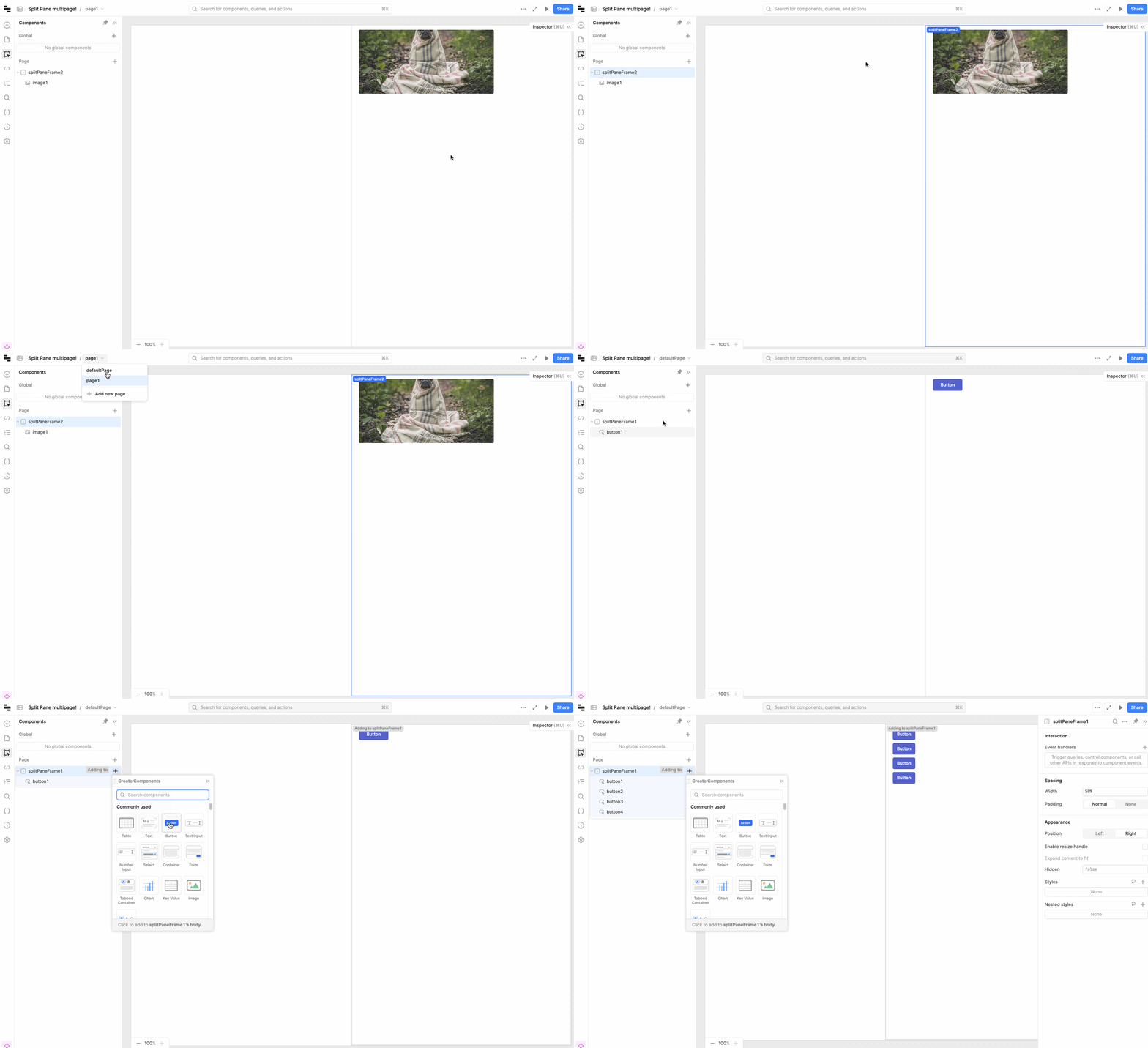
Retool Multipage App Features: Complete Update Guide
Retool's multipage app feature has shipped a steady stream of updates — from split panes and global modals to dynamic navigation and per-page headers. Here's everything that's landed and how to use it right now.
Retool Development Agency: Lessons from 1 Year Building Internal Tools
What does it actually take to build serious internal tools in Retool? After one year running a Retool development agency, here are the lessons that changed how we build.
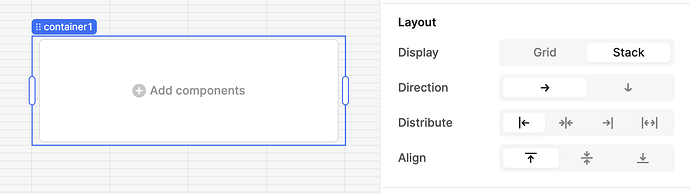
Retool Stacks: Flexbox Layout in Containers Explained
Retool Stacks bring flexbox-style layout control to your apps, letting you break free from the rigid 12-column grid. If you're trying to use Stacks inside containers, sidebars, or split panels — or running into bugs — this guide covers everything you need to know.
Awesome Retool Custom Components: Community Repo & Examples
There's finally a community-maintained GitHub repo for Retool custom components. Here's what's in it, how to use it, and how to build your own from scratch.
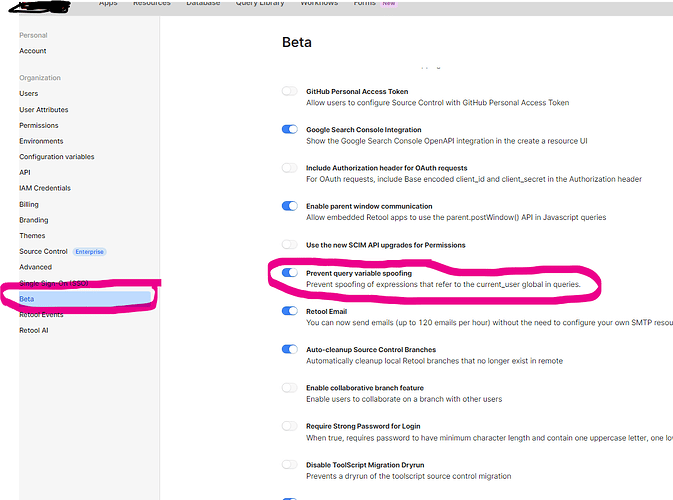
How to Impersonate Users in Retool for Permission Testing
Testing role-based UI in Retool is painful when you can't see what another user actually sees. Here's how to work around the missing user impersonation feature and mock current_user for faster QA.
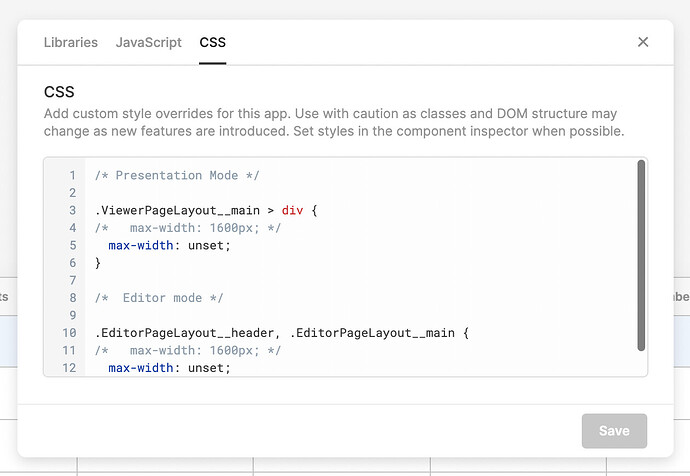
How to Set a Retool Full Width Canvas (2024 Guide)
Retool's default canvas has a max-width that wastes screen real estate on large monitors. Here's how to go full width — using the native UI setting in modern Retool, or injected CSS for older and self-hosted versions.
Retool Form Reset to Default Values (Not Just Clear)
Retool's "clear on submission" wipes your form fields completely blank — including fields that have default values. Here's how to reset a Retool form back to its defaults instead, using both the native Form v2 method and a reliable JavaScript workaround.
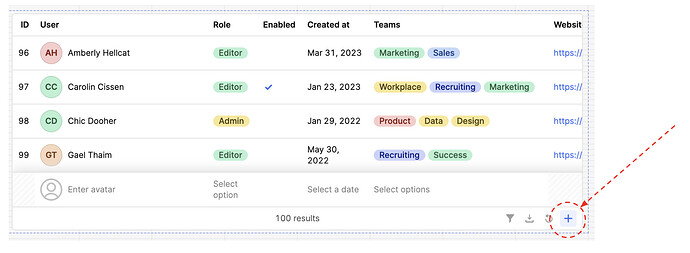
Retool Table Add New Row Button: Complete Guide
Retool just shipped a native toolbar button that lets users add new rows directly inside a Table component — no modal, no custom form. Here's exactly how to set it up, access the newRows property, and save the data to your database.
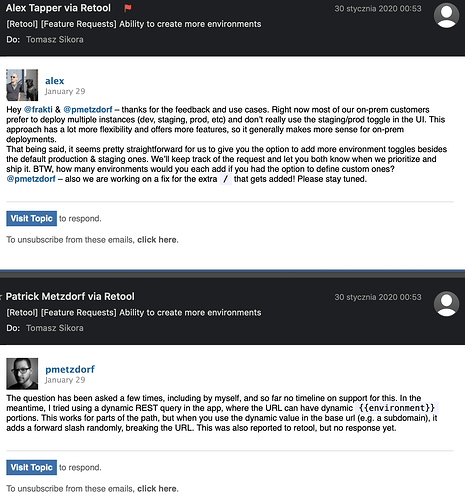
Retool Multiple Environments: Workarounds and What to Expect
Retool limits you to staging and production environments out of the box — a real blocker for teams with dev, QA, and prod workflows. Here's what the community has figured out while waiting for native support, including a step-by-step localStorage workaround you can ship today.

Retool's New Look 2024: UI Rebrand, Dark Mode & What Changed
On September 12, 2024, Retool rolled out a sweeping new look across its platform and community forum. Here's everything that changed, how to switch between Light and Dark mode, and a rundown of the early bugs that got squashed fast.
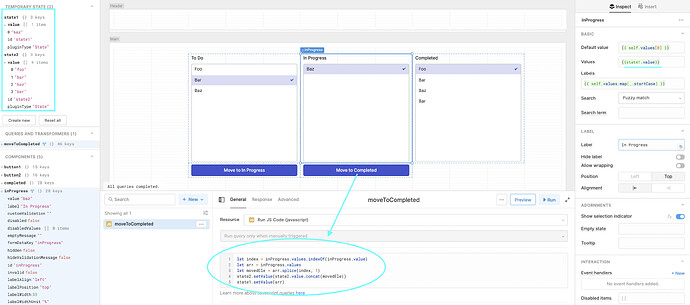
How to Build a Retool Kanban Board (No Native Component Needed)
Retool doesn't have a native kanban component — but you can build a fully functional Trello-style board using listboxes, temporary state, and a few JS queries. Here's exactly how to do it, including how to wire it up to a Postgres backend and surface prompts when cards move between columns.
Retool Community Top Contributors: November Roundup
Every month, the Retool community recognizes its most helpful members through the ToolTips leaderboard. November's roundup featured standout contributors, 21 marked solutions from a brand-new member, and even a pie recipe that made it to Retool's holiday party. Here's what happened — and why it matters for anyone building internal tools with Retool.

How to Grow Your Retool Community Engagement in 2025
The Retool community is one of the most underrated resources for developers building internal tools. Whether you're a lurker or an active contributor, there are concrete steps you can take to get more value—and give more back. Here's how to make the most of Retool community engagement in 2025.
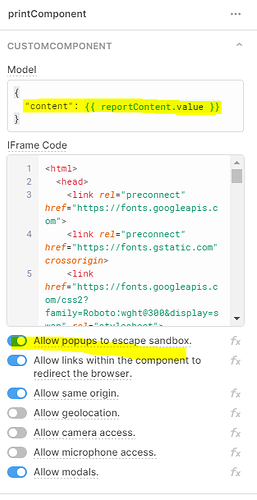
Generate PDFs in Retool Using a Custom Component and html2pdf
Tired of paying for third-party PDF APIs or wrestling with Retool's native print options? This tutorial shows you how to generate polished, fully styled PDFs inside Retool using a custom component and the html2pdf.js library — no external service required.
Retool AppGen Assist: Build Apps with AI (Setup & Limits)
Retool's AppGen Assist is a new AI-powered app builder that lets you generate working internal tools from a plain-English prompt. But before you dive in, there are a few setup steps and real limitations you need to know about. Here's everything the community has learned since launch day.
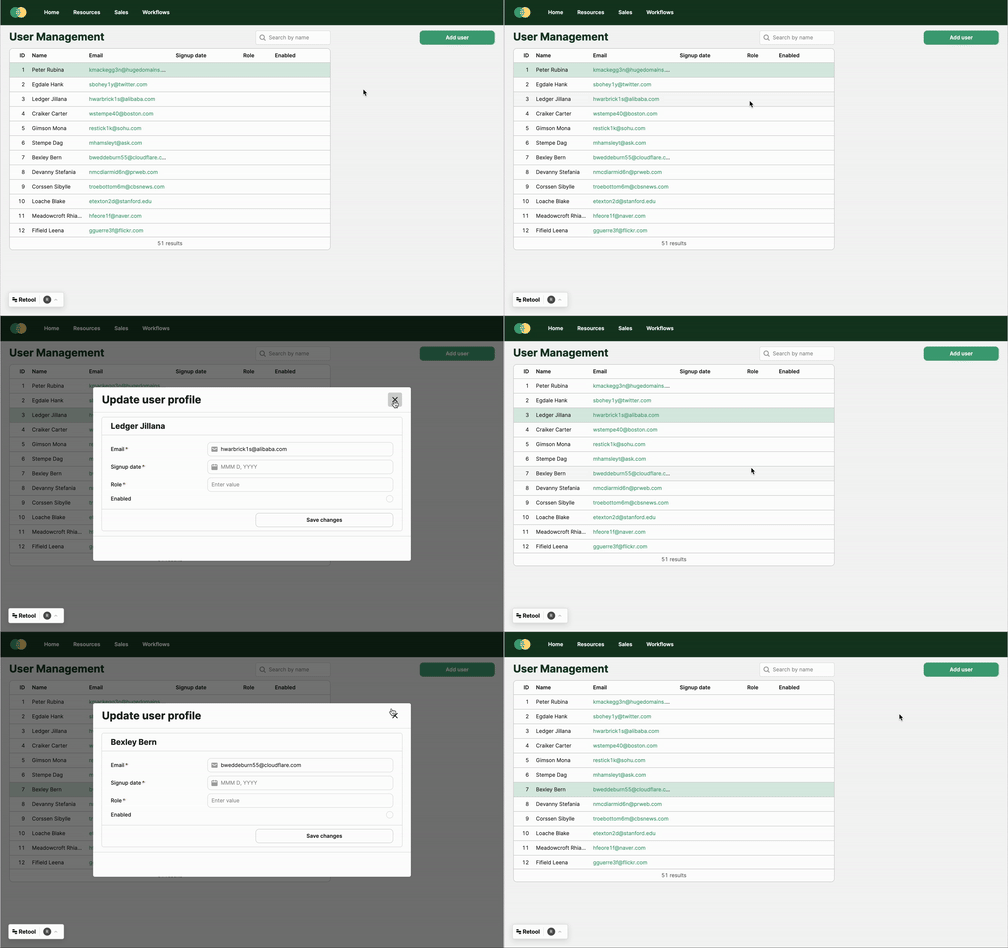
Retool Modal Frames: How to Use Them in Your App
Retool Modal Frames give you precise control over when modals appear in your app — no dedicated button required. Learn how to add them, toggle visibility programmatically, and build blocking modals that actually grab user attention.

How to Participate in Retool Community Challenges and Win Swag
Retool runs monthly community challenges that reward users for answering questions, tagging collaborators, and helping others get unstuck. Here's exactly how the points system works, how to find the leaderboard, and what it takes to earn badges and swag.
Retool Module Versioning: How to Pin a Specific Version
If your team uses Retool modules across multiple apps, a breaking change in a new module release will silently update every app using it — with no way to pin a specific version. Here's what's happening and how to protect your apps today.
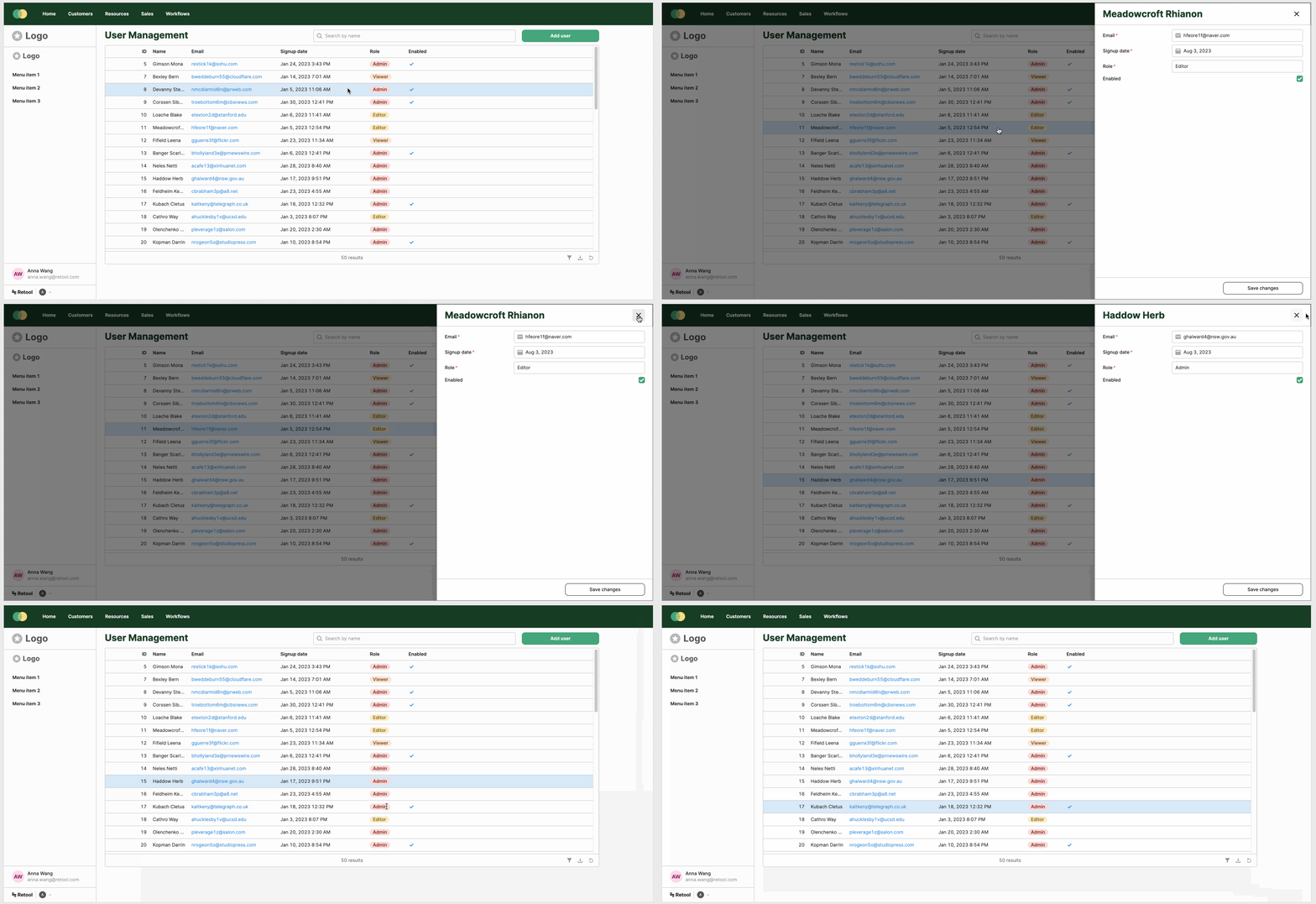
Retool Drawer Frame: How to Add a Slide-Out Panel to Your App
Retool's Drawer Frame lets you add a slide-out panel to the right side of any app — perfect for forms, filters, and data drill-downs. Here's everything you need to know to set it up and avoid the common gotchas.
TypeScript in Retool: What's Supported and How to Work Around It
Retool doesn't natively support TypeScript — but that doesn't mean you're stuck writing untyped JavaScript forever. Here's what the community has figured out, and how to bring more type safety into your Retool apps today.
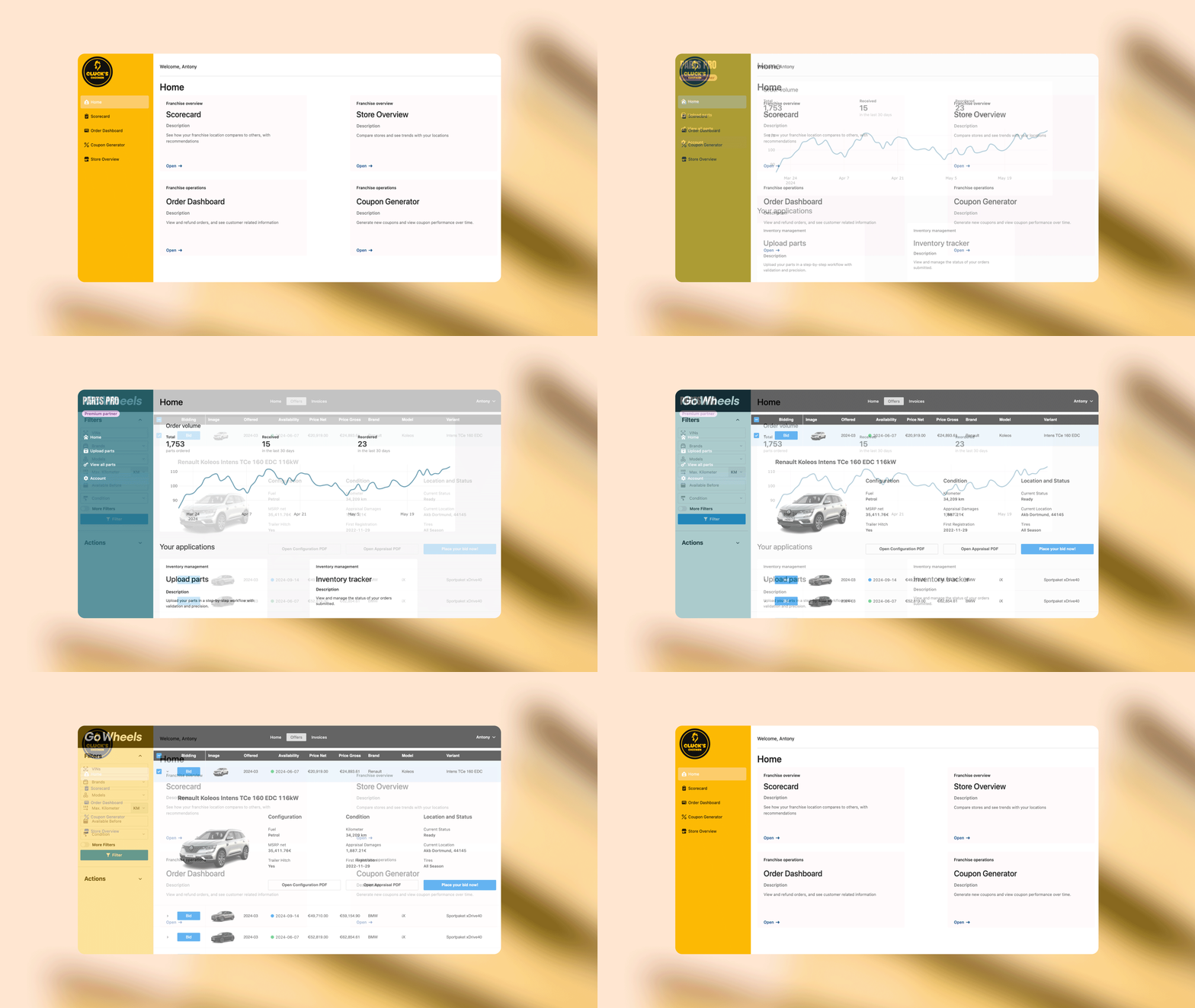
Retool for External Apps: Build Customer Portals Fast
Retool for External Apps is now generally available, letting you ship white-labeled customer and partner portals without leaving Retool. Here's everything you need to know to get set up — including auth, branding, and embedding.
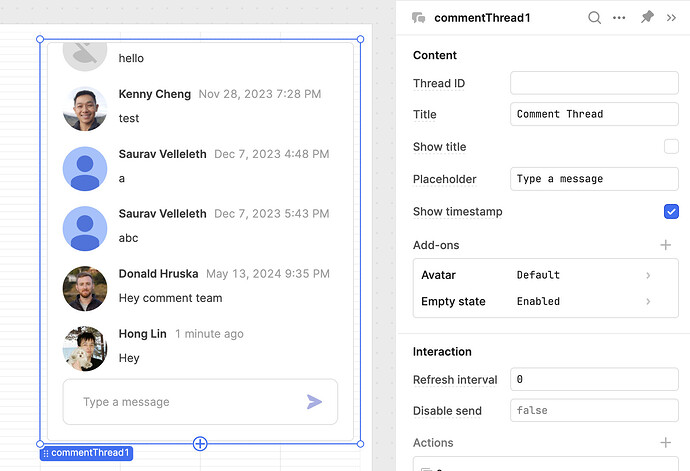
Retool Comment Thread Component: Setup, Tips & Use Cases
Retool's revamped Comment Thread component lets app users collaborate without leaving your internal tool. Here's everything you need to know to set it up, connect it to dynamic data, and extend it with email notifications and event handlers.
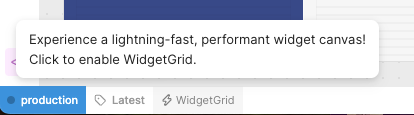
Retool WidgetGrid Beta: Bugs, Fixes, and How to Enable It
Retool's WidgetGrid beta can make your editor up to 50% faster — but it also ships with real bugs affecting repeatables, containers, and text visibility. Here's what you need to know before you flip that switch.

Retool Community Solution Challenge: How It Works & Why Join
The Retool community solution challenge is a month-long contest that rewards builders for sharing verified answers on the Retool Developer Community Forum. In August 2023, 78 contributors added a record 329 verified solutions — a 47% jump over the previous month. Here's exactly how the challenge works and why it's worth your time.
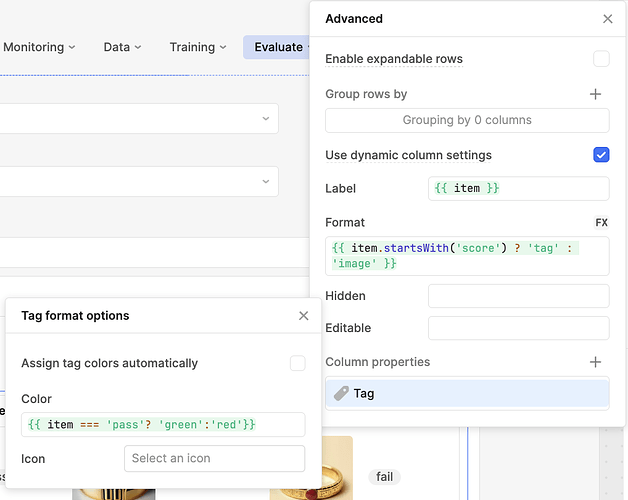
Retool Dynamic Column Settings: A Complete How-To Guide
If your Retool table needs to display data from multiple sources or a schema that changes over time, dynamic column settings are the fix you need. This guide walks through exactly how to set them up, what limitations to watch out for, and a few community-sourced tricks to get more out of them.
Retool Figma Component Library: What Exists and What to Do Instead
Many design teams hitting Retool for the first time ask the same question: is there an official Retool Figma component library? The short answer is no — but there are practical workarounds that keep your design-to-dev workflow moving. Here's what you need to know.
Retool Custom Drag-and-Drop Component: How to Build It
Retool doesn't ship with a native drag-and-drop component, but you can build one using a custom component. Here's exactly how to set it up and wire it into your app.
Retool Vertical Divider: How to Build One Today
Retool's horizontal divider is handy, but there's no native vertical divider component — and the feature request has been sitting in the backlog for years. Here's how to build a clean vertical divider yourself using an HTML component or a styled container, no waiting required.

Retool Client Portal Pricing: What You Need to Know
Retool is a powerful internal tool builder, but what happens when you want to use it for a customer-facing portal? The pricing model raises real questions. Here's an honest breakdown of what's possible today, what the limitations are, and how to think through your options.

How to Build Internal Tools with Retool: Lessons from a Top Builder
What does a top-ranked Retool builder actually do differently? Miguel Ortiz, #2 on the global Retool community leaderboard, shared his real workflow, problem-solving approach, and hard-won lessons live. Here's what you can steal for your own builds.
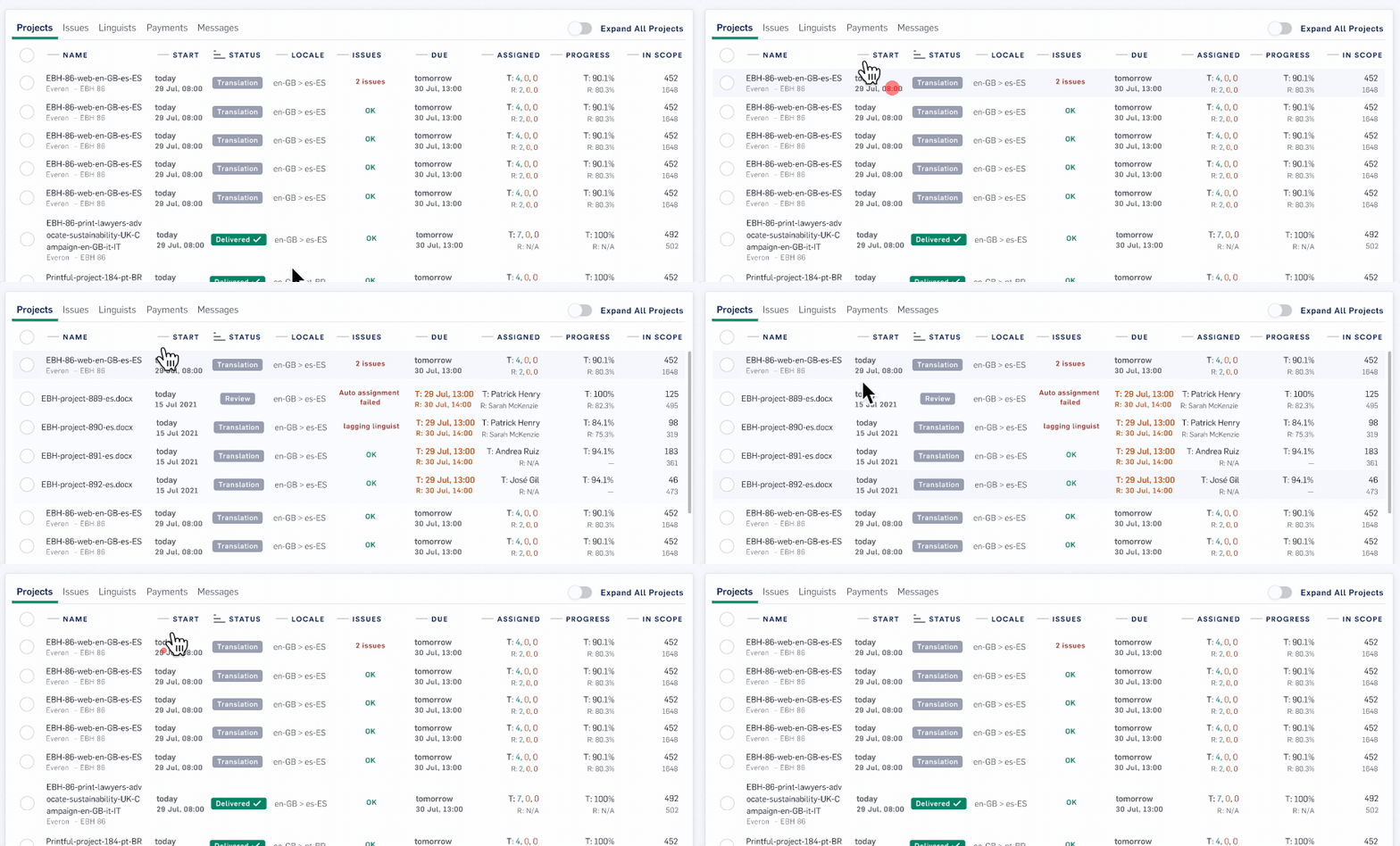
Retool Table Nested Rows: Expand & Collapse Grouped Data
Displaying hierarchical data in a Retool table used to mean hacking together custom components or flattening your data model. Retool's row grouping feature lets you build multi-level, expandable tables natively — no workarounds required. Here's exactly how to set it up.

Retool Multipage Apps: How to Build, Enable, and Use Them
Retool's multipage apps let you consolidate multiple single-page apps into one — with faster load times, shared navigation, and cleaner app organization. Here's everything you need to know to enable the feature and start building.
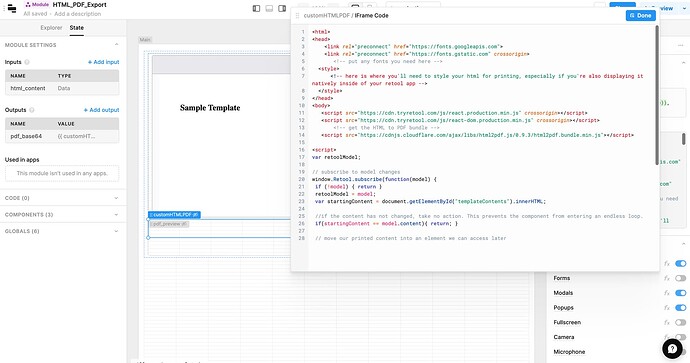
How to Generate PDFs in Retool: 3 Methods Compared
Retool gives you three distinct ways to generate PDFs — but each one has real trade-offs. This guide breaks down every method so you can pick the right one and ship faster.
Retool Draggable Modal Windows: What's Possible Today
Retool's modal component always opens centered on screen — and you can't move it. If your users are asking for draggable modals so they can peek at data behind the overlay, here's what you need to know about the current limitations and your best workarounds.
Retool Subfolders for Apps: How to Organize at Scale
If your Retool workspace is drowning in apps, subfolders are the feature you've been waiting for. Learn how subfolder creation works in Retool cloud orgs and how to structure your workspace for long-term scale.
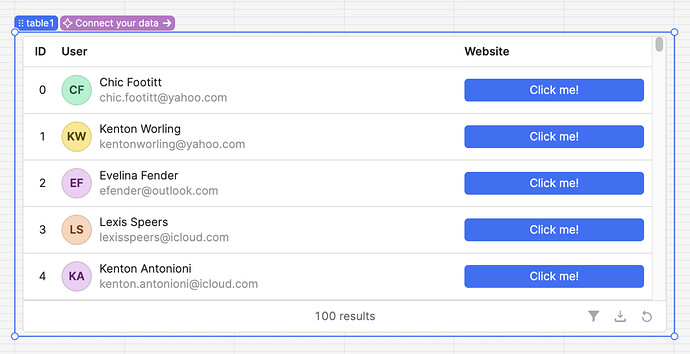
Retool Table Button Column Type: Setup & Best Practices
Retool's native button column type for the Table component is here — and it replaces a whole category of messy workarounds. Here's how to set it up and get the most out of it.
Retool Chart Component v2: New Features & How to Use It
Retool's new chart component v2 replaces the frustrating Plotly JSON workflow with a visual GUI editor, 10 built-in chart type presets, and full Theming integration. If you've ever hit a wall trying to customize charts in Retool, this update changes everything. Here's a full breakdown of what's new and how to get started.
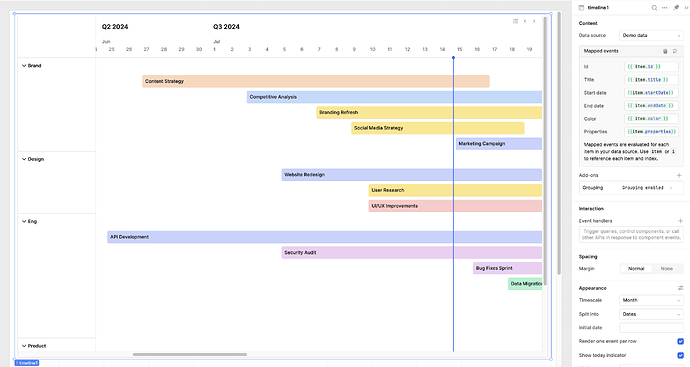
Retool Timeline Component: Setup, Tips, and Known Bugs
Retool's new Timeline component is the fastest way to visualize chronological events in a Gantt-style layout — no custom component needed. But there are a few configuration quirks and known bugs worth knowing before you ship. Here's everything you need to get it working.
Retool Container Padding Removal: Fix Nested Layout Issues
Nested containers in Retool look boxy and cluttered by default — and there's no built-in toggle to remove the padding. Here's the CSS workaround that actually works, plus what Retool has said about fixing this for good.
Retool Dark Mode for Developers: What You Need to Know
Retool's editor is blazing white — and if you're building internal tools late into the night, that's a real problem. Dark mode for the Retool developer environment isn't officially available yet, but there are workarounds that can help right now. Here's everything you need to know.
Retool Permissions Getting Wiped: Causes and Fixes
If your Retool permissions keep getting wiped after editing roles or groups, you're not alone — this is a known cloud bug that has hit multiple teams. Here's exactly what causes it, what the error messages mean, and how to recover your access settings without starting from scratch.