Guides
Retool ListViewV2 Beta: Virtualization, item Keyword & More
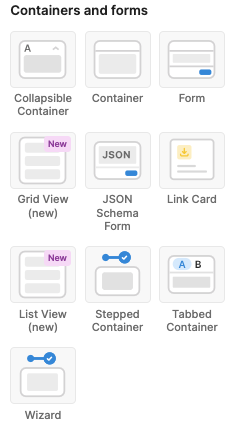
If you've been building data-heavy internal tools in Retool, you've probably hit the performance wall with the original List View component. The Retool ListViewV2 beta is Retool's answer to that — and it ships with virtualization, a new {{ item }} keyword, and a redesigned data-binding model that makes dynamic lists significantly easier to work with. Here's a practical breakdown of what changed, what's missing, and how to work around the rough edges.
What Is Retool ListViewV2 and Why Does It Matter?
The original ListView component works fine for small, static lists — but it struggles when you have dozens of rows with multiple child components each. Retool's team rebuilt it from the ground up as ListViewV2, borrowing the virtualization approach they already shipped in the new Table component. Virtualization means only the rows currently visible in the viewport are actually rendered in the DOM, which dramatically cuts down on memory usage and render time for long lists.
Beyond performance, the ergonomics got a real upgrade. Instead of wiring up data manually, you now bind a data source directly to the list view — similar to how the Table component works. And instead of referencing the current row's index with the clunky {{ i }} keyword, you now use {{ item }} to access each array entry directly. If your list is bound to an array of objects, {{ item.name }} just works.
How to Get Access to the ListViewV2 Beta
As of the beta launch, ListViewV2 is cloud only and opt-in. To enable it for your workspace, you need to reach out to the Retool team directly. Here's the process:
- Reply to the community thread or DM the Retool team with your Retool subdomain (e.g.
yourcompany.retool.com). - Once enabled,
ListViewV2will appear as a new component in your component panel — your existingListViewcomponents are untouched. - If you want to compare them side by side, ask the team to re-enable the legacy component — it'll show up under the deprecated section of the component panel.
This is a beta, so backward-incompatible changes are possible. Retool has said they'll announce breaking changes in the community thread before they go live, but plan accordingly if you're using this in production.
Key Changes from ListViewV1 to ListViewV2
- Virtualization: Only visible rows are rendered. This is the biggest win for apps with large dynamic lists.
- Data source binding: Instead of manually indexing into a query result, you bind a data source to the list view directly — cleaner and less error-prone.
{{ item }}keyword: Reference the current row's data object directly. No more relying on{{ i }}to build index-based references.- No external component references: Due to virtualization, you cannot reference child components from outside the list view. Patterns like
textInput1[i]will not work. Components inside the list can still reference each other. - JavaScript queries get partial access:
JavaScriptQuerycomponents triggered from within the list view can reference child components — but without indexing. The reference resolves to the component in the same row that triggered the query.
The Biggest Gotcha: Write-Back Patterns Are Broken
If your app lets users edit data inline inside a list view and then saves those changes back to a database, you've likely relied on indexing child components from outside — for example, collecting all textInput1[i].value entries into an array before running an update query. That pattern does not work in ListViewV2.
The Retool team is actively working on a solution, but in the meantime here's a workaround surfaced by the community: use a Run Script event handler and trigger your query with additionalScope to pass {{ item }} explicitly. It's not elegant, but it keeps write-back functional while the team ships a proper fix.
The cleaner long-term solution the community is asking for: follow the pattern of the Form component. Specifically, a Data key property on each child that maps to the corresponding field in {{ item }}, plus a top-level Data property on the list view that surfaces current child values — mirroring how Form's Data source and Data properties work together. If you want this, add your voice to the community thread.
How to Use {{ item }} Inside ListViewV2
Once you have access to the beta, here's the basic setup flow:
- Drop a
ListViewV2component onto your canvas. - Set the Data source property to your query result — for example,
{{ getUsers.data }}. - Inside the list view, add child components like
TextorTextInput. - Bind their values using
{{ item.field_name }}— e.g.{{ item.email }}for an email field. - For event-driven logic, use a
JavaScriptQuerytriggered from a button inside the list. Inside that query, reference child component values without indexing — Retool resolves them to the current row automatically.
Should You Migrate to ListViewV2 Now?
If you're building a new app that uses dynamic lists, yes — start with ListViewV2. The performance gains from virtualization alone are worth it, and the {{ item }} syntax is a genuine quality-of-life improvement. For existing apps that rely heavily on indexing child components from outside the list view, hold off until Retool ships the write-back solution. Migrating those patterns manually is painful and the API may still change before general availability. Watch the community thread for the GA announcement before committing.
Ready to build?
We scope, design, and ship your Retool app — fast.