Tutorials
How to Download a File from an API in Retool
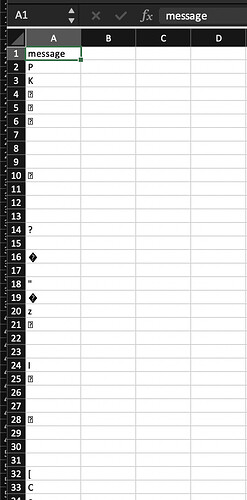
If you're trying to do a Retool download file from API and keep getting a corrupted Excel or PDF, you've hit one of the most frustrating gotchas in Retool's REST query handling. The file downloads, it's the right size, but Excel refuses to open it — or it opens as garbage. This guide explains exactly what's going wrong and walks you through the working solution step by step.
Why Retool Corrupts Excel and PDF Files from API Responses
When Retool receives a REST API response, it tries to parse it as JSON by default. If your API returns a binary file — like an .xlsx or .pdf — with a content type of application/vnd.openxmlformats-officedocument.spreadsheetml.sheet, Retool wraps the raw bytes in a JSON envelope that looks like this:
{ "message": "<binary content as UTF-8 string>" }
When you then pass query.data or query.data.message directly into utils.downloadFile, the binary data has already been mangled by the UTF-8 encoding step. The file size looks right, but the bytes are wrong — hence the "file is damaged" error on Mac and the unreadable content on Windows.
The Root Cause: Content-Type Matters
Retool handles different Content-Type headers differently. When the API returns application/octet-stream, Retool correctly formats the response as:
{ "base64Binary": "<content>", "fileName": "filename.xlsx", "fileType": "bin" }
This base64-encoded response is exactly what utils.downloadFile needs. But when the content type is a specific MIME type like application/vnd.openxmlformats-officedocument.spreadsheetml.sheet or application/vnd.ms-excel, older versions of Retool didn't handle this correctly and fell back to the broken message envelope.
The good news: Retool has since added native support for Excel MIME types. Both application/vnd.ms-excel and application/vnd.openxmlformats-officedocument.spreadsheetml.sheet now return a proper base64 response — so if you're on a recent version of Retool, the fix is simpler than you think.
How to Download a File from an API in Retool (Step by Step)
- Step 1: Create a REST query — Set up a
GETquery (e.g.getFileQuery) pointing to your API endpoint that returns the file. Make sure it's a GET request; Retool's base64 file handling is currently applied to REST GET queries. - Step 2: Check the response format — Run the query and inspect the response. You're looking for a
base64Binarykey in the response object. If you see it, you're good. If you see amessagekey with a garbled string, your Retool instance may need updating or your backend's content type needs adjustment. - Step 3: Create a JS query to trigger the download — Add a new JavaScript query (e.g.
downloadFile) with the following code:
utils.downloadFile(getFileQuery.data.base64Binary, "my_report.xlsx", "xlsx");
- Step 4: Wire up your button — On your button component, set the event handler to run
getFileQueryfirst, then on success, triggerdownloadFile. Do not use the built-in "Export data" action type — that expects structured JSON, not a binary blob, and will produce the gobbledygook output. - Step 5: Handle dynamic filenames (optional) — If your API returns a dynamic filename in the
Content-Dispositionheader, you can parse it out and pass it toutils.downloadFile. CheckgetFileQuery.rawDataor the response headers for the filename value, then use it as the second argument:utils.downloadFile(getFileQuery.data.base64Binary, dynamicFileName, "xlsx");
What If You're Still Getting a Corrupted File?
If you've followed the steps above and the file is still corrupted, here are the most common remaining culprits:
- Your API is returning the wrong content type. If possible, change your backend to return
application/octet-streamas a temporary workaround. This forces Retool to treat the response as a binary blob from the start. - You're passing the wrong data field. Make sure you're using
query.data.base64Binaryand notquery.dataorquery.data.message. The full data object won't work. - You're using a non-GET request. Retool's binary file handling was specifically added for REST GET queries. If your file endpoint uses POST, the behavior may differ — test with a dedicated GET endpoint if possible.
- The file type argument is wrong. Pass the correct extension as the third argument to
utils.downloadFile— e.g."xlsx"for Excel or"pdf"for PDFs. A mismatch here can confuse the OS into treating the file as the wrong format.
Downloading PDFs from an API in Retool
The same approach works for PDFs. As long as your API returns the correct content type (application/pdf or application/octet-stream) and Retool surfaces a base64Binary field in the response, you can call:
utils.downloadFile(getFileQuery.data.base64Binary, "my_document.pdf", "pdf");
If the PDF content type isn't being handled correctly, the application/octet-stream workaround applies here too.
The Bottom Line
Retool's utils.downloadFile works reliably when the API response is properly base64-encoded — which modern Retool versions handle automatically for common file MIME types. The key is making sure you're reading from query.data.base64Binary, triggering the download from a JS query instead of the "Export data" button action, and passing the correct file extension. If your backend has flexibility, returning application/octet-stream is the most bulletproof content type to use with Retool file downloads.
Ready to build?
We scope, design, and ship your Retool app — fast.