Guides
Retool Phone Number Input Component: Setup & Usage Guide
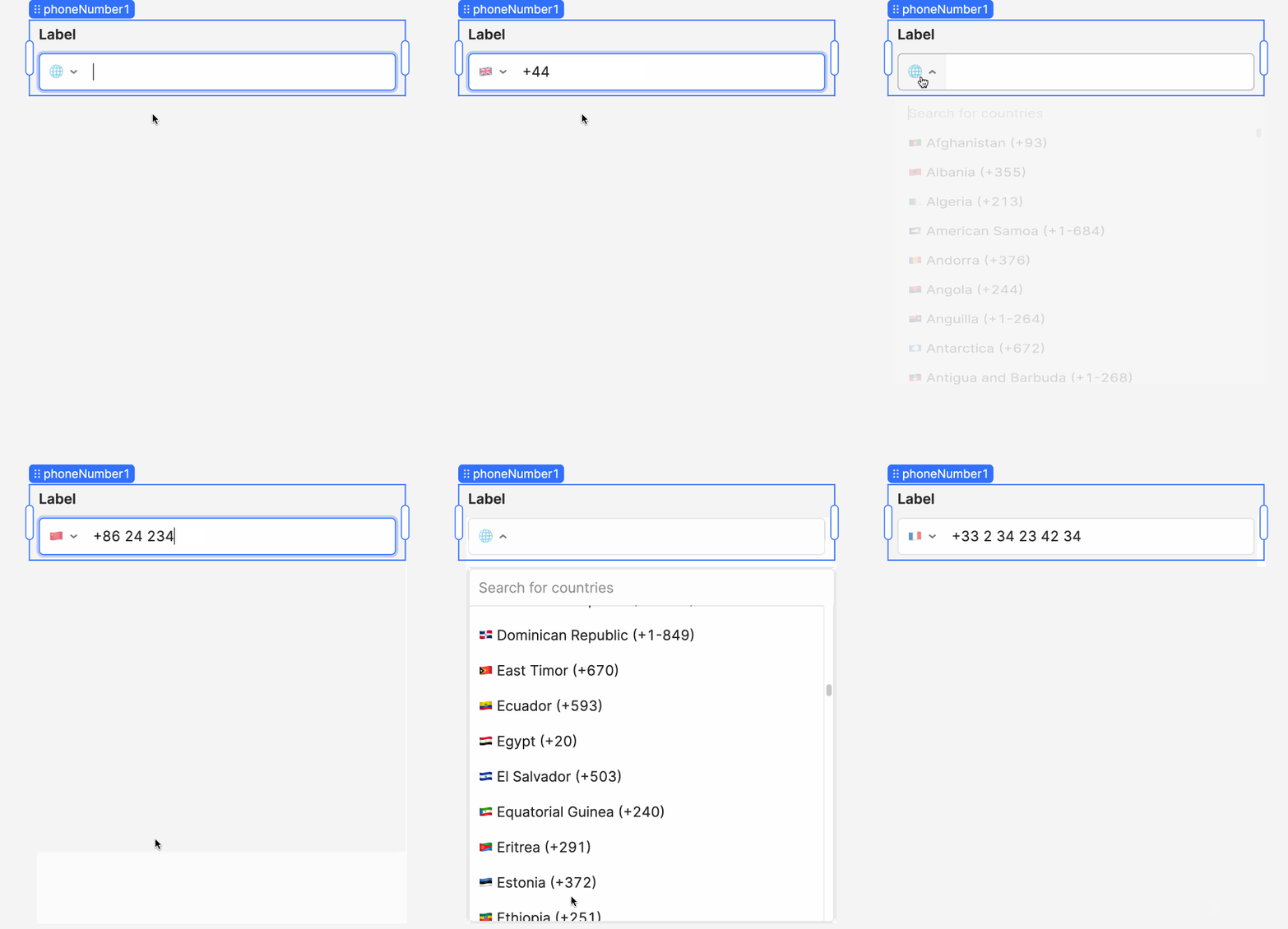
The PhoneNumberInput component in Retool is a purpose-built input field that automatically formats phone numbers as users type, complete with a country dropdown selector. If you've been cobbling together phone number formatting with regex or JavaScript transformers, this component removes that overhead entirely. Here's a complete breakdown of how it works, what values it exposes, and how to use them in your Retool apps.
What Is the Retool Phone Number Input Component?
The PhoneNumberInput component is a specialized form input designed to handle international phone number capture and formatting. When a user types a number, the input formats it in real time according to the selected country's format. The country is selected via a built-in dropdown, and by default, it auto-detects the user's country based on their IP address — a small but meaningful UX detail for global internal tools.
It was introduced in Retool version 3.18 and is available on Retool Cloud. On-premise support was listed as coming soon at the time of the beta launch.
How to Access Phone Number Values in Retool
This is where it gets practical. The component exposes three top-level properties, each suited to a different use case:
.value— The raw, unformatted string exactly as the user typed it..formattedValue— The formatted value as it appears in the input field. This maps 1-to-1 with what the user sees..parsedValue— An object with richer formatting and metadata options.
For most use cases, .formattedValue is what you want to store or display. But if you need to validate, route, or transform the number, .parsedValue is where the real power is.
What's Inside parsedValue?
The .parsedValue object exposes the following properties:
parsedValue.domesticNumber— The local/domestic format of the phone number (e.g.(415) 555-0132for a US number).parsedValue.internationalNumber— The E.164-style international format (e.g.+1 415 555 0132).parsedValue.selectedCountryCode— The country code currently selected in the dropdown (e.g.US,GB,IN). This is what the formatting logic is based on.parsedValue.uri— The international URI representation, useful fortel:links.parsedValue.valid— A boolean that returnstrueif the phone number is valid for the selected country code. Use this for form validation logic.
Example usage in a Retool expression:
{{ phoneNumber1.parsedValue.domesticNumber }}
{{ phoneNumber1.parsedValue.valid }}
Does the Component Format Domestic Numbers Automatically?
This caused some confusion in the community thread, so it's worth clarifying clearly: the real-time formatting as you type only supports international number formats. The input will not auto-format a number in local/domestic style while the user is typing.
However — and this is the important part — you can still programmatically access the domestic format at any time via {{ phoneNumber1.parsedValue.domesticNumber }}. So if you need to display a domestically formatted number in a table, a text component, or send it to a database, you absolutely can. You just won't see that formatting reflected live inside the input field itself.
How to Validate a Phone Number in Retool
If you're building a form and need to prevent submission with an invalid phone number, use the parsedValue.valid property. Here's a simple pattern:
- Add a
PhoneNumberInputcomponent to your form and name itphoneNumber1. - Add a Button component for form submission.
- In the Button's Disabled property, enter:
{{ !phoneNumber1.parsedValue.valid }} - This disables the button until the user enters a number that is valid for the selected country.
You can also use parsedValue.selectedCountryCode to conditionally handle logic — for example, routing to different SMS providers based on region, or applying different field validation rules per country.
How to Enable the Phone Number Input Component
At the time of the beta launch, the PhoneNumberInput component was not automatically available to all Retool Cloud organizations — it needed to be manually enabled per org by the Retool team. If you're on Retool Cloud and don't see the component in your component panel, check whether it appears when you search for "phone" in the component library.
If it doesn't appear, you may need to reach out to Retool support or post in the Retool Community thread to request it be enabled for your organization. As of the general availability rollout with version 3.18, it should be accessible to all cloud users without a manual enable step.
On-premise users should check their Retool instance version. The component was introduced in v3.18, so upgrading to that version or later is required to access it.
Quick Reference: Phone Number Input Properties
phoneNumber1.value— Raw input stringphoneNumber1.formattedValue— Formatted display valuephoneNumber1.parsedValue.domesticNumber— Local formatphoneNumber1.parsedValue.internationalNumber— International formatphoneNumber1.parsedValue.selectedCountryCode— Selected country codephoneNumber1.parsedValue.uri— Tel URI stringphoneNumber1.parsedValue.valid— Validity boolean
The PhoneNumberInput component is a straightforward drop-in for any Retool form that collects contact information. With parsedValue, you get everything you need to validate, store, and display phone numbers in whatever format your backend or downstream systems expect — without writing a single line of formatting logic yourself.
Ready to build?
We scope, design, and ship your Retool app — fast.