Tutorials
How to Use retool setIn() to Update Temporary State
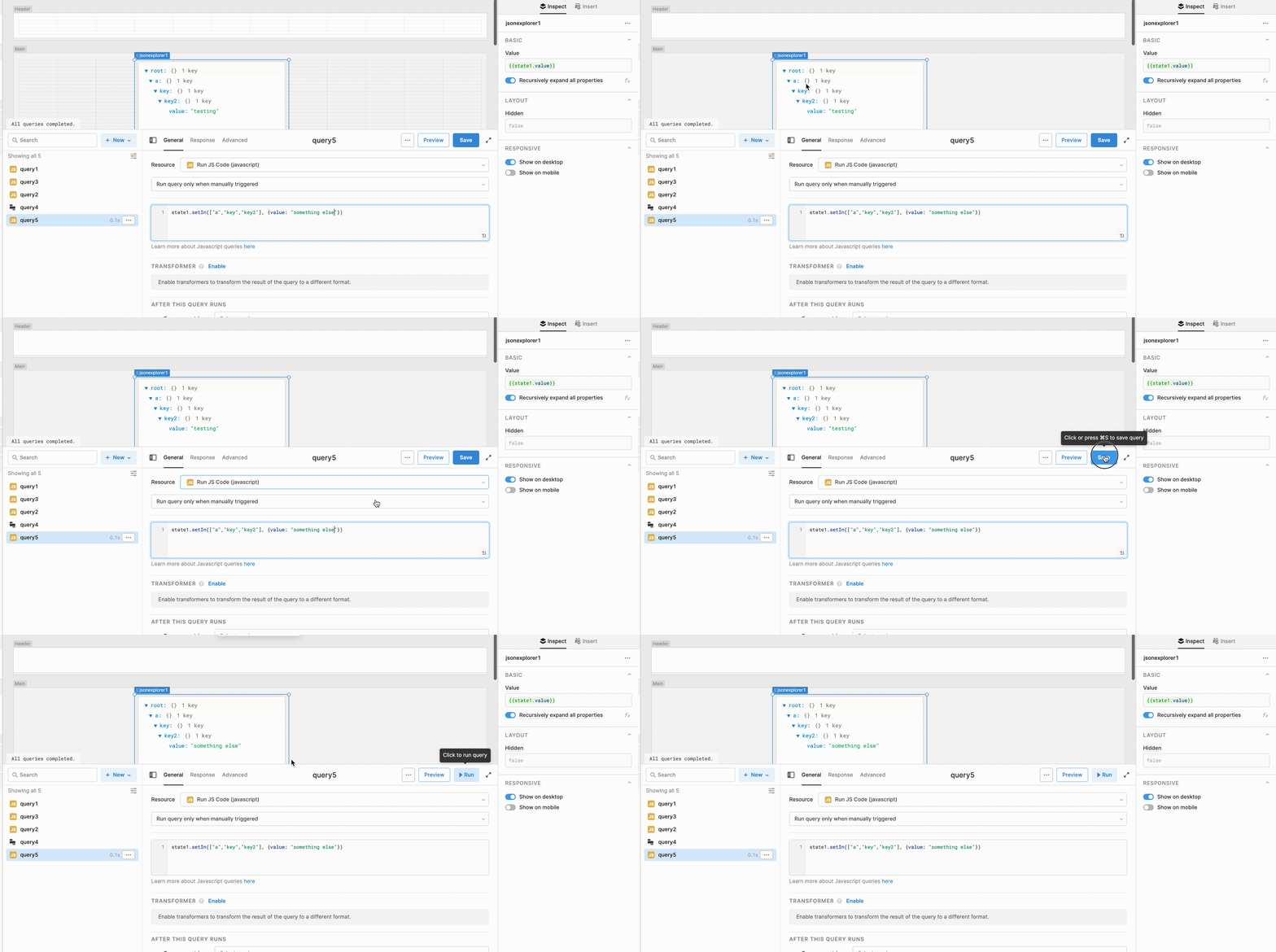
If you've been working with temporary state in Retool, you've probably run into setIn() — Retool's built-in method for updating a specific location inside a state variable without destroying the rest of the data. The official docs show one example (something about trout), repeat it twice, and call it a day. If you're here at 11pm trying to figure out how to update a nested object three levels deep, this post is for you. Here's everything you need to know about using Retool setIn() with temporary state, including nested arrays, objects, and mixed structures.
What Does setIn() Actually Do?
The setIn() method lets you update a value at a specific location inside your temporary state variable — without overwriting the rest of the state. The full signature is:
state.setIn(path, value)
Where path is an array of keys and/or indexes that "walk" the data structure to the exact location you want to update, and value is what you want to set there. The key insight the docs gloss over: the path array can be as long as you need it to be, and its structure must mirror the shape of your data.
How the Path Array Maps to Your Data Structure
This is the part that trips most people up. The path array isn't some fixed two-element structure — it's a direct representation of how you'd navigate to a value in plain JavaScript. Think of each element in the array as one step deeper into the data.
- Use a number to index into an array (e.g.,
0for the first item) - Use a string to access an object key (e.g.,
"username") - Chain as many steps as your data structure requires
For example, if your temporary state value looks like this:
[{ username: 123, sun: { message_id: "abc", content: "hello" }, mon: { message_id: "def", content: "world" } }]
And you want to update the sun message for the first record, you'd call:
some_state.setIn([0, "sun"], { message_id: "abc", content: "updated content" })
The 0 navigates to the first element of the outer array. The "sun" navigates to that key on the object. Simple.
Step-by-Step: Updating Deeply Nested State Values
Let's say your temporary state holds a more complex object — not an array at the top level, but a plain object with nested keys:
{ a: { key: { key2: "old value" } } }
To update key2, your path needs to walk through each level:
state.setIn(["a", "key", "key2"], "new value")
No array indexes needed here — just strings all the way down because every level is an object. The path array length matches the depth of nesting. Three levels deep? Three elements in the array.
How to Handle Arrays Nested Inside Objects
What if your structure mixes arrays and objects at multiple levels? That's where things get interesting — and where most documentation falls flat. The good news: setIn() handles it gracefully. You just mix numeric indexes and string keys in the path array to match your structure.
Imagine this state structure:
{ users: [ { name: "Alice", scores: [10, 20, 30] }, { name: "Bob", scores: [5, 15, 25] } ] }
To update Bob's second score (index 1 in his scores array):
state.setIn(["users", 1, "scores", 1], 99)
Breaking it down: "users" → the top-level key, 1 → second item in the array (Bob), "scores" → the scores key on Bob's object, 1 → the second score. Mix and match strings and numbers freely — as long as they reflect the actual shape of your data.
How to Delete Items from Temporary State
Here's a common follow-up question: what about deleting a value? As of now, Retool does not have a deleteIn() method. The workaround is to use .filter() on the nested array to remove the item, then use setIn() to overwrite the old array with the filtered result.
For example, to remove a user from a nested array by ID:
const filtered = state.value.users.filter(u => u.id !== targetId);
state.setIn(["users"], filtered);
It's a two-step process, but it works reliably. If you want native deleteIn() support, post a feature request in the Retool community — the more votes it gets, the faster it ships.
Common Mistakes to Avoid
- Wrong path length: If your path stops too early, you'll overwrite an entire branch instead of a single value. Always trace the full path to the exact key you want to change.
- String vs. number confusion: Using
"0"(string) instead of0(number) to index into an array will fail silently or produce unexpected results. Array indexes must be numbers. - Mutating state directly: Never try to set
state.value.someKey = newValuedirectly in Retool. Always go throughsetIn()orsetValue()to trigger reactive updates correctly. - Assuming a fixed two-element path: The Retool docs' single example makes it look like the path is always
[index, key]. It's not. Build the array to match your actual data depth.
Quick Reference: setIn() Path Patterns
- Flat array of objects:
state.setIn([index, "key"], value) - Nested object:
state.setIn(["key1", "key2", "key3"], value) - Mixed array and object:
state.setIn(["key", index, "nestedKey"], value) - Deep mixed structure:
state.setIn(["a", 0, "b", 1, "c"], value)
Once it clicks that the path array is just a JavaScript navigation map of your data structure, setIn() becomes second nature. If you're building internal tools in Retool with complex nested state — forms with dynamic rows, multi-step workflows, editable data grids — mastering this method will save you a lot of setValue() rewrites and unnecessary query calls.
Ready to build?
We scope, design, and ship your Retool app — fast.