Guides
How to Use Retool Modules to Build Reusable Components
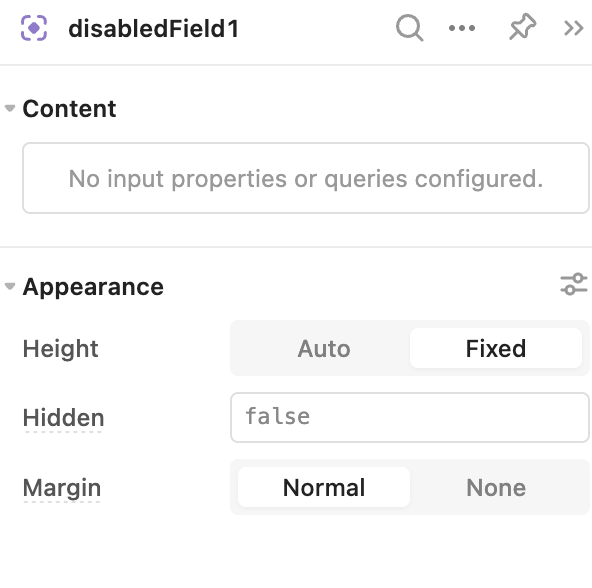
If you've been copy-pasting the same navigation bar or filter panel into every new Retool app, there's a better way. Learning how to use Retool modules can save you hours of rework. Retool modules let you build a reusable group of components and queries once, then drag and drop that module into any app across your workspace. Any update you make to the module automatically propagates to every app using it — no manual syncing required.
What Are Retool Modules?
A Retool module is a self-contained, reusable UI block that lives in its own editor — separate from the standard app editor. You build it once, and it becomes a portable widget you can drop into any app. Modules can contain any component (tables, buttons, forms, navigation, etc.) and can run their own queries. They can also communicate with the parent app by accepting data inputs and emitting data outputs.
Common use cases include:
- A global navigation bar shared across all internal tools
- Search filter panels reused across multiple data views
- Shared forms (e.g., a "Create Ticket" form used in several apps)
- Breaking a large, complex app into smaller, maintainable pieces
- Enabling parallel team development — one person edits the module, another edits the parent app
How to Build Your First Retool Module (Step-by-Step)
Here's how to get a module up and running from scratch:
- Step 1 — Create a new module. From the Retool home screen, create a new module (not a new app). The module editor looks nearly identical to the app editor, with one key difference: it opens with a single container and no header, sidebar, or drawers. All your components go inside that container.
- Step 2 — Build your components. Add whatever components you need inside the module container. For a nav bar, drop in a
navigationcomponent and configure your links to point to the relevant apps. The module will automatically highlight the active app in the menu based on the parent app context. - Step 3 — Adjust the container size. The default container spans the full canvas width. Resize it to match the space it will occupy in your parent apps. If you skip this, your module may appear cramped or misaligned when dropped into an app. Periodically test the module inside an actual app as you build — don't wait until the end.
- Step 4 — Add data inputs (optional). If your parent app needs to pass data into the module, create a data input in the module editor. For example, you can pass a user's name or a logo URL from the parent app into the module so it renders app-specific content dynamically.
- Step 5 — Add query inputs (optional). A query input lets your module trigger a query defined in the parent app. For instance, you could add a button inside your navigation module that, when clicked, fires a JavaScript query in the parent app — like triggering a confetti animation. Wire it up by assigning the query input in each parent app to the target query.
- Step 6 — Drag and drop into your apps. Open any app, find your module in the component panel, and drag it onto the canvas. That's it. Repeat for every app that should use it.
When Should You Use a Retool Module?
Modules shine when there is consistency in component configuration across apps. If every app using a component will have the same layout and similar settings, a module is a great fit. If each app needs a wildly different dataset or completely different component settings, a module may add more overhead than it saves.
A good rule of thumb: if you'd otherwise build the same thing more than twice, it belongs in a module.
Do Retool Modules Improve App Performance?
No — and this is a common misconception. Retool modules are not lazy-loaded. Adding a module does not speed up your app's load time. If performance is your goal, modules won't help there. Focus on query optimization and component reduction instead.
Can You Nest Retool Modules Inside Other Modules?
Yes, nesting is technically supported — you can place a module inside another module. However, it's strongly advised to use this sparingly. Nested modules can become extremely difficult to debug. If something breaks two or three layers deep, tracing the issue back to its source is painful. Keep your module hierarchy as flat as possible.
Common Retool Module Pitfalls to Avoid
- Don't name inputs the same as the module itself. If your module is called
navigationBar, do not create an input namednavigationBarornavigationBar.value. This causes naming conflicts that are hard to debug. - Custom CSS and preloaded JavaScript don't work in modules. Any
custom CSSorpreloaded JSyou configure in the module editor will stop working once the module is dropped into a parent app. Apply those at the app level instead. - Module content appearing cropped or crammed in the parent app is almost always a container sizing issue. Go back to the module editor, adjust the container dimensions, and re-test inside the app.
- Modules are not currently available in Retool Mobile apps. If you're building for mobile, you'll need to manage reusability differently.
- Check your release version if module changes aren't showing up. If you're accessing your app via a custom domain pointed at a Retool landing page, you may be viewing an older published release rather than the latest draft. Use the Play button preview in the editor to confirm you're seeing current changes.
- Modules are exported with the app. When you export an app to JSON, the module definition is included in the export — useful to know when migrating between Retool environments.
The Bottom Line on Retool Modules
Retool modules are one of the most underused features in the platform. If your team is managing more than a handful of internal tools, establishing a library of shared modules — starting with a navigation bar — will dramatically reduce maintenance overhead. Build it once, update it in one place, and let every app benefit automatically. Just keep your module hierarchy flat, stay away from custom CSS inside modules, and size your containers carefully before deploying.
Ready to build?
We scope, design, and ship your Retool app — fast.