Tutorials
Retool Rich Text Editor Markdown Output Using Turndown
If you're using Retool to build a content publishing tool, you've probably hit this wall: the richTextEditor component outputs HTML, but your downstream API expects markdown. The workaround most teams reach for is copy-pasting from an external editor like StackEdit — but that defeats the purpose of having an internal tool in the first place. The good news is you can get Retool rich text editor markdown output working natively inside your app in under five minutes using Turndown.js.
Why Retool's Rich Text Editor Doesn't Output Markdown by Default
Retool's richTextEditor component is a WYSIWYG editor built on top of standard web rich-text primitives, which means it serializes content as HTML. That's fine for rendering in a browser, but if you're passing content to a headless CMS, a static site generator, or any API that consumes markdown, you need a conversion step. Retool's native text component does accept markdown for display purposes — you can write ### Heading and it will render correctly — but that doesn't help when you need to write markdown visually and output it as a string to a query.
Why Not Just Build a Raw Markdown Editor in Retool?
The honest answer: there isn't a great native option. A plain textArea component works if your team knows markdown syntax, but the moment a non-technical person needs to use the tool, you'll spend more time on training than the tool saves. A true WYSIWYG editor that serializes to markdown would be ideal, but that component doesn't exist out of the box in Retool. The practical solution is to keep using the richTextEditor for authoring and convert the HTML output to markdown at query time.
How to Add Turndown.js to Retool
Turndown is a lightweight JavaScript library that converts HTML to markdown. Retool lets you load external JavaScript libraries via a CDN, which means you can pull Turndown in without any build steps or custom components. Here's how to set it up:
- Open your Retool app and go to Settings in the top-right corner.
- Click the Advanced tab.
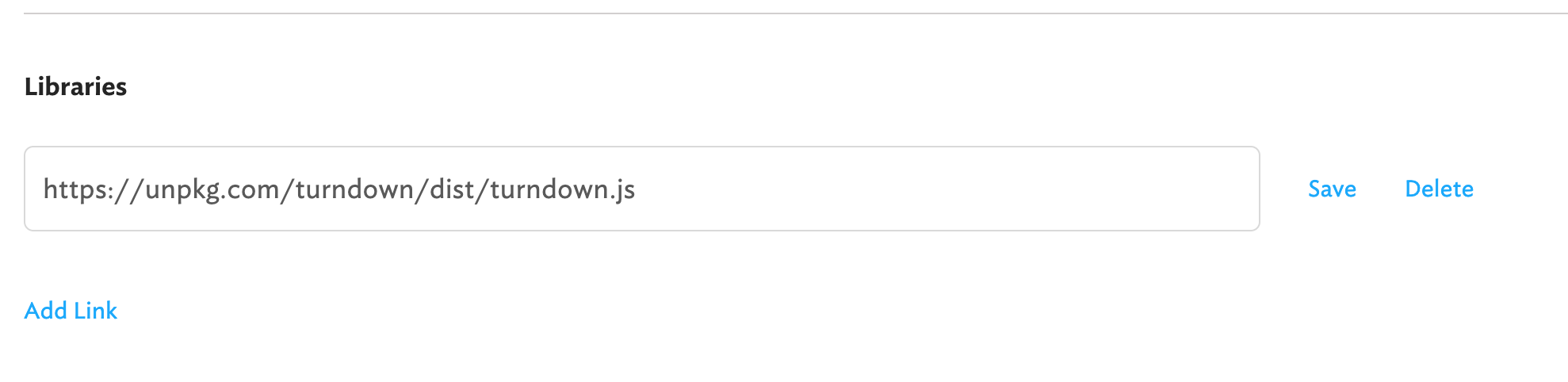
- In the Custom JavaScript libraries field, add the following CDN URL:
https://unpkg.com/turndown/dist/turndown.js - Save your settings. The library will now be available globally in all JavaScript queries in that app.
How to Convert Rich Text Editor HTML to Markdown in a JS Query
Once Turndown is loaded, create a new JavaScript query in Retool and use the following code to convert your richTextEditor component's value to markdown:
- Reference the rich text editor's HTML output via
richTextEditor1.value(replace with your actual component name). - Instantiate
TurndownServicewith your preferred config options. - Call
turndownService.turndown()with the HTML string. - Return or store the resulting markdown string to pass to your API query.
Here's the full code snippet:
var turndownConfig = { headingStyle: 'atx' }
var turndownService = new TurndownService(turndownConfig)
var markdown = turndownService.turndown(richTextEditor1.value)
return markdown
The headingStyle: 'atx' option tells Turndown to use the # prefix style for headings (e.g. ## Heading) rather than the underline style. This is the format most APIs and static site generators expect.
Wiring the Markdown Output to Your API Query
Once your JavaScript query returns the markdown string, you can reference it in any other Retool query. If your JS query is named convertToMarkdown, access the result with {{ convertToMarkdown.data }} and pass it as a parameter to your REST API or database query. Set the JS query to run on page load or trigger it manually before the publish action depending on your workflow.
Known Limitations of the HTML-to-Markdown Approach
Turndown handles the most common formatting well — headings, bold, italic, lists, links, and code blocks. There are a few edge cases to be aware of:
- Underlines: HTML
<u>tags don't have a markdown equivalent. Turndown will strip them by default. If your content relies on underlines, you'll need a custom Turndown rule or a different formatting convention. - Tables: Basic table support exists via a Turndown plugin (
turndown-plugin-gfm), which you can load as a second CDN library if needed. - Embedded images: Image URLs will be preserved as markdown image syntax, but any blob or base64 images from the editor may not convert cleanly.
The Bottom Line
For most Retool content publishing workflows, loading Turndown.js via the custom libraries CDN and running a one-liner JS query is all you need to get clean markdown output from the richTextEditor component. Your team gets a familiar WYSIWYG interface, non-technical users don't need to learn markdown syntax, and your API gets exactly the format it expects — all without leaving Retool.
Ready to build?
We scope, design, and ship your Retool app — fast.