Guides
Retool Custom Component Libraries: Enable Public App Support
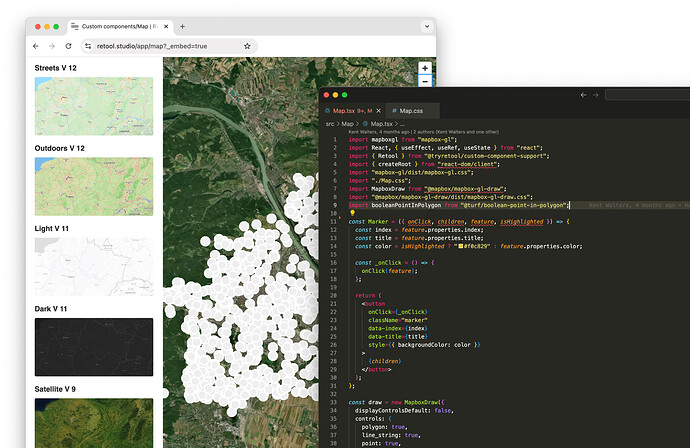
If you've been using Custom Component Libraries (CCL) in Retool and hit a wall trying to use them in a public app, you're not alone. For a while, CCL lacked feature parity with Retool's original custom components — specifically, there was no way to expose a custom component library for use in public-facing apps. That gap is now closed. Retool has shipped public app support for custom component libraries, and this guide walks you through what changed, how to enable it, and how to get the most out of it.
What Are Retool Custom Component Libraries?
Custom Component Libraries let you write any React component in your local development environment and upload it directly to Retool. Unlike inline custom components, CCL lets you manage third-party npm dependencies the same way you would in any standard frontend project. Once uploaded, those components become reusable across every app in your Retool organization — not just the app you built them for. This makes CCL the right choice for teams building multiple internal tools that need a consistent UI or shared business logic baked into components.
What Changed: Public App Support for CCL
The original custom component feature in Retool already supported public apps. But when Custom Component Libraries launched, that support was missing — if your app was set to public, your CCL components simply wouldn't work. This forced teams to either avoid CCL for any external-facing tool or maintain two separate component implementations. With the latest update (available on cloud version 3.100 and above, and coming to on-prem in an upcoming edge release), you can now toggle public app support directly in your CCL settings.
How to Enable Public App Support for a Custom Component Library
The process is straightforward once the feature is enabled for your Retool organization. Follow these steps:
- Step 1: Navigate to your Retool organization settings and open the
Custom Component Librariessection. - Step 2: Select the component library you want to expose to public apps.
- Step 3: Look for the "Is Public" toggle in the library's settings panel. Flip it on.
- Step 4: Save your changes. The library is now available for use inside any app in your org that has public access enabled.
- Step 5: Open the public app where you want to use the component, and drop in your
custom componentblock — you should now see your CCL listed as an available source.
If you don't see the "Is Public" toggle in your settings, the feature may not yet be enabled for your organization. It is being rolled out gradually on cloud. If you're on a cloud plan and don't see it, contact Retool support or post in the community thread with your org handle to request early access.
Why This Matters for Teams Building Public-Facing Retool Apps
Most Retool use cases are internal — dashboards, admin panels, ops tools. But a growing number of teams use Retool's public app feature to ship lightweight external-facing tools: client portals, status pages, intake forms, or read-only reporting views. Before this update, any team doing that had to either avoid CCL entirely or duplicate component logic. Now you can write your React component once inside a Custom Component Library, reuse it across all internal apps, and expose it in public apps with a single toggle. That's a significant DX improvement, especially for agencies or product teams maintaining a shared design system inside Retool.
How to Build and Upload a Custom Component Library
If you haven't set up a Custom Component Library yet, here's the quick-start path:
- Use the Retool CLI to scaffold a new CCL project locally:
retool-ccl init my-library - Write your React components using standard tooling — you can import any
npmpackage as a dependency. - Build the library:
npm run build - Upload the build artifact to Retool via the CLI:
retool-ccl deploy - In Retool's UI, navigate to
Settings → Custom Component Librariesand confirm the upload appears. - Add a
Custom Componentblock to any app and select your library as the source.
The full reference is available in the Retool docs under Build custom React components. It covers the full component lifecycle, how to pass model props, and how to fire triggerQuery events back into the Retool app from inside your component.
Common Issues and What to Check
- Toggle not visible: Your org may not have the feature enabled yet. It's rolling out gradually on cloud 3.100+. Request access via Retool support.
- Component not appearing in public app: Double-check that the "Is Public" toggle is on for that specific library, not just that the app itself is public.
- On-prem users: Public app support for CCL is not yet in the stable on-prem release. Wait for the next edge release or check Retool's changelog.
- Dependency errors after upload: Make sure you're running
npm run buildbefore deploying. Retool bundles the output, so all dependencies need to be resolved at build time.
The Bottom Line
Retool Custom Component Libraries with public app support removes one of the last major friction points for teams using CCL at scale. You can now maintain a single component library, reuse it org-wide, and surface those components in both internal and public Retool apps without any workarounds. If you're building a shared component system inside Retool — or managing client-facing tools — this update is worth implementing today.
Ready to build?
We scope, design, and ship your Retool app — fast.