Tutorials
How to Wrap Text in a Retool Table (Cell & Header)
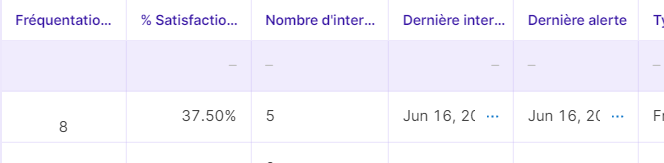
If you're trying to wrap text in a Retool table and your cell content is getting clipped or overflowing, you're not alone. This is one of the most-searched Retool UI issues, and the answer has changed as Retool has evolved its table component. This guide covers how to enable Retool table wrap text for cell content, row height, and column headers — for both the legacy and new table component.
Wrapping Cell Text in the New Retool Table
In the current (non-legacy) Retool table, the cleanest solution is to change the column type to Multiline Text. Here's how to do it:
- Click on your table component to select it.
- In the right-hand panel, navigate to the Columns section and select the column you want to wrap.
- Change the Column type from
TextorAutotoMultiline Text. - Next, set the table's Row height to
Dynamic. This allows each row to expand vertically to fit all the text content.
That combination — Multiline Text column type plus Dynamic row height — is the officially supported way to wrap text in the new Retool table. Without setting row height to Dynamic, the column type change alone won't visibly expand the cell.
Wrapping Cell Text in the Legacy Retool Table
In the older legacy table, the setting you're looking for is called Allow Overflow. To enable it:
- Select your table and click into a specific column's settings.
- Look for the Allow Overflow toggle and enable it.
If Allow Overflow alone doesn't produce wrapping, you can supplement it with custom CSS (see the section below).
How to Wrap Text Using Custom CSS
If the built-in settings aren't cutting it — especially on the legacy table — custom CSS is a reliable fallback. Add the following to your app's Custom CSS field, replacing table1 with your actual table component's ID:
._retool-table1 ._TZGEl._X9iXl span { white-space: pre; }
._retool-table1 ._xov9f._x4j1F { height: max-content !important; }
For the legacy table, this broader CSS block targets cell containers and forces word wrapping:
._retool-TableWidget .cell-container { font-size: 10px !important; overflow-wrap: break-word !important; }
._retool-TableWidget .rt-column-header-name { font-size: 10px !important; }
._retool-TableWidget .rt-th.rt-resizable-header.-cursor-pointer { overflow-wrap: break-word !important; }
These CSS selectors work by overriding Retool's default white-space: nowrap and overflow: hidden styles that prevent text from wrapping in table cells.
Can You Wrap Text in Retool Table Column Headers?
This is the part that frustrates a lot of developers: wrapping column header text is not natively supported in either the legacy or new Retool table as of this writing. Retool's team has acknowledged this as a known limitation and has logged an internal feature request for it.
Your current options for long column header names are:
- Manually resize the column by clicking and dragging the column border to the desired width.
- Shorten the column name in the column settings to an abbreviated label.
- Use a tooltip or supplementary text element elsewhere in the UI to provide full context for the header.
- Reduce font size via CSS using
._retool-TableWidget .rt-column-header-name { font-size: 10px !important; }on the legacy table, which can help fit more characters within the fixed header height.
None of these are perfect substitutes for true header text wrapping, but they're the practical workarounds available today.
Quick Reference: Which Solution Applies to Your Setup
- New Retool table, cell content: Set column type to
Multiline Text+ set row height toDynamic. - Legacy Retool table, cell content: Enable
Allow Overflowin column settings, or use custom CSS withoverflow-wrap: break-word. - Any table, column headers: No native support yet — resize manually, shorten the label, or reduce font size via CSS.
- New table, custom CSS workaround: Use component-scoped CSS with your table's ID (e.g.,
._retool-table1) to avoid affecting other tables in the app.
A Note on CSS Selector Stability
When using custom CSS with Retool's internal class names like ._TZGEl or ._xov9f, be aware that these selectors can change between Retool version updates. If your CSS-based wrapping stops working after a Retool upgrade, inspect the table's DOM in your browser's developer tools to find the updated class names. For production apps, prefer the native Multiline Text + Dynamic row height approach whenever possible, as it is version-stable.
Retool's table component is powerful, but text display options have lagged behind other features. Until full header wrapping support ships, the combination of Multiline Text columns, Dynamic row height, and targeted custom CSS will cover the majority of use cases you'll encounter.
Ready to build?
We scope, design, and ship your Retool app — fast.