Guides
Retool Scanner V2: Fixing Barcode Scanner Issues in Your App
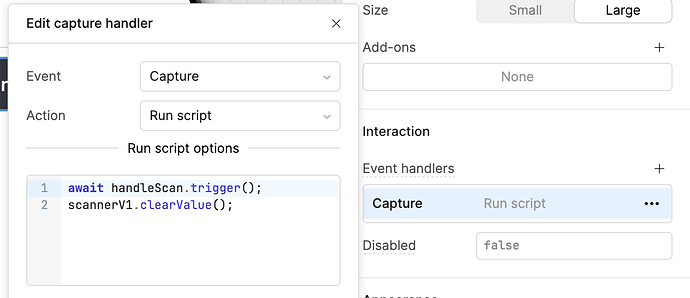
If you've been using the Retool Scanner V2 barcode component in your internal tools, you already know the old scanner had serious reliability problems. The Scanner component would fail to open mid-session, force full app restarts, and offered no way to restrict symbologies or cleanly handle multiple barcodes. Retool's V2 beta addresses most of these pain points — but it comes with its own quirks worth knowing before you build around it.
What Was Wrong With Retool's Original Barcode Scanner
The V1 Scanner component was a source of daily frustration for teams using Retool on warehouse floors, retail environments, and anywhere barcodes are scanned at volume. The most common complaints from the community:
- Scanner fails to open after the first use — users had to close the entire app and reopen it just to scan again.
- No symbology restrictions — you couldn't limit the scanner to QR codes only, or EAN-13 only. It tried to read everything, causing misreads.
- Poor multi-barcode UI — workflows that needed to scan several items in sequence had no clean way to manage that in the component itself.
These weren't edge cases. Teams running Retool apps in logistics and inventory management hit these bugs on every shift.
What Retool Scanner V2 Actually Fixes
The ScannerV2 component is a ground-up rebuild. Based on early beta feedback from real users, here's what's measurably better:
- Near-100% reliability on mobile — the freeze-and-restart loop is gone. Users report the scanner opens consistently across sessions without requiring an app reload.
- Improved multi-barcode handling UI — the component now has a better interface for scanning multiple barcodes in a single workflow.
- Symbology restrictions — you can now configure which barcode formats the scanner should recognize, reducing noise and misreads in production environments.
One beta user summarized it well: "The V2 Scanner is definitely way better than V1. The component is nearly 100% reliable." That's a meaningful shift for teams who depend on this for daily operations.
Known Issues in the Scanner V2 Beta
It's a closed beta, and there are rough edges. Here are the two most significant issues currently reported:
- 2-second load time on mobile — the
ScannerV2component takes up to 2 seconds to initialize, noticeably slower than the device's native camera app. This appears to be a module initialization bottleneck, not a hardware limitation. - Accumulating scanned values array — each new scan appends to an array rather than replacing the current value. This means the first (oldest) barcode keeps reappearing in the list, which can corrupt downstream query logic if you're not filtering for the latest entry.
- No desktop scanning support — the camera preview activates in desktop browsers (macOS and Windows), but the scanner doesn't actually decode barcodes. This makes it impossible to debug scanning pipelines during development without a physical mobile device.
How to Work Around the Accumulating Scanned Values Bug
Until Retool patches the array accumulation issue, you can work around it in your queries and JavaScript transformers. When reading the output of the ScannerV2 component, always pull the last value in the array rather than the full array:
- In a query or transformer, use
{{ scannerV2.value[scannerV2.value.length - 1] }}to get the most recent scan. - If your workflow requires a clean slate between scan sessions, trigger a
scannerV2.reset()call using a Button component's event handler after each successful scan is processed. - Avoid binding directly to
{{ scannerV2.value }}in table or list components without first transforming or slicing the array — you'll surface stale barcodes to users.
How to Get Scanner V2 Enabled for Your Retool Workspace
As of now, ScannerV2 is available through a closed beta. Retool enables it on a per-org basis. To request access:
- Post your org domain (e.g.
yourcompany.retool.com) in the Scanner V2 community thread. - A Retool team member will enable the component flag for your workspace.
- Once enabled, the
ScannerV2component will appear in your component library alongside the legacyScanner.
There's no self-serve toggle yet — it requires Retool to flip the flag on their end. Response times in the thread have been fast, typically within a business day.
Should You Switch to Scanner V2 Now?
If your team scans barcodes daily and the V1 freeze bug has been killing your workflow, yes — request access and switch. The reliability improvement alone is worth the beta risk for most teams.
If you're building a new Retool app that depends heavily on scanning, be aware of the desktop debugging limitation. You'll need a physical mobile device in your development loop, which slows iteration. Plan for that constraint upfront rather than discovering it mid-build.
The ScannerV2 component isn't perfect yet, but it's a significant step forward. Keep an eye on the community thread for when it moves to general availability — at that point, there's no reason to keep the legacy Scanner component in any production app.
Ready to build?
We scope, design, and ship your Retool app — fast.